

I look at Google Search Console data all day, and I see a constant struggle. Business owners approach SEO like a math problem, stuffing keywords until the text is unreadable. Or they ignore the data completely and wonder why their beautiful writing gets no views.
The secret isn’t prioritizing one over the other—it’s blending them. In this guide, I will teach you how to integrate SEO into your content so it satisfies the algorithm and the human. And if the analytics part scares you, I created sneo.ai to act as your personal translator for your site’s performance data. You don’t need to be a data scientist to rank; you just need the right approach.
TL;DR – Quick Answer:
To integrate SEO into content, prioritize user intent over keyword density. Map keywords to specific topics before drafting, place primary terms in titles and headers naturally, and ensure your content answers the reader’s specific question better than competitors.
What It Means to Integrate SEO Into Content
When I say “SEO content,” most people picture robot-written text that repeats the same phrase five times in the first paragraph. That is not what modern optimization looks like.
To integrate SEO into your content effectively means you are structuring your knowledge in a way that search engines can understand and categorize, while keeping the language natural for the human on the other end of the screen.
Think of it this way: Google is a librarian. Your content is a book. SEO is simply the labeling system—the title on the spine, the chapter list, the index—that helps the librarian file your book in the right section so the right person can find it. If you write a brilliant book but file it under “Miscellaneous,” nobody finds it. If you write a book that is just a list of keywords, nobody reads it.
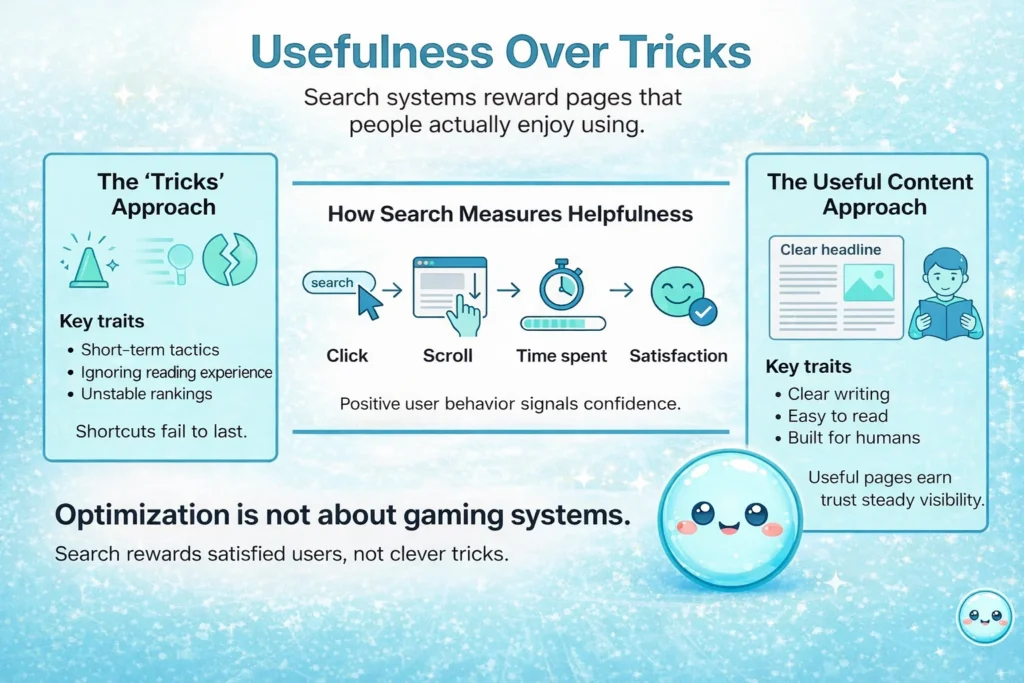
Usefulness Over Tricks
In 2026, search engines will focus heavily on “Helpful Content” signals. Google explicitly states in their guide to creating helpful content that you should write for people first, not search engines. They measure how users interact with your page. If a user clicks your link, scrolls down, spends three minutes reading, and doesn’t hit the back button, that is a massive vote of confidence.
I’ve worked with clients who tried every technical trick in the book but ignored the reading experience. Their rankings never held up. True optimization supports visibility, brings in traffic, and builds trust simultaneously. It’s not about tricking the algorithm; it’s about feeding it what it wants: satisfied users.
Step #1: Start With Keyword Research
You cannot optimize what you haven’t planned. Whenever I start a new campaign for a client, I never write a single word until I know exactly what people are typing into the search bar.
Keyword research shapes your entire plan. It tells you what questions your audience is asking.
Understanding Search Intent
I categorize every keyword into three buckets, a concept supported by Semrush’s search intent analysis:
- Informational: The user wants to learn (e.g., “how to fix a leaky faucet”).
- Navigational: The user is looking for a specific site (e.g., “sneo login”).
- Transactional: The user is ready to buy (e.g., “buy seo audit tool”).
If you write a sales pitch for an informational keyword, you will fail. I see this mistake constantly. A user searching for “best running shoes for flat feet” wants a review or a list, not your product page.
The Power of Long-Tail Keywords
High-volume keywords are tempting, but they are often too broad. I prefer targeting long-tail keywords—phrases with 3+ words that are highly specific. According to Ahrefs, nearly 95% of all search queries in the US get fewer than 10 monthly searches, meaning the vast majority of opportunities lie in these specific, lower-competition terms.

For example, instead of targeting “SEO,” I might target “how to read Google Search Console data.” The volume is lower, but the intent is clearer, and the competition is manageable.
I map a primary keyword to the main topic and then pick 3-4 secondary keywords to support it. This prevents “keyword stuffing” because you have a variety of related terms to use naturally.
Step #2: Plan Keyword Optimization Before Writing
Once I have my keywords, I plan where they go. I don’t just sprinkle them in after the draft is done. That always leads to awkward sentences.
Natural Placement
To integrate SEO into your content, the primary keyword needs to live in specific “prime real estate” spots:
- The Page Title: This is non-negotiable.
- The URL: Keep it short and clean.
- The H1 Heading: Your main headline.
- The Introduction: Ideally within the first 100 words.
But here is the trick: read it out loud. If it sounds clunky, rewrite it. Google’s natural language processing has advanced to the point where it understands synonyms and context. You don’t need to force an exact match if it ruins the sentence flow.
Semantic Keywords
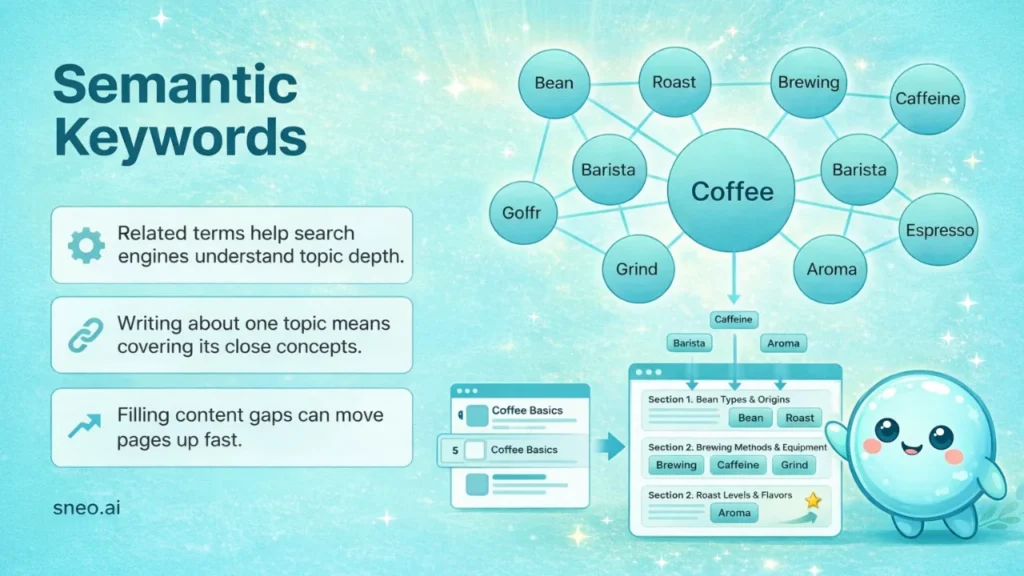
I also use semantic keywords—terms that are conceptually related to your main topic. If I am writing about “coffee,” Google expects to see words like “bean,” “roast,” “brewing,” “caffeine,” and “barista.”
If those words are missing, Google might think my content is thin. I check my clients’ existing content for these gaps. Often, simply adding a section that covers a related sub-topic is enough to push a page from position 12 to position 3.
Step #3: Write for Content Quality First
This might sound counter-intuitive coming from an analyst, but the best strategy is to be the best answer on the web.
Quality is the foundation. If your content is shallow, boring, or inaccurate, no amount of optimization will save it.
Writing for Humans
I always tell my team: “Write for the person who is stressed out and looking for a solution.”
- Structure Matters: Use short paragraphs (2-3 sentences max). Huge walls of text scare readers away.
- Clear Formatting: Use bullet points, bold text for emphasis, and clear subheadings.
- Answer Real Questions: Look at the “People Also Ask” section in search results. I make sure my content answers those specific questions directly.
Depth vs. Complexity
Matching the content depth to the topic is vital. If I’m explaining “what is a meta tag,” the reader wants a quick, clear definition. They don’t need a history of the internet. But if I’m explaining “how to recover from a core update,” that requires a deep dive.
I’ve helped website owners who were confused why their 4,000-word guide wasn’t ranking for a simple definition term. The answer? Google saw it as too complex for the user’s intent.
Step #3: Optimize On-Page Elements
This is the technical side of things, but it’s easier than you think. On-page elements are the signals that tell search engines what your page is about.
Title Tags and Meta Descriptions
Your title tag is the clickable headline in search results. It is the single most important on-page factor. Moz’s guide on Title Tags emphasizes placing important keywords toward the beginning of the title for maximum impact.
The meta description doesn’t directly affect rankings, but it affects clicks. I treat it like an ad copy. If I can convince more people to click my result over the competitor’s, my rankings will eventually improve.

Headings (H1, H2, H3)
Headings are for structure, not just for making text big.
- H1: The main title (only one per page).
- H2: Main sections.
- H3: Sub-sections under H2s.
I include my secondary keywords in the H2s where it feels natural. This helps Google understand the hierarchy of information.
Step #5: Use Internal Linking Strategically
Internal linking is the most underrated tactic in SEO. I view every link as a pathway for both the user and the crawler.
When you link from one page on your site to another, you are passing authority. If you have a high-performing page, linking it to a new post helps that new post get indexed and ranked faster.
The Anchor Text Rule
Be descriptive. Never use “click here.”
- Bad: “Click here to read about SEO.”
- Good: “Learn more about how to integrate SEO into your content.”
This tells Google exactly what the linked page is about. I audit internal links regularly to make sure I don’t have broken paths (404 errors), which frustrate users and halt search crawlers.
Step #6: Support Content With Backlink Building
Backlinks (links from other websites to yours) remain a major ranking factor in 2026. They act as votes of credibility. Backlinko’s analysis of 11.8 million search results found a direct correlation between the number of backlinks and higher rankings.
However, the game has changed: You cannot buy spammy links anymore. You have to earn them.
Creating Link-Worthy Assets
I advise clients to create resources that other people want to link to. This includes:
- Original data studies.
- Infographics.
- Free tools or calculators.
- Definitive guides on complex topics.
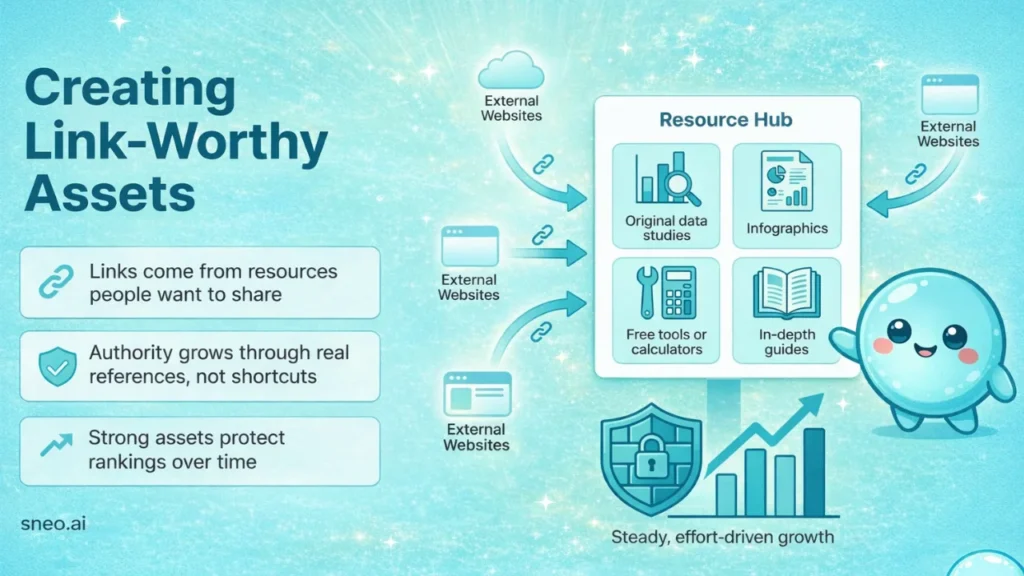
When I analyze a site that is stuck on page 2, it often has great content but zero authority. We fix this by reaching out to industry blogs or partners and asking for a reference. It’s slow work, but it builds a defensive moat around your rankings that competitors can’t easily cross.
Step #7: Improve User Experience Signals
Google measures how users behave on your site. These are called User Experience (UX) signals.
If a user lands on your page and immediately leaves (bounces), it tells Google: “This result was not relevant.”
Scannability and Engagement
I write content that is easy to scan. Most people skim before they read. If they can’t find the answer in five seconds, they are gone.
I also focus on “dwell time.” I use video, images, or interactive elements to keep people on the page longer. I’ve seen pages jump in rankings simply because we added a 2-minute video summary at the top, which kept users engaged.
Step #8: Optimize for Mobile and Site Speed
In 2026, mobile optimization is not optional. Google uses mobile-first indexing, which means it looks at the mobile version of your site to decide where you rank. Recent data suggests that over 58% of all global website traffic now comes from mobile devices.
The Thumb Test
I check every piece of content on my phone. Are the buttons big enough? Is the text readable without zooming? Do pop-ups cover the whole screen? (I hate those, and so does Google).
Speed Matters
Slow pages destroy trust. If your site takes more than 3 seconds to load, you have lost half your audience. I keep things fast by avoiding heavy code and huge image files, aiming for a “Good” score in Core Web Vitals.

Step #9: Use Image Optimization to Support SEO
Images make content better, but they can also drag down your performance if you aren’t careful.
Alt Text
Every image needs “Alt Text” (alternative text). This is a description used by screen readers for the visually impaired, and by search engines to understand the image.
- Bad: “IMG_5432.jpg”
- Good: “Graph showing organic traffic growth after SEO implementation.”
I also compress every image before uploading. There is no reason to upload a 5MB photo when a 100KB version looks exactly the same on a screen.
Step #10: Add Structured Data Where Relevant
Structured data (or Schema) is a snippet of code that helps search engines understand specific types of content. Schema.org provides the standard vocabulary for this data.
If you have a recipe, Schema tells Google: “This is the cook time,” “This is the calorie count.” This allows Google to show those rich snippets (stars, images, times) right in the search results.
I use Schema for:
- Articles: To show up in Google News.
- FAQs: To take up more space in the search results.
- Reviews: To show star ratings.
It sounds technical, but there are plenty of plugins that handle this for you. It’s a simple way to stand out visually.
Step #11: Encourage Social Sharing
While social shares are not a direct ranking factor, there is a strong correlation between social visibility and organic traffic.
When people share your content, more people see it. Some of those people might run websites and link back to you.
Shareability
I write headlines that make people want to click. I include “tweetable” quotes or takeaways. I make the sharing buttons obvious. If I make it hard for a reader to share my article with their network, I am leaving free traffic on the table.
Step #12: Keep Content Fresh Over Time
The web decays. Facts change. Links break. Competitors publish newer guides.
I view content as a living thing. I don’t just publish and forget.
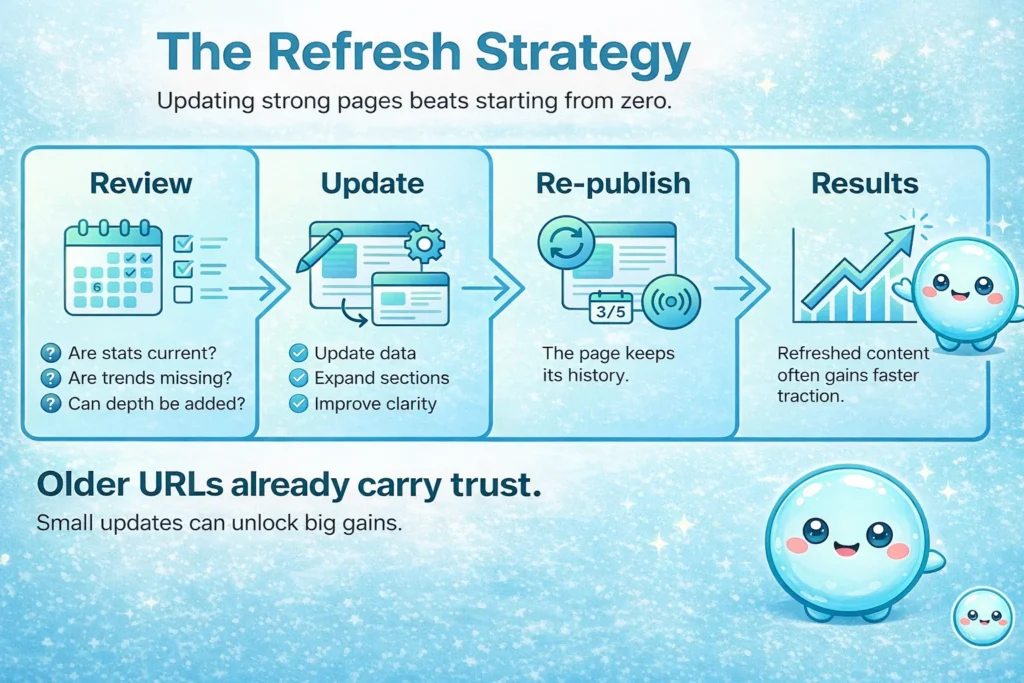
The Refresh Strategy
I review my top-performing articles every six months. I ask:
- Are the statistics still accurate?
- Are there new trends in 2026 that I missed?
- Can I add a new section?
Refreshing an old post often yields better results than writing a brand new one because the URL already has age and authority. I’ve taken 3-year-old articles, updated the data, changed the date, and watched traffic double in a week.
Step #13: Track Results With Analytics Tracking
This is where the rubber meets the road. You cannot improve what you do not measure.
I spend a significant amount of time in Google Search Console (GSC). It is the source of truth. But I know how intimidating those charts can be.
What I Look For
When I analyze a site, I look at:
- Impressions: How many people saw my link?
- CTR (Click-Through Rate): What percentage clicked? Advanced Web Ranking’s CTR study shows the top organic result typically captures over 30% of clicks, dropping sharply for positions 2 and 3.
- Average Position: Where do I rank?
If I have high impressions but low clicks, I know my Title Tag is boring. If I have high clicks but bad rankings, I know my content quality is lacking.
Making Data Accessible with sneo.ai
I realized that most business owners don’t have time to become data scientists. They just want to know why traffic is down or what to write next.
That is why I created sneo.ai. It connects directly to your Google Search Console and lets you ask questions in plain English.
Instead of filtering through five different tabs to find a keyword opportunity, you can just ask: “Which pages have high impressions but low clicks?” or “How do I integrate SEO into your content strategy for my blog?”
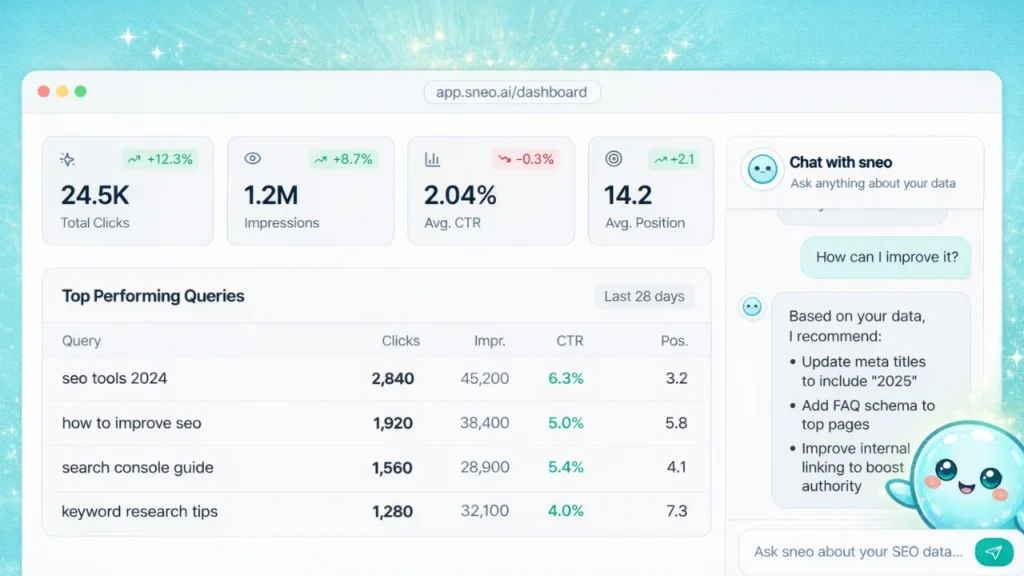
sneo.ai acts as that translation layer. I wanted to build something that gives you the same insights I would give you as a consultant, but instantly. It turns raw data into a to-do list.
Conclusion
Bringing search strategy and great writing together is not a mystery; it is a discipline. It requires patience, research, and a genuine desire to help your reader.
Don’t let the technical jargon scare you. At its core, Google just wants to connect people with the best answers. If you focus on being that best answer—and use the technical elements to help Google see it—you will win.
I advise you to start small. Pick one existing article on your site. Use the steps above to optimize it. Watch the results in Google Search Console. Once you see that first bump in traffic, you’ll be hooked.
And don’t forget, you don’t have to do this alone. Your data has the answers you need, and tools like sneo.ai are there to help you find them.
FAQs
1) What is the first step in integrating SEO into content?
The very first step is keyword research. You must understand search intent before you write a single word. If you don’t know what users are asking, you can’t provide the right answer. I always start by looking at what my audience is searching for and mapping those queries to my topics.
2) How many times should a keyword appear in content?
There is no magic number. In the past, people aimed for specific percentages, but that is outdated. Focus on natural use. If you read the sentence out loud and it sounds robotic, you have used the keyword too many times. Use the primary phrase in the title, the intro, and a few headings, then write naturally.
3) Does SEO hurt content readability?
Only when done poorly or aggressively. If you are stuffing keywords where they don’t belong, yes, it hurts readability. But if you integrate SEO into your content correctly—by using headings for structure, answering questions clearly, and covering the topic fully—it actually improves readability.
4) Are long-form articles better for SEO?
It depends on the topic and intent. If the user wants a quick answer (like a definition), a 300-word post is better. If the user wants a complete guide, 3,000 words is better. Don’t write fluff just to hit a word count. Google ranks the best answer, not necessarily the longest one.
5) How long does it take to see results from SEO content?
SEO is a long-term game. For a new site, it can take 6 to 12 months to see significant traction. For an established site, you might see results from a content refresh in a few weeks. I always tell clients to be patient and consistent.
6) Do small websites benefit from SEO content strategies?
Absolutely. In fact, small websites often have an advantage because they can target specific, niche topics that big competitors ignore. Size does not limit results; relevance does. By targeting long-tail keywords and building authority in a specific niche, a small site can outrank a giant.