

I have analyzed hundreds of websites over the last few years, and I see the same pattern over and over: thousands of impressions in Google search results, but click-through rates stuck at 2% or lower. The answer to why this happens is always buried somewhere in Google Search Console data—but I know from experience it feels like searching for a needle in a haystack.
Most website owners I talk to are guessing. They change a title tag because they “feel” it looks better. They rewrite a paragraph because a competitor did it. Then, they wait and hope traffic goes up.
Hope is not a strategy.

What if you could stop guessing? What if you could ask me, “Why aren’t people clicking on my results?” and get a clear answer based on data, not opinion? That is exactly why I built sneo.ai—to bridge the gap between having data and having insights. But to truly grow, you need to combine those insights with action. You need to test.
This guide is for the website owners, the marketers, the beginners, and the small business owners who are tired of the mystery. I want to show you how to move from assumption to certainty.
In this guide, I will walk you through why guessing is risky, why structured testing produces clearer results, and how SEO testing can become the most valuable part of your weekly routine.
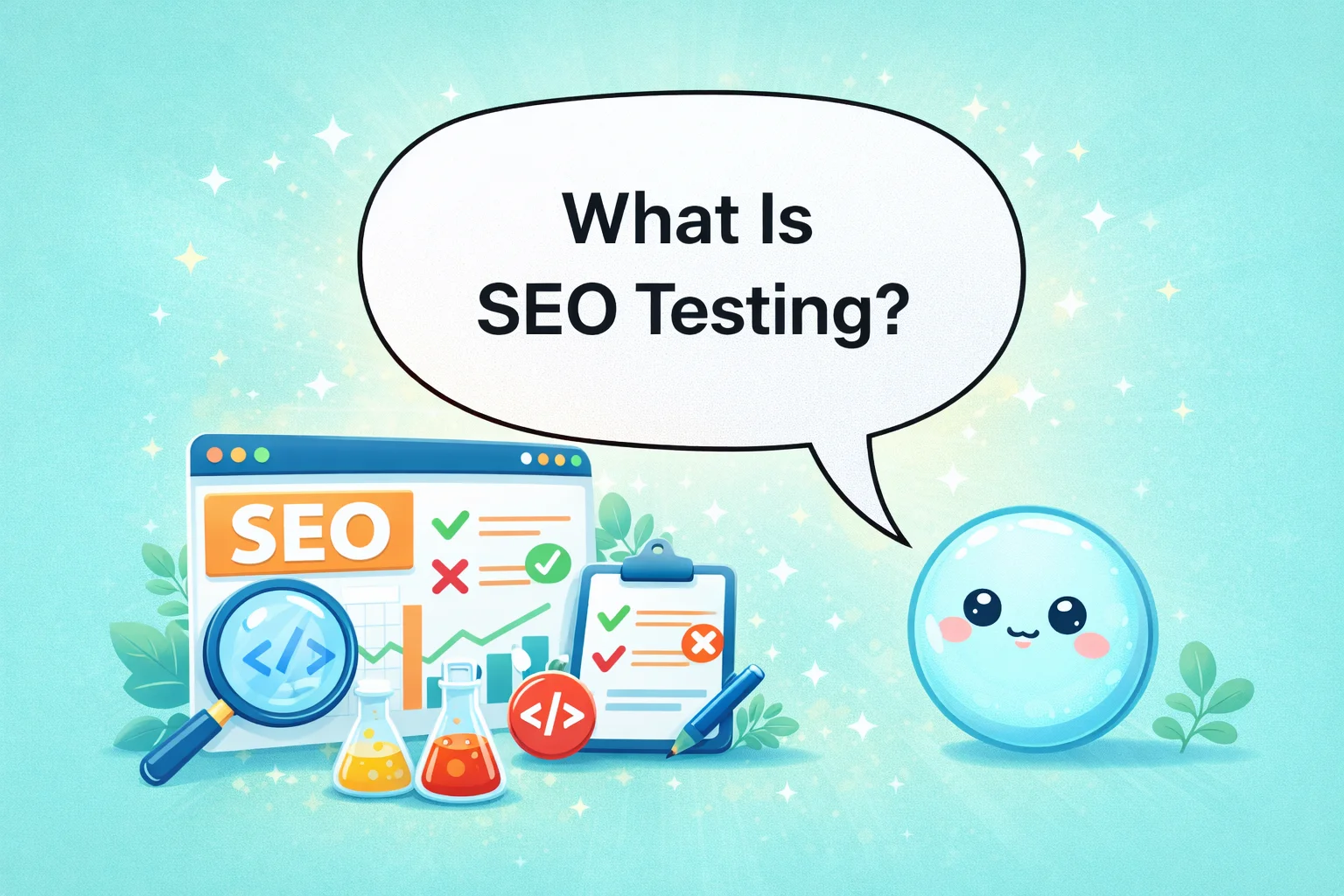
What Is SEO Testing?
SEO testing is the scientific process of modifying specific website elements—like titles or content—and measuring the direct impact on search rankings and traffic against a control group to prove what works.
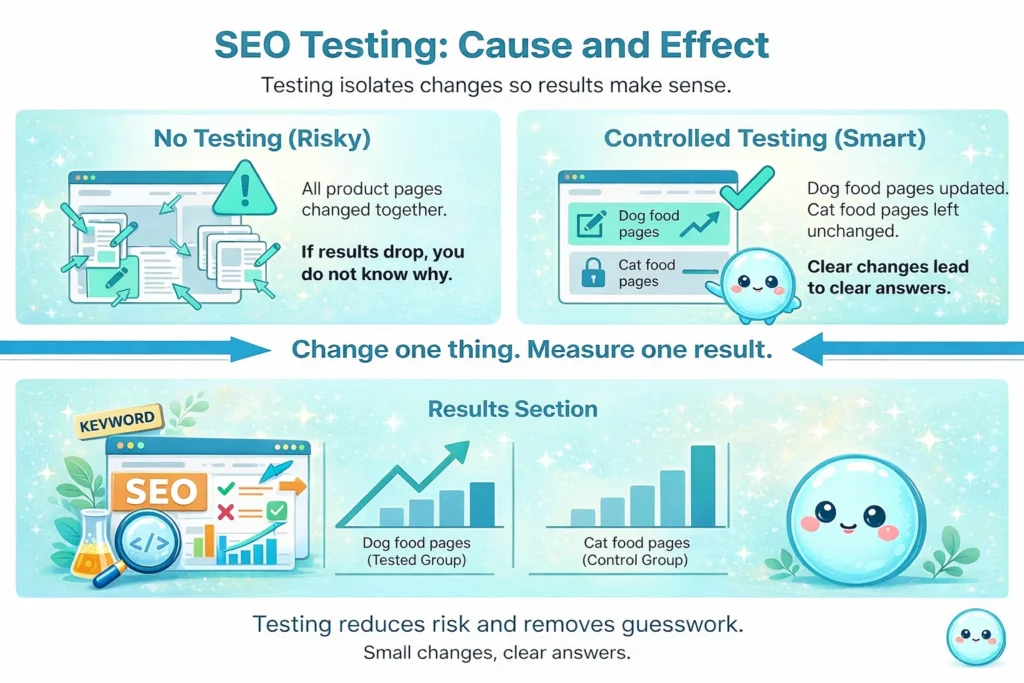
It differs from general website analysis because it is active, not passive. Analysis is looking at a report and seeing that traffic went down last Tuesday. Testing is saying, “I think traffic went down because my meta descriptions are boring. I will rewrite ten of them, wait two weeks, and see if clicks improve compared to the pages I didn’t touch.”
When I explain this to clients, I tell them that SEO testing focuses on cause and effect. It cuts through the noise.
For example, imagine you run a pet store website. You could change every product description on your site at once. If sales go up, great! But if they go down, you have ruined your month. A test would be changing only the “Dog Food” category descriptions while leaving “Cat Food” alone. If “Dog Food” traffic spikes and “Cat Food” stays flat, you know the change worked. That is the power of testing.
How SEO Testing Fits Into Search Engine Optimization
I often see people treat Search Engine Optimization as a checklist. Do keyword research? Check. Write content? Check. Build links? Check.
But where does testing sit? In my view, testing is the engine that keeps the car moving forward. It sits right between execution and reporting.
- Planning: You decide what to target.
- Execution: You build the page.
- Testing: You refine the page based on data.
- Reporting: You share the wins.
I check my clients’ Google Search Console data every week, and I’ve noticed that the most successful site owners don’t just set it and forget it. They use testing to support long-term performance instead of one-time fixes.
We are in 2026. Search algorithms are more complex than ever. According to Search Engine Land’s 2025 State of SEO Report, algorithm volatility has increased by 40% year-over-year. With AI Overviews and rapid core updates, what worked in January might not work in July. Controlled testing allows you to adapt without risking your entire business. It is your safety net in a volatile search environment.
The Main Goals of SEO Testing
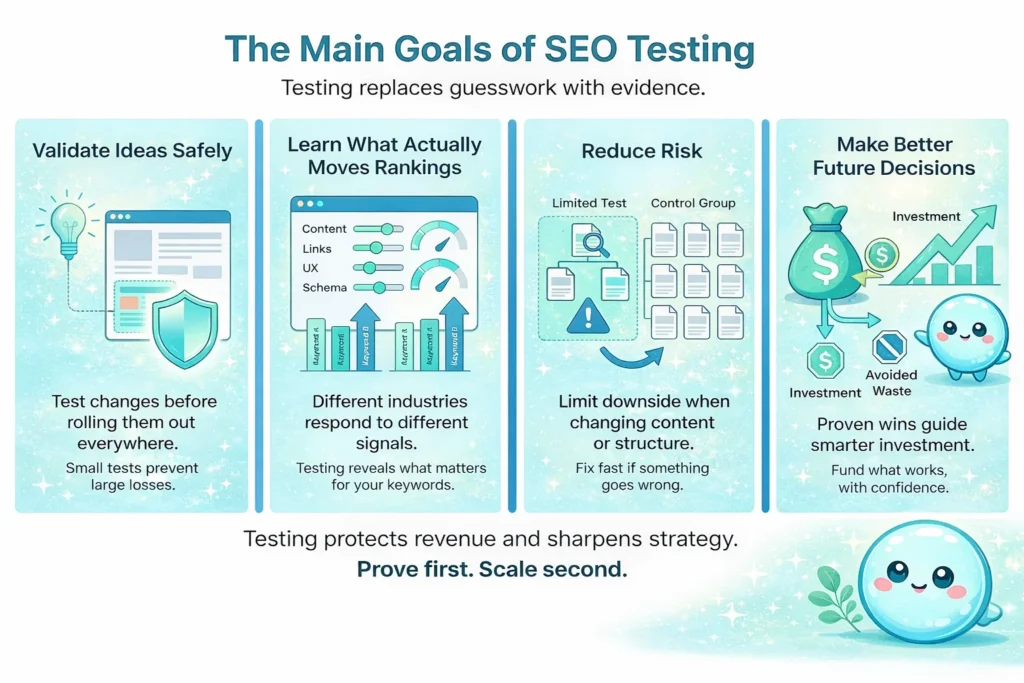
Why go through the trouble? Why not just change things and hope for the best? In my experience, testing serves four main purposes.
Validate SEO Ideas Before Rolling Them Out
I once worked with a client who wanted to change their URL structure entirely. It was a massive technical risk. Instead of doing it site-wide, we tested a small section of the blog. The traffic on those pages tanked. We reverted the change immediately. That test saved them from a potential 40% revenue drop.
Understand What Really Affects Keyword Performance
Not every ranking factor matters for every industry. For a news site, freshness is critical. For a medical site, authority is everything. Testing helps you see what actually moves the needle for your specific keywords.
Reduce Risk When Making Technical or Content Changes
This is the “do no harm” principle. By testing on a small group of pages, you limit the downside if something goes wrong.
Improve Decision Making for Future SEO Work
When you know what works, you can budget better. If you prove that adding video increases time-on-page and rankings—which Wistia reports can improve organic traffic by 157%—you can confidently invest in video production for next quarter.
What Can You Test in SEO?
When people ask me what SEO testing is actually covering, they are often surprised by the range. It is not just about keywords. Here are the main areas I focus on.
Technical Changes and Technical Audit Testing
Technical SEO can feel intimidating, but it is often where we find the quickest wins.
- Crawlability: I test if blocking certain parameters in the robots.txt file helps Google crawl important pages faster.
- Indexation: I check if removing “noindex” tags from deep archive pages actually brings in valuable traffic or just junk.
- Structured Data: Adding Schema markup (like review stars or recipe steps) is a classic test. Does getting those stars in the search results actually increase clicks?
- Internal Links: I often test moving related posts higher up on the page to see if it spreads link equity better.
Content and Content Quality Assessment
Google talks endlessly about “quality,” but that is subjective. Testing makes it objective.
- Page Depth: Does adding 500 words of expert insight improve rankings, or does it just bore the user?
- Freshness: I test updating the “Last Updated” date by refreshing statistics. Does Google reward that activity for your specific topic?
- Search Intent: Sometimes, a user wants a calculator, not an essay. We test swapping long text for interactive tools to see if dwell time improves.
Keyword Performance Testing
This is about measurement. When we test head terms (high volume, broad searches), noise is high. It is hard to see impact. I prefer testing long-tail queries first. These specific, lower-volume terms are less volatile and show the impact of changes clearly. I track movement here to see if our optimization strategy is valid before applying it to the big money keywords.
Meta Tag Optimization Testing
This is the easiest place for beginners to start.
- Title Tags: I test putting the price in the title vs. putting the brand name.
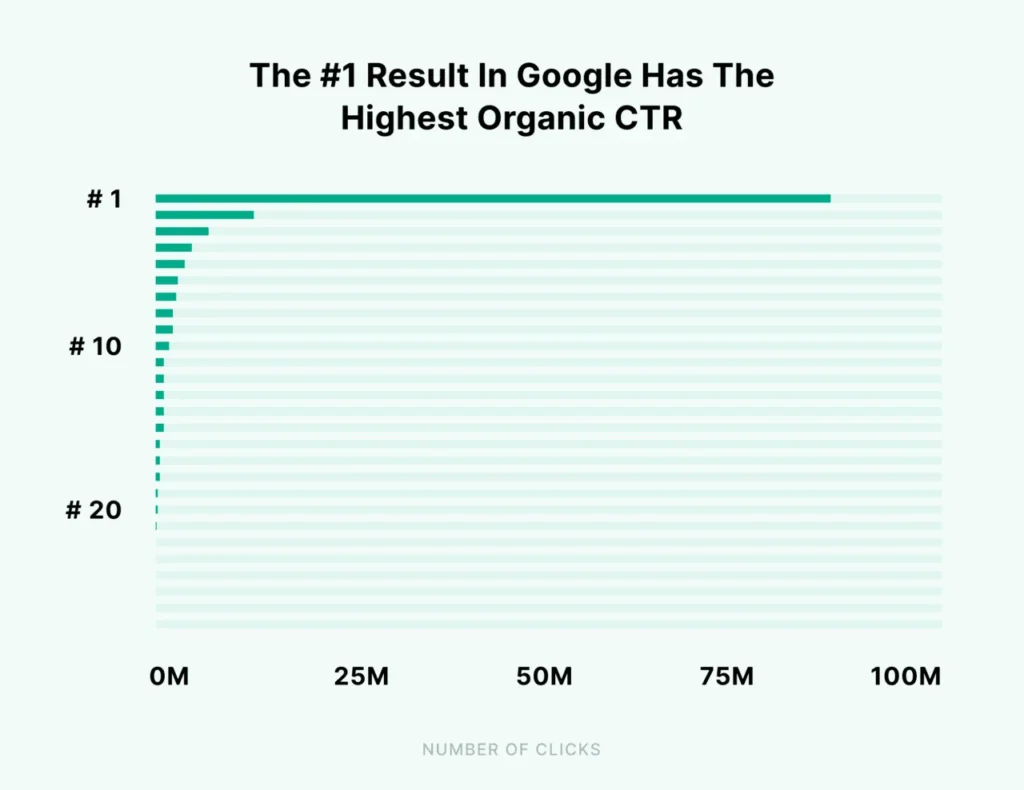
- Meta Descriptions: I test asking a question vs. making a statement. Success here isn’t just rankings; it is about Click-Through Rate (CTR). Backlinko’s CTR study shows that the #1 result gets 27.6% of all clicks, but moving up just one spot can increase CTR by 32.3%. If you rank #4 but get more clicks than the #2 spot because your title is better, you win.
Backlink Evaluation and Link Impact Testing
This is harder to control, but possible. I look at the impact of disavowing toxic links (though Google says this is rarely needed now, sometimes it helps). I also test the impact of getting links from specific niches. The trap here is isolating variables—if you get a big press mention the same week you change your content, you won’t know which one helped.
User Experience Testing for SEO
Since Core Web Vitals became a major factor, UX is SEO.
- Layout: pushing ads down to make content visible immediately.
- Navigation: Simplifying the menu structure.
- Mobile Usability: Making buttons larger for touch targets. I have seen valid interactions (scrolling, clicking) correlate strongly with ranking improvements in 2025 and 2026.
Site Speed Analysis and Performance Testing
We all know speed matters. But how much? I test specific improvements:
- Image Compression: Moving to AVIF formats.
- Script Loading: Deferring third-party chat widgets.
- Server Response: Upgrading hosting plans. The goal is to measure if shaving 0.5 seconds off the load time actually results in a ranking boost for that specific cluster of pages. Google data confirms that as page load time goes from 1s to 3s, the probability of bounce increases by 32%.
How SEO Testing Works in Practice
So, how do we actually do this? Here is the workflow I use with my own sites and clients.
1. Identifying a Problem
I start by looking at the data. I might use sneo.ai to look at my Google Search Console data and ask, “Which pages have high impressions but low clicks?” That gives me a target list.
2. Choosing One Clear Change
I picked one thing. Just one. I might change the title tag to include the current year.
3. Creating a Test Group and a Comparison Group
I pick 10 pages to change (Variant Group) and 10 similar pages to leave alone (Control Group). This is crucial. If traffic drops for everyone because of a holiday, the Control Group reveals that.
4. Deciding the Timeframe
I usually run tests for 3 to 6 weeks. Search engines need time to crawl and re-calculate.
5. Reviewing Results
Did the Variant Group beat the Control Group? If yes, roll it out.
SEO Testing vs Regular Website Analysis
It is easy to confuse the two. To clarify what SEO testing is compared to standard analysis, think of a doctor.
Website Analysis (The Check-up):
- Focuses on observation.
- “Your blood pressure is high.”
- “Your traffic dropped 10% last month.”
- It tells you what happened.
SEO Testing (The Treatment):
- Focuses on intervention.
- “Let’s try this medication for a month and see if the pressure drops.”
- “Let’s change these H1 headers and see if traffic recovers.”
- It tells you what works.
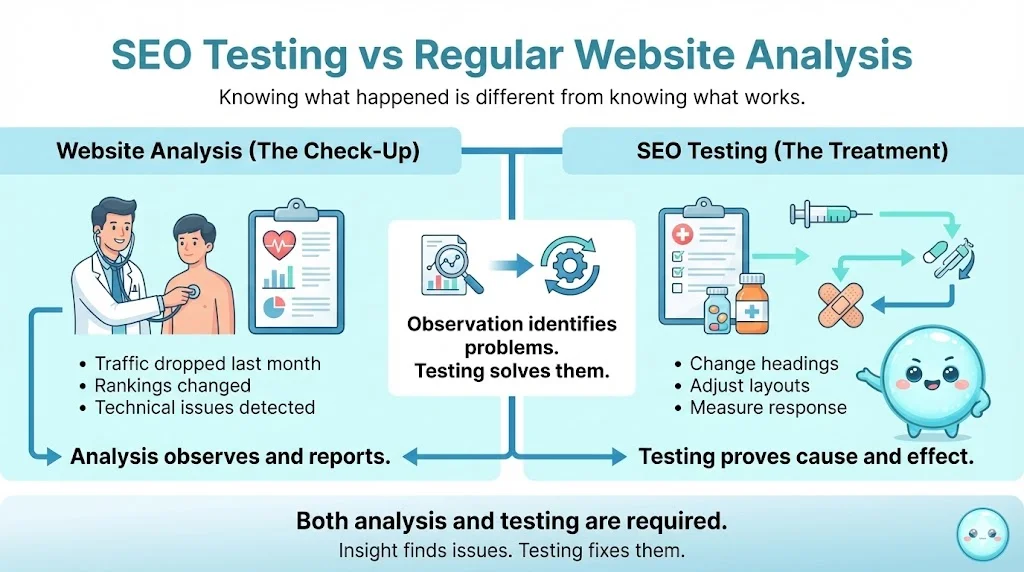
Both are necessary, but testing moves you from identifying problems to solving them.
Understanding the Role of Ranking Algorithms in SEO Testing
We have to talk about the algorithm. Google’s systems are not static. In 2025 alone, we saw major shifts in how helpful content is weighted.
When you run a test, you are playing against a moving target. This is why “correlation is not causation” is the mantra of my work. Just because traffic went up after you added a video doesn’t mean the video caused it. Maybe a competitor dropped out. Maybe the algorithm was updated.

This is why we use control groups. If the algorithm updates, it should affect both your test pages and your control pages equally. If your test pages still outperform the control group despite the update, you have found a real winner.
Metrics That Matter When You Test SEO
When I analyze results, I look beyond vanity numbers.
- Rankings and Visibility: Did we move from position 12 to position 5? That is a clear win.
- Organic Traffic: Did we get more visitors?
- Engagement Signals: Did the bounce rate drop? Did time on site increase? Google watches this.
- Conversions: This is the bottom line. If we doubled traffic but sales stayed flat, did we attract the wrong people?
I suggest clients not obsess over a single keyword. Look at the page level. Sometimes a change makes you lose ranking for one keyword but gain rankings for twenty others.
Common SEO Testing Mistakes to Avoid
I have made plenty of mistakes in my career. Here are the ones I want you to avoid.
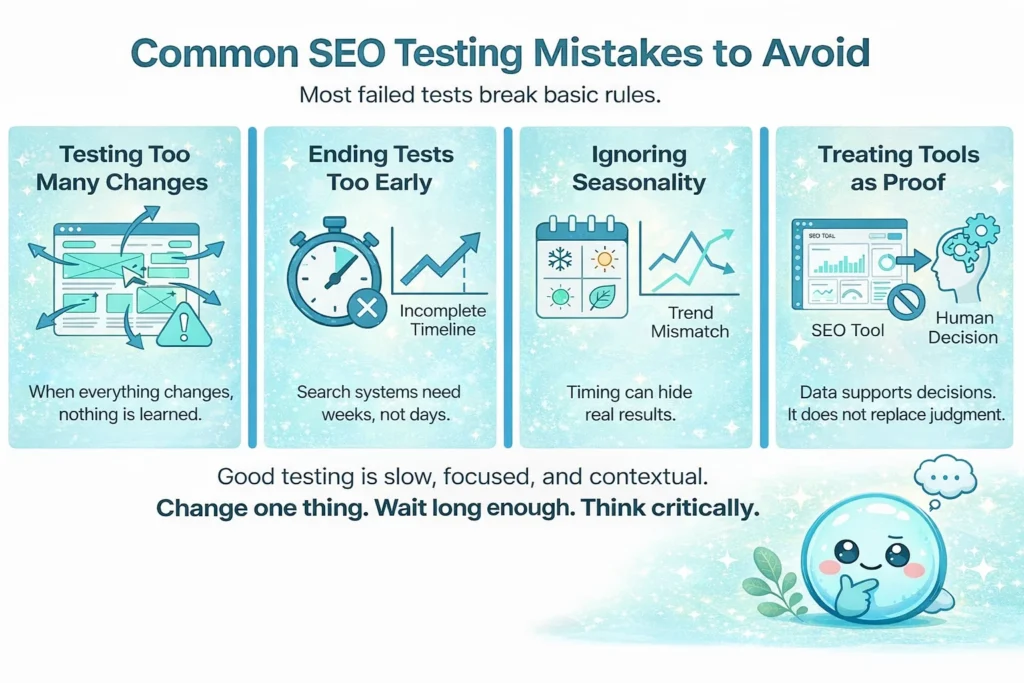
Testing Too Many Changes at Once
I once changed page titles, H1s, and main images on a set of pages all in the same week. Traffic went up. But I had no idea which change caused it. I couldn’t replicate the success elsewhere because I didn’t know the cause.
Ending Tests Too Early
Patience is hard. I see people revert changes after three days because “nothing happened.” Google takes time. Give it at least a few weeks.
Ignoring Seasonality
Testing “Best Winter Jackets” in April is going to show a traffic drop no matter what you do. Always compare year-over-year or against a seasonality-proof control group.
Treating Tools as Proof Instead of Support
Tools give you data points, but they don’t know your business context. Use them to gather evidence, but use your brain to make the decision.
Tools Commonly Used for SEO Testing
You don’t need an enterprise budget to start.
- Google Search Console (GSC): This is the source of truth. It gives you the raw click and impression data.
- sneo.ai: This is where I come in. GSC is great, but it can be overwhelming. I built sneo.ai to be the analyst that sits on top of GSC. You can connect your account and simply ask me, “How did my click-through rate change after I updated the titles last month?” I will give you the answer in plain English. It turns raw data into a testing conclusion.
- Site Speed Tools: Google PageSpeed Insights is free and essential for technical tests. (BTW this is already integrated in sneo AI and offers per page analysis 🤤)
- Crawlers: Tools like Screaming Frog help you audit technical changes before and after tests.
Pick tools based on your goals. If you want to fix content, use GSC and sneo.ai. If you want to fix code, use technical crawlers.
When Should You Start SEO Testing?

Is it too early? Is it too late?
- New Websites: Focus on creating content first. You need traffic before you can test it. You can’t test a page that gets zero visitors.
- Established Websites: Start immediately. You have data sitting there waiting to be optimized.
- During Instability: If your rankings are jumping around wildly, wait. Let the dust settle before you start experimenting, or your data will be noisy.
- Steady Growth: This is the perfect time. The ship is stable, so you can tweak the sails to go faster.
Who Should Be Running SEO Tests?
You might think this is only for big agencies. Not true.
- Small Business Owners: You know your customers best. You can test offer phrasing and local keywords better than anyone.
- In-House Marketers: You have the access and the incentive to prove ROI to your boss. Testing is your proof.
- Beginners: Start small. Testing teaches you how SEO works better than any course.
If you are a solo site owner, your sample sizes will be smaller, and your tests might take longer to reach statistical significance, but the process is the same.
How to Start Your First Simple SEO Test
Ready to try? Let’s do a simple Meta Title test. This is safe, easy, and free.
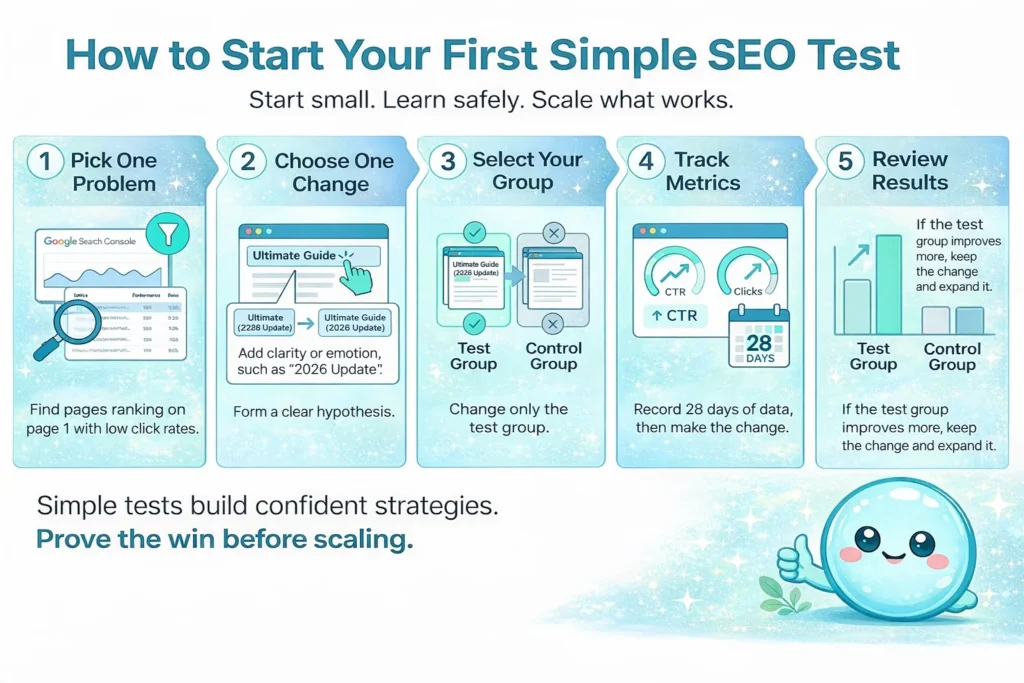
Step 1: Pick One Problem: Log into Google Search Console (or ask sneo.ai): “Which pages rank on page 1 but have a low CTR?” Find 5 of them.
Step 2: Choose One Change: Hypothesis: “My titles are too boring. I will add an emotional trigger or a bracketed clarification like ‘2026 Update’.”
Step 3: Select Your Group: These 5 pages are your test group. Pick 5 other pages to leave alone as your control.
Step 4: Track Metrics: Write down the clicks and CTR for both groups from the last 28 days. Make the change.
Step 5: Review: Wait 28 days. Compare the new data. Did the test group improve more than the control group? If yes, keep the titles and roll out the strategy to more pages.
Conclusion
I hope this clears up the confusion around what is SEO testing. It is not some dark art; it is simply the scientific method applied to your website.
When you guess, you are gambling with your business. When you test, you are investing in it.
I have spent years helping website owners understand their search performance, and I can tell you this: you don’t need to become a data scientist. You just need to ask the right questions and get answers you can actually use.
Start by connecting your Google Search Console to sneo.ai and ask me one question about your site—whether that’s about a traffic drop or a ranking opportunity. Let me show you what your data is trying to tell you.
Testing is safer than assumptions. It strengthens your site over time. So, start small. Run one test this week. Your future traffic will thank you.
FAQ
1) What is SEO testing in simple terms?
It is the process of changing something on your website (like a title or text) and measuring if that change improves your rankings or traffic compared to pages you didn’t touch.
2) How is SEO testing different from a technical audit?
An audit finds broken things to fix (like 404 errors). Testing tries new strategies to improve growth (like rewriting descriptions). An audit is maintenance; testing is optimization.
3) How long should an SEO test run?
I advise at least 3 to 4 weeks. Search engines need time to crawl the changes and re-evaluate the page.
4) Can small websites still benefit from SEO testing?
Yes, but you need some traffic to see results. If you get very few visitors, focus on “big” changes (like content rewrites) rather than small tweaks, as the results will be more obvious.
5) Does SEO testing work for local and small business sites?
Absolutely. Testing local keywords (e.g., “Plumber in City” vs. “City Plumber”) can have a huge impact on local pack rankings.
6) Is SEO testing risky for rankings?
There is always some risk, which is why we test on a small group of pages first. If traffic drops, we can revert the change quickly before it hurts the whole site.
7) Do I need advanced tools to run SEO tests?
No. You can run basic tests using a spreadsheet and Google Search Console. Tools just make it faster and easier to track.
8) What should I test first if I am new to SEO testing?
Start with Meta Titles and Descriptions. They are easy to change, low risk, and you can see the results in Click-Through Rates fairly quickly.
9) How do I connect keyword performance changes to my test?
Monitor the specific keywords that the test page ranks for. If the page improves but the main keyword drops, look at the secondary keywords—you might have gained traffic from a different angle.
10) Can I use SEO testing to improve content quality assessment results?
Yes. You can test different content formats (lists vs. paragraphs), reading levels, or adding expert quotes to see which version keeps users on the page longer.