
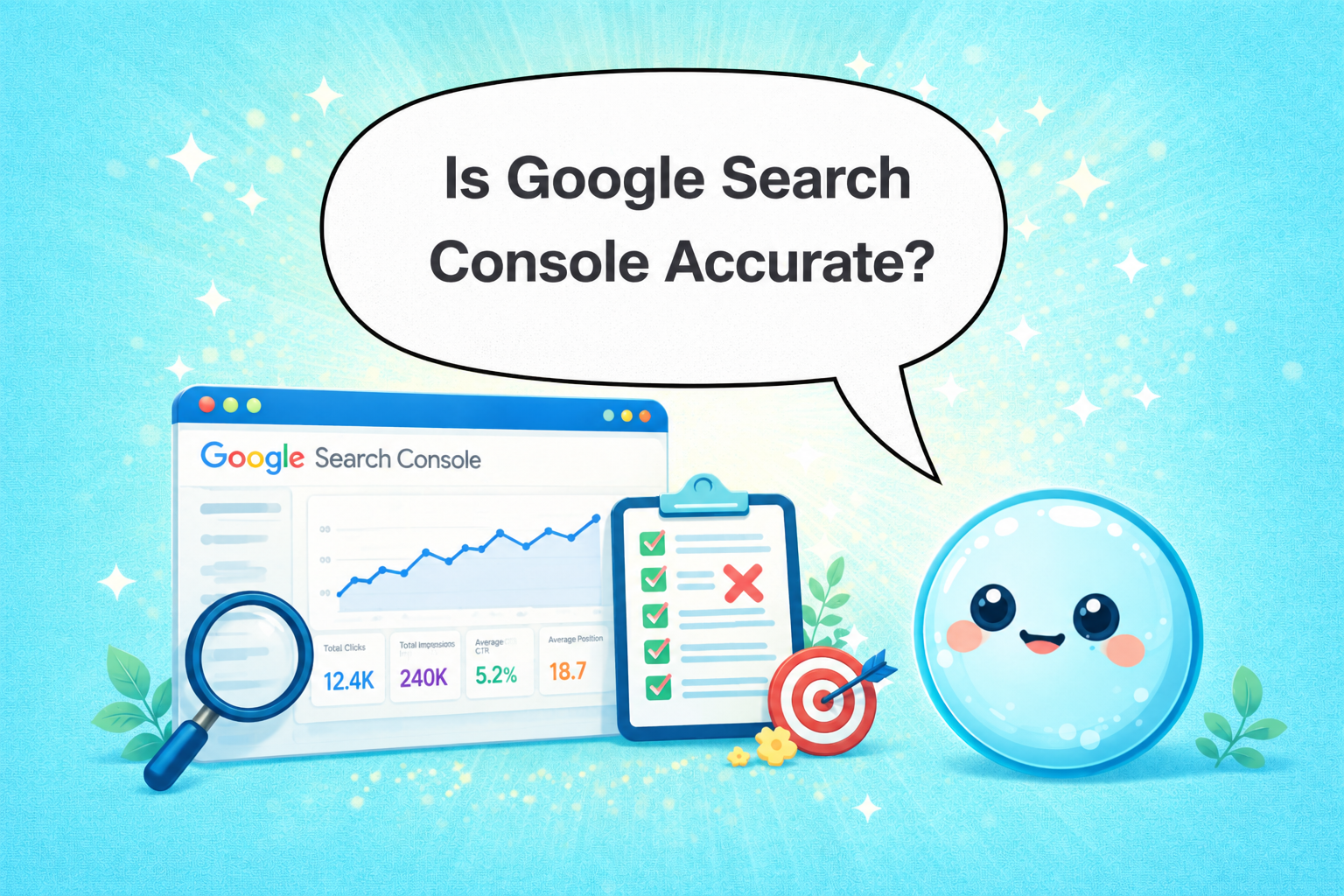

Every time I pull up a client’s Search Console dashboard, someone eventually asks me whether the numbers are real. Working at sneo.ai, I’ve dug into this question more than most. The short answer: is google search console accurate enough to make strategic decisions — but it has documented limitations you need to understand before you trust it blindly. Here’s exactly what GSC measures well, where it falls short, and how to use it without getting burned.
TL;DR
- GSC is directionally accurate but not a perfect record of every click and impression.
- It samples no data — but it does apply filters, aggregate positions, and delay reporting by 2–3 days.
- Discrepancies with Google Analytics are expected and explainable, not signs of a broken setup.
- Use GSC for trend analysis and keyword discovery, not as an absolute traffic counter.
Is Google Search Console Data Accurate Enough to Trust?
The honest answer I give every client: yes, with caveats. GSC pulls data directly from Google’s search infrastructure, which means it is the most authoritative source you will ever have for organic search data tied to Google Search specifically. No third-party tool gets closer to the source.
That said, “direct from Google” doesn’t mean “complete and unfiltered.” Google explicitly states that GSC reports impressions and clicks based on logged search activity, but several processing layers sit between the raw event and the number you see on screen.
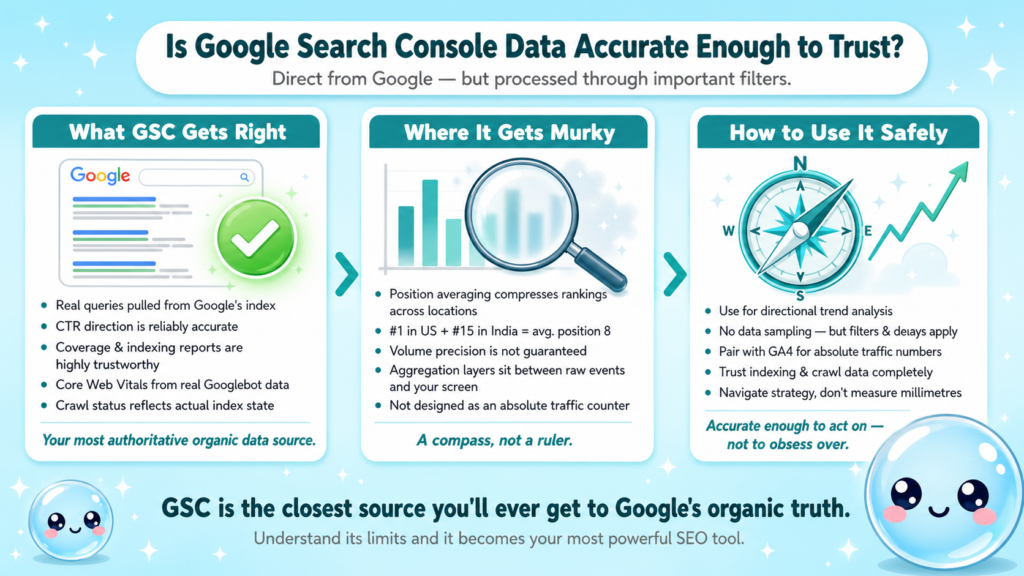
Here’s what GSC accurately reflects:
- Which queries triggered your URLs: The search queries report is real, pulled from Google’s index.
- Broad click-through rate trends: CTR direction is reliable even if the absolute number has rounding.
- Search ranking position: Average position is calculated across all queries and locations where you ranked, which compresses the number (more on that below).
- Crawl and indexing status: Coverage reports are highly reliable — if GSC says a URL isn’t indexed, trust it.
- Core Web Vitals and structured data errors: These are pulled from real user data and Googlebot activity.
Where it gets murky is volume precision. Position averaging means a page ranking #1 in the US and #15 in India might show an average position of 8, which explains a lot about what average position actually means and why it confuses so many people.
The SEO community broadly agrees that GSC data is trustworthy for directional analysis but should not be used as a source of absolute traffic truth. I treat it the same way I treat a compass: accurate enough to navigate, not precise enough to measure millimetres.
GSC does not use data sampling the way Google Analytics historically did. Every impression and click is processed — but aggregation, anonymisation, and delay affect what you see.
Why Does Google Search Console Show Different Data Than Analytics?
This is the question I field most often. A site shows 10,000 clicks in GSC but only 7,200 sessions in Google Analytics 4. Something must be wrong, right? Usually not.
The discrepancy exists because the two tools measure fundamentally different things:
| Dimension | Google Search Console | Google Analytics 4 |
| What it counts | Clicks on Google search results | Sessions on your website |
| Data source | Google’s search infrastructure | JavaScript tag on your pages |
| Filters applied | Anonymises rare queries, removes spam | Filters bots (imperfectly) |
| Includes clicks to… | Any URL Google shows for your site | Only pages that load the GA tag |
| Attribution model | Last-click from Google | Session-based, configurable |
Several concrete reasons drive the gap:
- PDF and file clicks: A user clicking a PDF in the SERP counts as a GSC click but may not fire a GA session if the PDF has no tracking.
- Tag failures: If your GA tag doesn’t fire (ad blockers, slow loads, tag manager misconfigs), GA undercounts.
- Redirect chains: A click through a redirect may register in GSC but lose attribution in GA.
- Bot filtering differences: GA filters known bots; GSC may not catch all of them the same way.
- Property mismatches: GSC tracks a verified property (e.g. https://example.com), while GA tracks whatever the tag fires on, including subdomains you didn’t intend.
I’ve audited sites where the gap was entirely explained by a broken GA tag on paginated pages. The fix took 20 minutes and closed an 18% reporting gap overnight. Understanding what your SEO report should include means knowing which tool to cite for which metric.
Can I Trust Google Search Console Impressions and Clicks?
For SEO reporting, yes — but with a precise understanding of how each metric is defined.
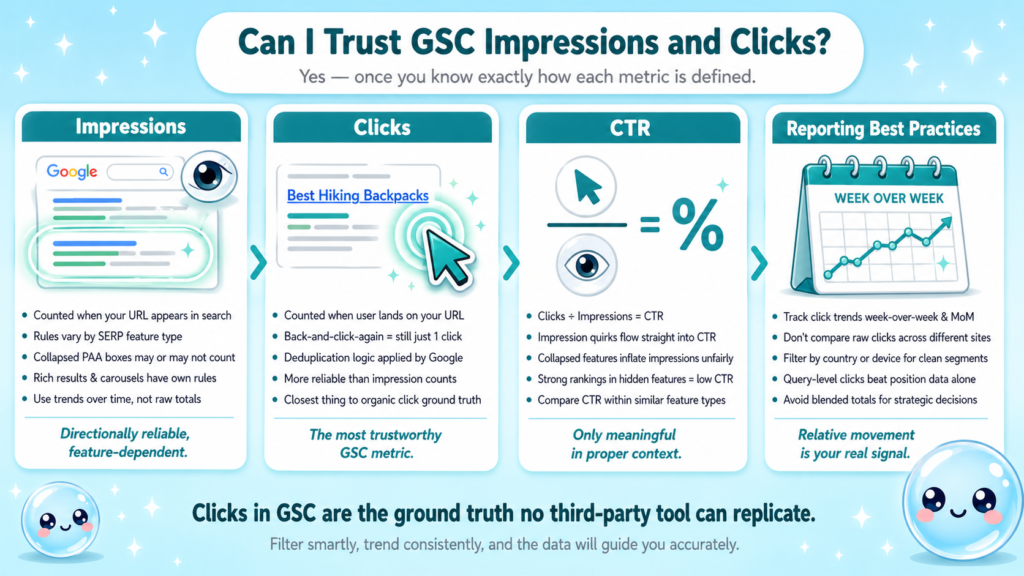
Impressions: Counted when your URL appears in a search result, but the rules vary by SERP feature. A result in a collapsed “People Also Ask” box that the user never expanded may or may not count, depending on whether it was visible in the viewport. Rich results, image carousels, and video features each have their own impression-counting rules documented in GSC help pages.
Clicks: More reliable than impressions. A click is counted when a user clicks your result and lands on your URL. Clicking back to the SERP and then clicking your result again counts as one click per Google’s deduplication logic.
CTR: Derived from clicks divided by impressions, so any impression-counting nuance flows directly into CTR. A page with strong rankings in collapsed SERP features will show artificially low CTR because impressions inflate without proportional clicks.
Practical implications for reporting:
- Use click trends week-over-week and month-over-month — the relative movement is reliable.
- Don’t compare raw click numbers across sites with different SERP feature presence.
- Filter by country or device to isolate meaningful segments rather than reading blended totals.
- For keyword tracking tied to ongoing SEO work, query-level click data is far more useful than position alone.
The clicks metric in GSC is the closest thing to a ground truth for organic search clicks from Google. No third-party rank tracker gives you this.
Why Is My Google Search Console Data Delayed, and Does GSC Show All Keywords?
Two of the most common accuracy complaints collapse into the same underlying answer: Google processes a colossal volume of search data, and that processing takes time and requires privacy thresholds.
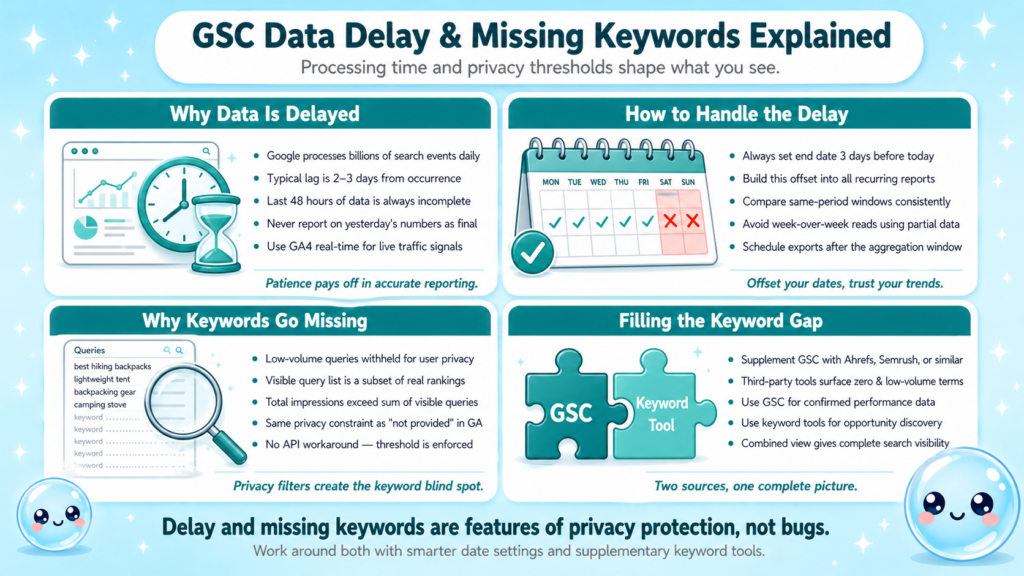
Data delay: GSC typically shows data with a 2–3 day lag. Fresh data from yesterday is usually incomplete until Google finishes aggregating it. This means:
- Never pull GSC data for the last 48 hours and treat it as final.
- Set your default date range to end 3 days ago when reporting.
- For real-time traffic signals, use GA4’s real-time report, not GSC.
Does GSC show all keywords? No, and this is the limitation that trips up keyword research the most.
Queries that generate very few impressions are withheld to protect user privacy. In practice, this means GSC shows a subset of the queries driving traffic to your site. The “not provided” era of Google Analytics taught us this lesson already, and GSC has its own version of the same constraint.
What this means for keyword tracking:
- Long-tail queries with low search volume often disappear from GSC reports entirely.
- Your total impression count in the Performance summary is likely higher than the sum of visible query impressions.
- For comprehensive keyword research, supplement GSC with tools that surface zero-volume and low-volume variants.
- The Search Console API gives you access to the same data programmatically, but the privacy thresholds still apply — no workaround exists.
This is one reason understanding what GSC truly measures matters before choosing it as your sole SEO data source.
How Accurate Is GSC Click Data for SEO Reporting Versus Other Tools?
When clients ask me whether to trust GSC or their rank tracker, I tell them they’re measuring different things and both are right within their own scope.
| Tool | What it measures | Accuracy type | Best used for |
| Google Search Console | Actual clicks and impressions from Google SERPs | Empirical (from Google) | Reporting, trend analysis |
| Rank trackers (Ahrefs, Semrush) | Estimated position based on crawl samples | Modelled/estimated | Competitor gaps, keyword discovery |
| Google Analytics 4 | Sessions and user behaviour post-click | Empirical (from your tag) | Conversion, engagement |
GSC wins on click accuracy because no third-party tool has access to Google’s click stream. Rank trackers estimate traffic based on average search volumes and assumed CTR curves — useful for competitive analysis, but not a substitute for real click data.
The place where GSC underperforms relative to third-party tools is keyword coverage depth. Because GSC hides low-volume queries, a keyword tool may surface hundreds of ranking terms that GSC never shows you. I use GSC for performance reporting and third-party tools for opportunity discovery. Running both gives you a more complete picture of search visibility than either alone.
At sneo.ai, we built our analysis layer on top of GSC data precisely because the clicks and impressions it provides are the most reliable signal available. When someone asks me through our platform why their traffic dropped, the first place I look is GSC’s Performance report filtered by page — and the data there tells the real story.
Conclusion
- Is google search console accurate? Yes for direction; no for absolute precision.
- Discrepancies with GA4 are structural, not errors — the tools measure different events.
- Delay, position averaging, and privacy thresholds are the three main sources of apparent inaccuracy.
- Use GSC for click trends and query discovery; layer in GA4 and keyword tools for the full picture.
- If you want faster answers about what your GSC data actually means, sneo.ai connects directly to your Search Console so you can ask in plain language.
Frequently Asked Questions
Q1: Is Google Search Console 100% accurate or does it sample data?
GSC does not sample data — it processes all clicks and impressions. However, it applies privacy filters that hide low-volume queries, uses position averaging, and has a 2–3 day delay, which creates the impression of inaccuracy. The data is complete but interpreted through those constraints.
Q2: Why does Google Search Console show more clicks than Google Analytics?
GSC counts every click on your Google result, including clicks to PDFs, redirected URLs, and pages where your GA tag fails to fire. GA4 only counts sessions where the tracking tag loads successfully. The gap is normal and typically explained by one of those technical causes.
Q3: Can I trust GSC impressions for SEO reporting?
Impressions are directionally reliable but vary by SERP feature. Results in collapsed features may inflate impression counts without corresponding clicks. Use impression trends over time rather than absolute numbers, and segment by feature type for meaningful comparisons.
Q4: Does Google Search Console show all keywords my site ranks for?
No. Queries with very few impressions are filtered out for privacy reasons. The visible query list is a subset of your actual ranking terms. For full keyword coverage, pair GSC with a third-party keyword tool that estimates rankings independently.
Q5: How long is the Google Search Console data delay?
GSC data typically lags by 2–3 days. Data from the last 48 hours is often incomplete. When pulling reports, set your end date at least three days before today to ensure you’re reading finalised numbers, not partial data.
Q6: Is sneo.ai more accurate than Google Search Console?
sneo.ai reads directly from your GSC data, so the underlying numbers are identical. What we add is interpretation — answering questions like “why did my traffic drop?” or “which pages should I fix first?” in plain language, rather than leaving you to decode the dashboard yourself.