

I get asked this constantly: is Squarespace bad for SEO? The short answer is no, but the honest answer is more complicated. After auditing dozens of Squarespace sites through sneo.ai, I’ve seen it rank well for low-to-medium competition keywords and stall completely on technical SEO ceilings. Your results depend entirely on what you’re trying to rank for, how competitive your niche is, and whether you understand where the platform limits you before you hit those walls.
Is Squarespace Good/Bad for SEO: TL;DR
- Squarespace is not inherently bad for SEO, but it has real technical constraints that compound in competitive niches.
- Core Web Vitals and page speed remain its most persistent weak points.
- WordPress still outperforms Squarespace for technical SEO flexibility at scale.
- For low-competition, content-light sites, Squarespace is good enough.
Is Squarespace Bad for SEO in 2026?
No, is Squarespace bad for SEO in a binary sense? Not quite. But it does carry structural limitations that matter at scale.
Squarespace handles the SEO basics well out of the box: it generates an XML sitemap automatically, lets you edit meta tags per page, sets canonical tags, and is mobile-first by default. These are table-stakes features, and Squarespace delivers them without requiring a developer.
Where I start to see problems is performance. In tests I’ve run using Google Lighthouse, Squarespace sites regularly score below 70 on mobile performance, largely because the platform loads its own JavaScript bundles regardless of whether your page uses those features. That bloat is baked into the content management system architecture, and you cannot remove it without workarounds.
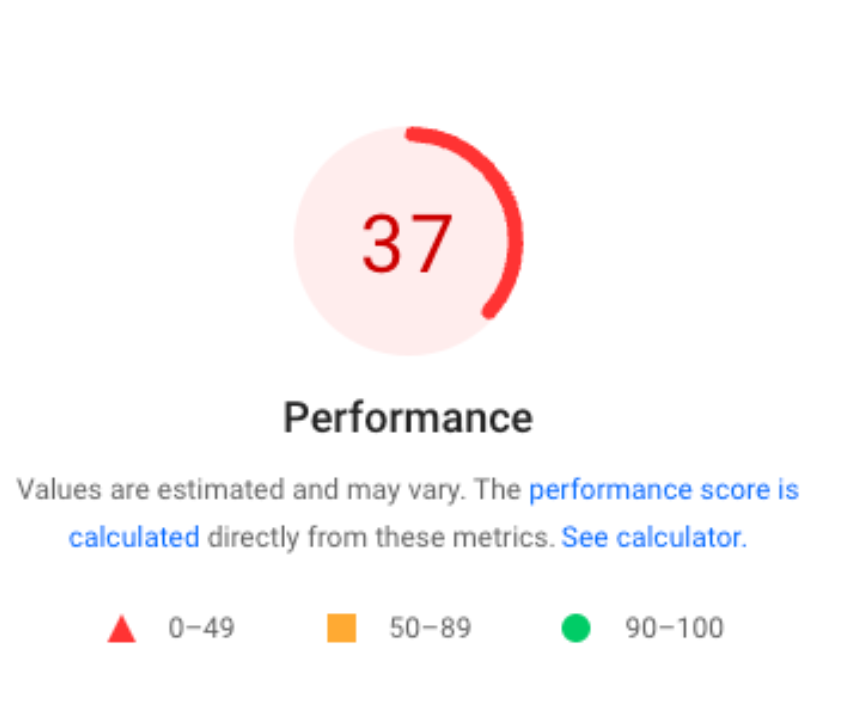
Google has confirmed that page experience signals, including Core Web Vitals, are active ranking factors.
Structured data markup is another gap. Squarespace added basic schema.org support, but it is limited to a handful of content types. If you need Product schema, FAQ schema, or custom Event markup, you are editing code blocks manually. That is fine for one or two pages, but it breaks down across a large site.
Crawlability is generally solid. Squarespace generates a clean robots.txt and the site structure is logical by default. I have audited Squarespace sites in Google Search Console where crawl coverage looked completely healthy. The issue is not whether Google can find your pages; it is whether those pages are fast and rich enough to outrank competitors who are on more flexible platforms.
If you want to run a proper technical SEO audit on your Squarespace site, you need to look beyond basic crawlability and pull real Core Web Vitals data for your URLs specifically.
Why Do SEOs Say Squarespace Is Bad for SEO?
The SEO community’s frustration with Squarespace is partly justified and partly tribal. I’ve seen both sides.
The justified criticism comes from real technical limitations. John Mueller at Google has repeatedly said that the platform itself matters less than the quality of the content and technical implementation. Where SEOs get genuinely frustrated:
- JavaScript rendering overhead. Squarespace relies heavily on client-side rendering for UI elements, which adds render-blocking requests.
- Limited robots.txt editing. You can allow or disallow Googlebot broadly, but fine-grained crawl control is not available.
- No plugin ecosystem. WordPress has hundreds of SEO plugins, including deep Ahrefs and SEMrush integrations. Squarespace gives you one built-in SEO panel.
- Redirect management is basic. Bulk redirects require manual CSV uploads and the interface is clunky.
- No access to .htaccess or server config. This blocks advanced page speed optimization techniques like server-side caching headers.
The tribal criticism is SEOs preferring WordPress by default because that is what they learned on. I understand that instinct, but it is not always honest advice for a small business owner who needs a site to live in a week.
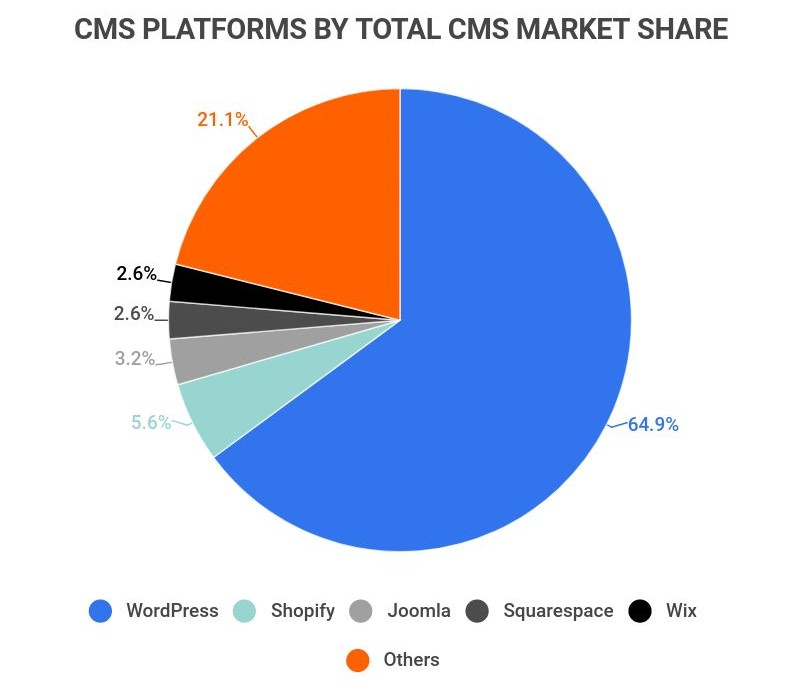
The real question is not whether Squarespace has these gaps (it does) but whether those gaps will actually hurt your site given your competition level and keyword targets. For a local service business targeting low-competition queries, I rarely see these issues translate to ranking losses.
Can You Rank on Google With Squarespace?
Yes, and I have the Search Console data to prove it. Sites I have worked with on Squarespace have ranked on page one for competitive local queries and long-tail informational keywords. The platform does not blacklist you from Google’s index.
What the data shows is that Squarespace sites tend to underperform on queries where:
- Competitors have faster pages (LCP under 2.5 seconds vs. Squarespace’s typical 3.5 to 5 seconds on mobile).
- Competitors use rich structured data that triggers SERP features like FAQ accordions or review stars.
- The keyword requires a large content hub with complex internal linking.
For everything else, content quality and backlink authority are still the dominant factors. A well-written, well-linked Squarespace page will outrank a poorly optimised WordPress page every time.
In 2025, Google’s Search Quality Rater Guidelines continue to weigh E-E-A-T signals heavily, meaning expertise and authority often override technical marginal gains.
I always tell clients: SEO takes time regardless of platform. Switching from Squarespace to WordPress will not shortcut the six-to-twelve month authority-building curve. Focus on content and links first, then revisit the platform question if you hit a real technical ceiling.
Squarespace vs WordPress SEO: Which Is Better for Ranking?
This is the comparison that comes up most in client conversations. Here is how the two platforms stack up across the factors that actually move rankings:
| SEO Factor | Squarespace | WordPress |
| XML sitemap | Auto-generated | Auto-generated (with plugin) |
| Meta tags | Built-in | Built-in (Yoast / RankMath) |
| Schema markup | Limited (basic types) | Extensive via plugins |
| Page speed (mobile) | Often 55-70 Lighthouse | Achievable 85+ with optimisation |
| Robots.txt control | Limited | Full access |
| Redirect management | Basic CSV | Full control |
| Plugin/integration ecosystem | Minimal | Extensive |
| Mobile-first indexing | Native | Native |
| Developer flexibility | Low | High |
| Setup time | Fast (hours) | Slower (days to weeks) |
WordPress wins on technical SEO flexibility, and that gap widens as a site scales. But Squarespace wins on speed-to-publish and reducing technical debt for small teams.
I wrote a full breakdown on whether WordPress is actually better for SEO if you want to go deeper on that comparison. The short version: WordPress is better if you have the resources to implement and maintain the optimisations. If you do not, the theoretical advantage disappears fast.
Search Engine Journal, 2025 research on CMS performance found that page speed deltas between platforms shrink significantly when WordPress sites are not properly configured. A misconfigured WordPress site is slower than a default Squarespace install.
What Are the SEO Limitations of Squarespace Every SEO Manager Should Know?
If you are managing SEO for a Squarespace site or advising a client who uses one, these are the constraints I flag in every audit:
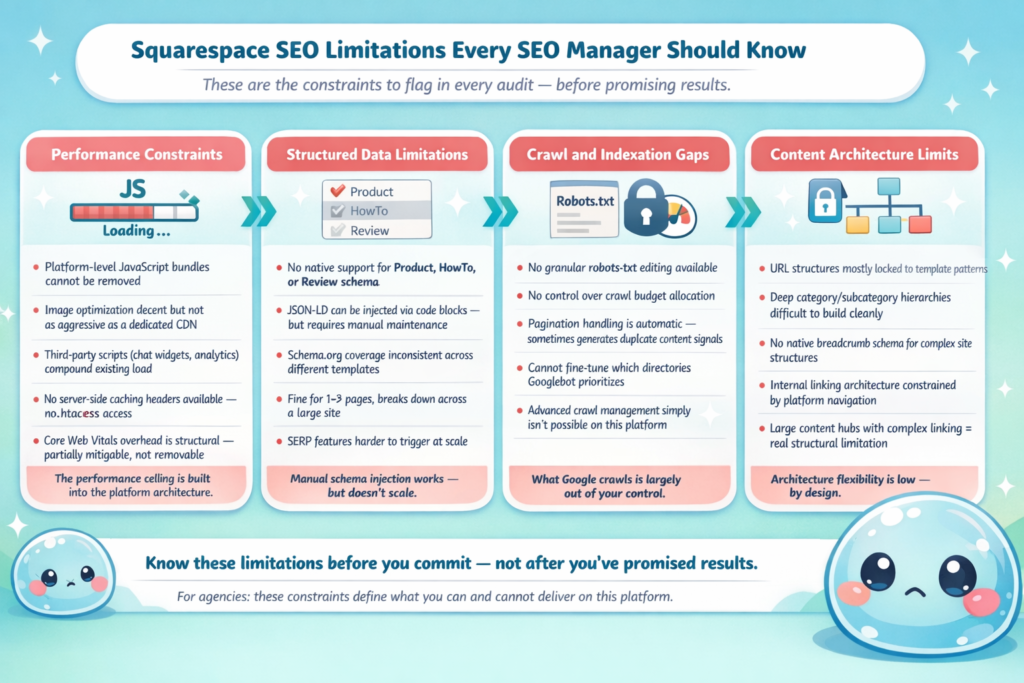
Performance constraints:
- Platform-level JavaScript bundles cannot be removed.
- Image optimisation is decent but not as aggressive as a dedicated CDN.
- Third-party scripts (chat widgets, analytics) compound the existing load.
Structured data limitations:
- No native support for Product, HowTo, or Review schema.
- JSON-LD can be injected via code blocks, but it requires manual maintenance.
- Schema.org coverage is inconsistent across templates.
Crawl and indexation gaps:
- No granular robots.txt editing.
- No control over crawl budget allocation.
- Pagination handling is automatic and sometimes generates duplicate content signals.
Content architecture limits:
- URL structures are mostly locked to template patterns.
- Deep category/subcategory hierarchies are difficult to build cleanly.
- No native breadcrumb schema for complex site structures.
For SEO agencies, this matters because it limits what you can promise. I always recommend connecting the site to Google Search Console from day one and understanding what crawling in SEO actually means so you can interpret coverage reports accurately. Knowing what average position in Google Search Console means also helps you set realistic benchmarks with clients on this platform.
Can an SEO Agency Deliver Results Using Squarespace?
Yes, with the right expectation-setting. I have seen agencies successfully grow organic traffic on Squarespace sites, and I have seen them fail because they promised WordPress-level technical control.
The agencies that succeed with Squarespace clients typically:
- Focus on content strategy and E-E-A-T signals rather than technical wins.
- Inject structured data manually via code blocks for the highest-priority pages.
- Compress and lazy-load images rigorously to partially offset platform speed overhead.
- Build backlinks aggressively to compensate for any Core Web Vitals disadvantage.
- Connect Google Search Console and review impressions data weekly to catch indexation issues early.
Where agencies run into trouble is when a client’s competitors are technically sophisticated WordPress or headless CMS sites. In those cases, is Squarespace bad for SEO relative to the competition? The answer edges toward yes.
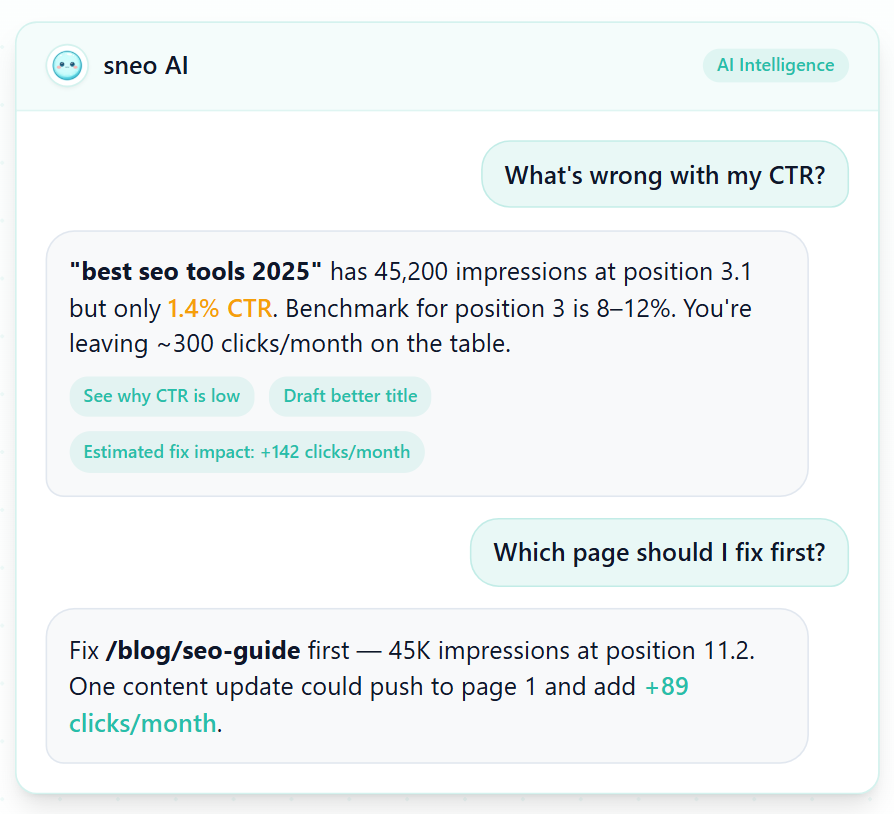
At sneo.ai, we built our AI SEO analyst specifically because platform-agnostic diagnostics matter. Whether your site is on Squarespace, WordPress, or a headless CMS, connecting your Google Search Console data and asking “why did traffic drop?” or “which pages should I fix first?” should not require switching platforms or hiring a full-time analyst. The platform is one variable. The analysis has to account for all of them.
For agencies managing multiple clients across different platforms, understanding ongoing SEO management is more valuable than any single platform preference.
Conclusion
- Squarespace is not bad for SEO in absolute terms, but it has real technical ceilings that show up in competitive niches.
- Core Web Vitals, structured data, and crawl control are its weakest points.
- For content-light, low-competition sites, Squarespace is genuinely good enough.
- For scaling sites in competitive markets, the gap between Squarespace and WordPress widens as you grow.
- Whatever platform you use, connect Google Search Console and audit regularly so you catch problems before they compound.
Frequently Asked Questions
Q1: Is Squarespace bad for SEO compared to Wix or Shopify?
Squarespace, Wix, and Shopify all sit below WordPress on technical SEO flexibility. Shopify edges ahead for e-commerce schema and app integrations. Wix has closed the gap considerably since 2023. For content sites, Squarespace and Wix are roughly comparable in 2026.
Q2: Does Squarespace automatically create an XML sitemap?
Yes. Squarespace generates and submits an XML sitemap automatically at yourdomain.com/sitemap.xml. You can verify it is being crawled correctly by checking the Sitemaps report in Google Search Console.
Q3: Can I add schema markup to a Squarespace site?
Yes, but manually. You inject JSON-LD structured data via Squarespace’s Code Block or Header Code Injection features. It works, but it requires upkeep and is not scalable across large sites without a system.
Q4: Will switching from Squarespace to WordPress improve my rankings?
Not automatically. Rankings depend on content quality, backlinks, and technical health together. Switching platforms resets some technical baselines and risks traffic drops during migration if redirects are mishandled. Only switch if you have a specific technical bottleneck you cannot solve on Squarespace.
Q5: Does Squarespace hurt Core Web Vitals scores?
It can. Squarespace’s default JavaScript load tends to drag Largest Contentful Paint (LCP) and Total Blocking Time (TBT) scores on mobile. Optimising images and minimising third-party scripts helps, but the platform-level overhead cannot be fully removed.
Q6: Is Squarespace good enough for a small local business’s SEO?
For most local businesses targeting low-to-medium competition keywords, Squarespace is good enough. The technical limitations rarely become ranking blockers when your competitors are other small local sites rather than national brands with dedicated SEO teams.