

I’ve audited hundreds of websites over the years, and the pattern I see most often isn’t a lack of effort — it’s effort pointed in the wrong direction. Business owners spend months chasing backlinks, posting on social media, and running paid ads, while the biggest opportunities for ranking improvement are sitting right there on their own pages, untouched. Understanding what is on site SEO — and actually doing it well — is the foundation everything else in your search strategy is built on. Get it wrong, and no amount of external effort will compensate. Get it right, and your site starts working for you every single day.
What is On Site SEO?
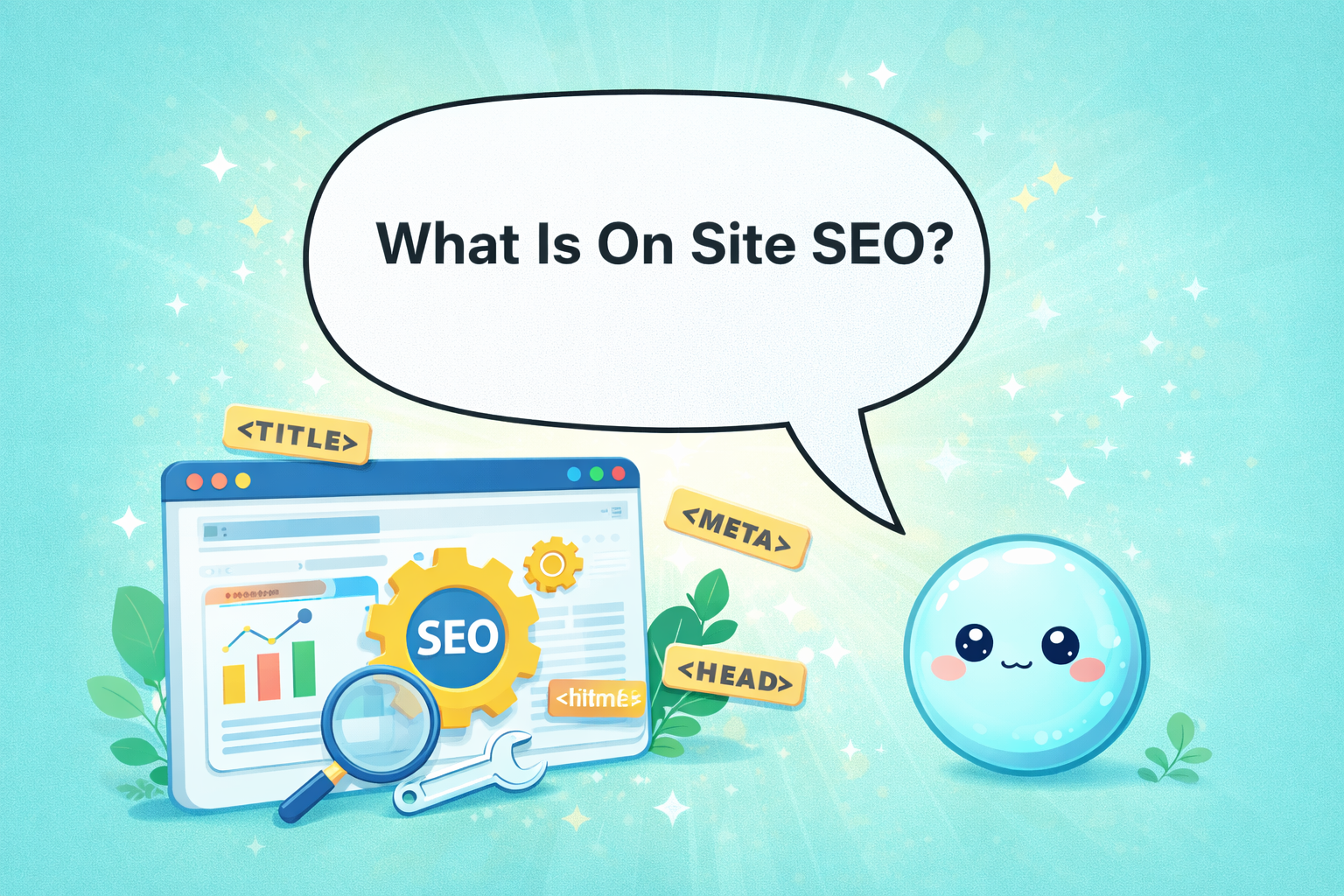
On site SEO (also called on-page SEO) refers to all the optimizations made directly on your website — including content, title tags, meta descriptions, header structure, internal links, page speed, and mobile usability — to help search engines understand your pages and rank them higher in search results.
Why On Site SEO Is the Foundation of Everything Else
Before I get into the mechanics, I want to make something clear from the start: on site SEO is not just a checklist you tick through once. It’s the ongoing discipline of making sure every page on your website clearly communicates its purpose — to both users and search engines.

Think of your website as a physical store. Off-page SEO is like your reputation in the neighborhood — word of mouth, referrals, press mentions. But on site SEO is the store itself: how it’s organized, how easy it is to navigate, whether the signage makes sense, and whether customers can quickly find what they came for. None of the external reputation matters if someone walks in and immediately feels confused and leaves.
Over 53% of all website traffic comes from organic search — making it the single most effective channel for online visibility. And the gateway to all that organic traffic is how well your pages are optimized for the queries your audience is actually typing.
The top result on Google captures 27.6% of all clicks, while barely 0.63% of users venture past the first page. That gulf between rank one and rank two — let alone rank eleven — is what on site SEO closes. It’s the lever you control most directly, and in my experience, it’s the one that moves rankings faster than almost anything else when done consistently.
What On Site SEO Actually Includes
When clients ask me what is on site SEO, they often expect me to say “keywords.” And yes, keywords are part of it — but only one part. Let me walk you through the full picture, because every element I’m about to describe works together as a system.
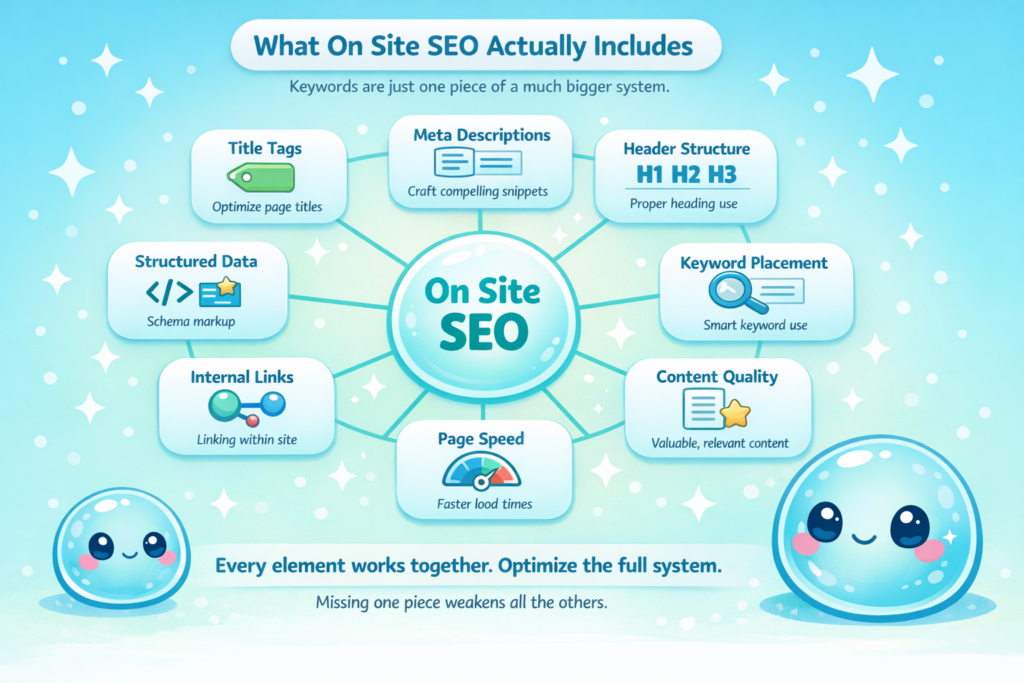
Title Tags: Your Page’s First Impression in Search
The title tag is the clickable blue headline that appears in Google search results. It’s one of the most direct signals you can send to a search engine about what your page is about, and it’s also the first thing a potential visitor reads before deciding whether to click.
Pages with a well-optimized meta title have an 8.9% higher Click-Through Rate (CTR) than those without one, according to a Backlinko study. That number sounds modest until you realize it compounds across every page on your site, every day.
In practice, I aim for title tags that are 50–60 characters, include the primary keyword naturally near the front, and communicate a specific value or outcome — not just a topic. “SEO Tips” is a weak title tag. “7 On Site SEO Fixes That Boost Rankings in 2025” is a strong one. The difference is clarity and specificity.
One thing I always warn clients about: Google rewrites more than 62% of meta descriptions — and it increasingly rewrites title tags too, especially when they’re vague or mismatched to the page content. The best defense is writing titles that are honest, clear, and keyword-relevant. If your title accurately describes what’s on the page, Google has far less reason to rewrite it.
Meta Descriptions: The Pitch That Earns the Click
The meta description is the 150–160 character summary that appears beneath your title in search results. It does not directly affect your ranking — Google has confirmed this repeatedly. But it absolutely affects whether someone clicks on your result or your competitor’s.
I treat every meta description like a tiny advertisement. It’s one job is to convince someone who’s already seen your title to take the next step and visit your page. That means it needs to: address the searcher’s intent, hint at the value they’ll get, and include a gentle call to action.
The indirect SEO impact is real and measurable. A compelling meta description improves CTR, and a higher CTR signals to Google that your result is satisfying user needs — which, over time, can push your ranking upward. I’ve seen pages climb 3 to 5 positions purely from CTR improvements driven by better meta descriptions. It’s not magic — it’s behavioral signal optimization.
Header Tags (H1, H2, H3): Structure That Helps Everyone
Header tags — the H1, H2, and H3 elements that organize your page — serve two audiences simultaneously: your readers, who use them to scan and navigate your content, and Google’s crawlers, which use them to understand your page’s topic hierarchy.
The rule I follow with every page I optimize: one H1 per page, containing the primary keyword. Then H2s for major sections, and H3s for subtopics within those sections. This creates a logical content outline that search engines can map and index accurately.
I’ve seen sites where every heading was bolded text with no actual H-tag structure. Google could technically still read the content, but it had no structural context — no way to determine what was most important on the page. Once we restructured the headers, rankings improved across the board within weeks.
Keyword Placement: Natural Integration, Not Stuffing
The era of keyword stuffing died years ago, but I still encounter it surprisingly often — pages where the target keyword appears in every third sentence in a way that feels robotic and reads poorly. Google’s algorithms are sophisticated enough in 2026 to detect unnatural keyword patterns, and they actively penalize them.

What I focus on instead is natural, strategic placement. The primary keyword should appear in: the title tag, the H1, the first 100 words of the body copy, and a handful of times throughout the rest of the content — wherever it fits naturally. Beyond the primary keyword, I use semantically related terms (LSI keywords) that signal topical depth to Google without repeating the same phrase.
Nearly a third of SEO professionals say on-page factors like headlines, keyword placement, and content structure have the biggest impact on ranking potential. That’s the community of people who analyze ranking data for a living — and they’re pointing to on site SEO first.
Content Quality and E-E-A-T: The Standard Has Shifted
If I had to name the single biggest shift in on site SEO over the past two years, it’s the elevation of content quality as a ranking signal — specifically through Google’s E-E-A-T framework.
E-E-A-T stands for Experience, Expertise, Authoritativeness, and Trustworthiness. Google’s Quality Rater Guidelines use these signals to evaluate whether content genuinely serves users or simply exists to rank. In 2025, this framework influences how Google’s algorithms assess pages at scale.
What this means practically: content that shares firsthand experience, cites credible sources, and demonstrates real knowledge of a topic outperforms content that simply restates what’s already out there. Pages that demonstrate first-hand experience, original insights, or proprietary data consistently outperform generic articles. I’ve seen this play out repeatedly with clients — detailed, experience-driven content on a mid-authority site outranking shallow content on a much larger domain.
The average top-10 Google result is approximately 1,447 words long, and well-formatted, detailed content tends to perform better — not because word count itself is a ranking factor, but because comprehensive content is more likely to actually answer what the searcher is looking for.
The Technical Side of On Site SEO You Can’t Ignore
This is the part of on site SEO that intimidates most small business owners and bloggers — and understandably so. Terms like “Core Web Vitals” and “mobile-first indexing” sound like something you need a developer to handle. Some of it does require technical help. But understanding what these signals mean is the first step to knowing whether your site has a problem.
Page Speed and Core Web Vitals
53% of mobile users abandon sites that take longer than 3 seconds to load. That’s not just an SEO problem — it’s a business problem. Every visitor who bounces before your page loads is a potential customer you never got to speak to.
Google’s Core Web Vitals are a set of specific page experience measurements: Largest Contentful Paint (LCP), which measures how quickly the main content loads; Interaction to Next Paint (INP), which measures responsiveness; and Cumulative Layout Shift (CLS), which measures visual stability. Google recommends LCP under 2.5 seconds, INP under 200 milliseconds, and CLS under 0.1.
Websites meeting Google’s Core Web Vitals standards see a 24% increase in user engagement. But I want to be honest about something I’ve observed working with real sites: Core Web Vitals prevent ranking losses more than they create gains. If your site is failing these thresholds, fixing them removes a penalty. Passing them alone won’t skyrocket your rankings. Think of it as the baseline you must clear, not a shortcut to the top.
Mobile Optimization: No Longer Optional
Google has operated on a mobile-first indexing basis for years now, which means it primarily evaluates the mobile version of your site when determining how to rank your pages. If your mobile experience is broken, slow, or poorly structured, you’re being ranked on that broken version — regardless of how polished your desktop site looks.
80% of top-ranking websites are mobile-optimized. The correlation isn’t coincidental. Mobile optimization — fast load times, readable text without zooming, properly sized tap targets, no horizontal scrolling — directly affects both rankings and user engagement metrics like bounce rate and time on page.
When I audit a site that’s struggling to rank despite good content, mobile usability is always one of the first things I check. It’s remarkable how often a site that looks fine on desktop is broken in subtle ways on mobile, and how much of the audience that represents. 62.73% of global website traffic comes from smartphone users. If your site isn’t optimized for mobile, you’re failing the majority of your visitors before they even read a word.

URL Structure: Simple, Descriptive, Clean
A well-structured URL does two things: it tells users exactly what a page is about before they click, and it gives search engines a clean signal about the page’s topic. I always recommend short, descriptive, keyword-relevant URLs with hyphens separating words.
Compare these two URLs for the same page:
- yoursite.com/page?id=4821&cat=blog
- yoursite.com/on-site-seo-guide
The second one communicates relevance instantly — to both Google and the human reading it. Posts that include target keywords in their URL see a 45% higher CTR than those without relevant keywords. That’s a meaningful difference for something that takes 30 seconds to set correctly before you hit publish.
Image Alt Text: The Optimization Most Sites Skip
Every image on your website has an alt text field — a short description that tells search engines (and screen readers for accessibility) what the image shows. Most sites either leave this blank or auto-populate it with unhelpful file names like “IMG_4823.jpg.”
I use image alt text to naturally incorporate related keywords and descriptive context. This helps pages appear in Google Image Search, supports accessibility compliance, and reinforces topical relevance signals for the page. It’s a small optimization, but across an entire site with hundreds of images, it adds up.
Internal Linking: The Underrated Powerhouse of On Site SEO
If I had to pick one element of on site SEO that’s consistently underused by the sites I work with, it’s internal linking. I’ve seen significant ranking improvements — sometimes dramatic ones — from nothing more than a structured internal linking audit and rebuild.
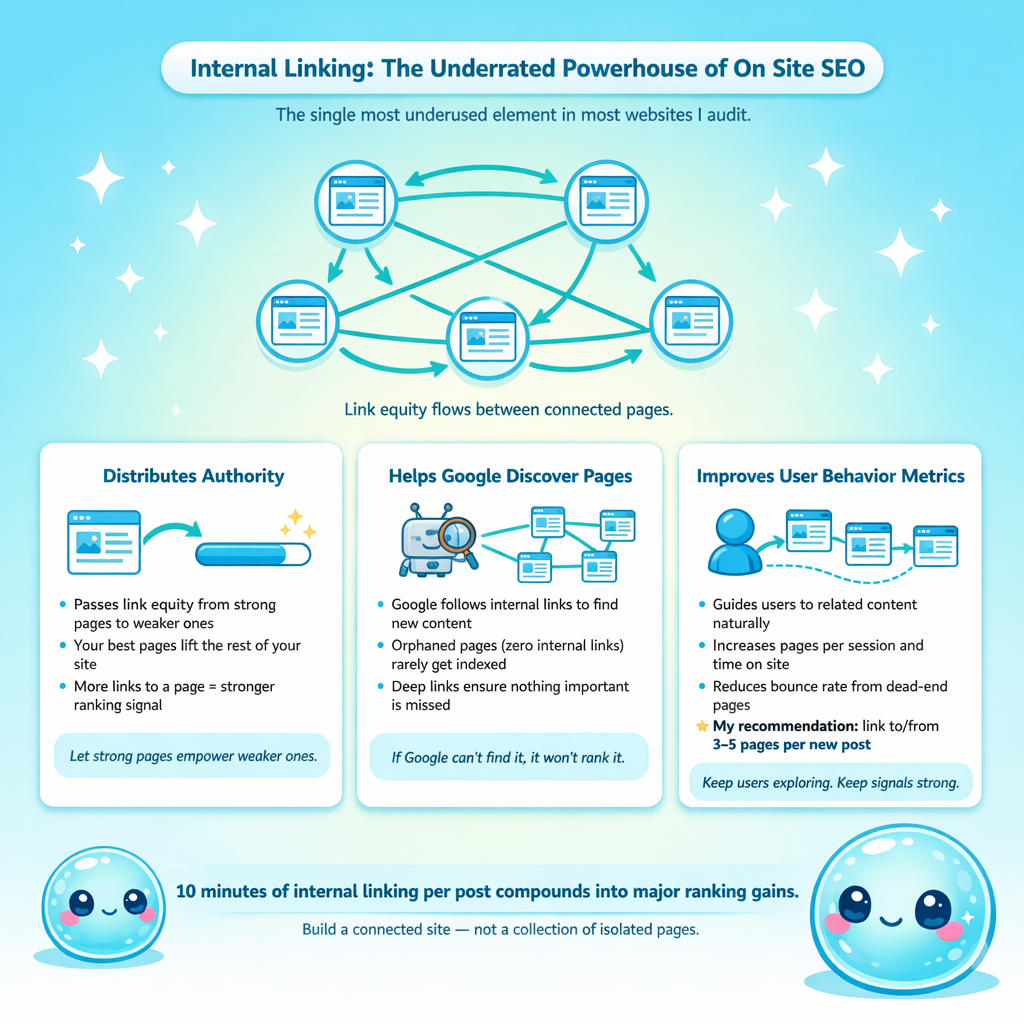
Internal links are the hyperlinks that connect pages within your own website. They serve three critical functions. First, they distribute what SEOs call “link equity” — the ranking authority passed between pages — throughout your site, so your strongest pages lift weaker ones. Second, they help Google discover and crawl pages it might otherwise miss. Third, they guide users deeper into your site, increasing time on site and reducing bounce rates.
Google’s own patents describe how internal links between pages on the same topic are considered more likely and more valuable than links between unrelated pages. This means a logical internal linking architecture — where your most important pages are linked to frequently from relevant supporting content — creates a topical authority signal that Google recognizes and rewards.
My practical recommendation: every time you publish a new piece of content, spend 10 minutes linking to it from 3–5 relevant existing pages on your site, and linking from it to 3–5 relevant existing pages. Over time, this builds a web of connected, authority-sharing content that compounds.
Structured Data: The On Site SEO Upgrade Most Sites Are Missing
Structured data — also called Schema markup — is a standardized format of code that you add to your pages to explicitly tell search engines what type of content they contain. It’s the difference between Google guessing that your recipe page contains a recipe, and Google knowing with certainty — which enables it to display your recipe with star ratings, cooking time, and calorie count directly in search results.
72% of first-page results use schema markup, making their listings eligible for rich results like review stars, FAQs, prices, and event details. Yet 23% of websites have no structured data at all. That gap represents a meaningful competitive advantage for anyone willing to implement it.
Schema markup doesn’t directly boost your ranking position, but it enhances how your listing appears in search results — which improves CTR, which improves behavioral signals, which feeds back into rankings. It also positions your content well for AI Overviews and featured snippets, which are increasingly capturing attention in modern search results pages.
For most small business sites, I recommend starting with FAQ schema (which can produce expandable Q&A directly in your listing), Article schema for blog content, and LocalBusiness schema if you have a physical location or serve a local area.
How to Audit Your Own On Site SEO Without Being an Expert
One of the most common questions I hear from clients is: “How do I even know if my on site SEO is good or bad?” The good news is that you don’t need to be a technical SEO expert to spot the biggest problems. Here’s the audit process I walk clients through.
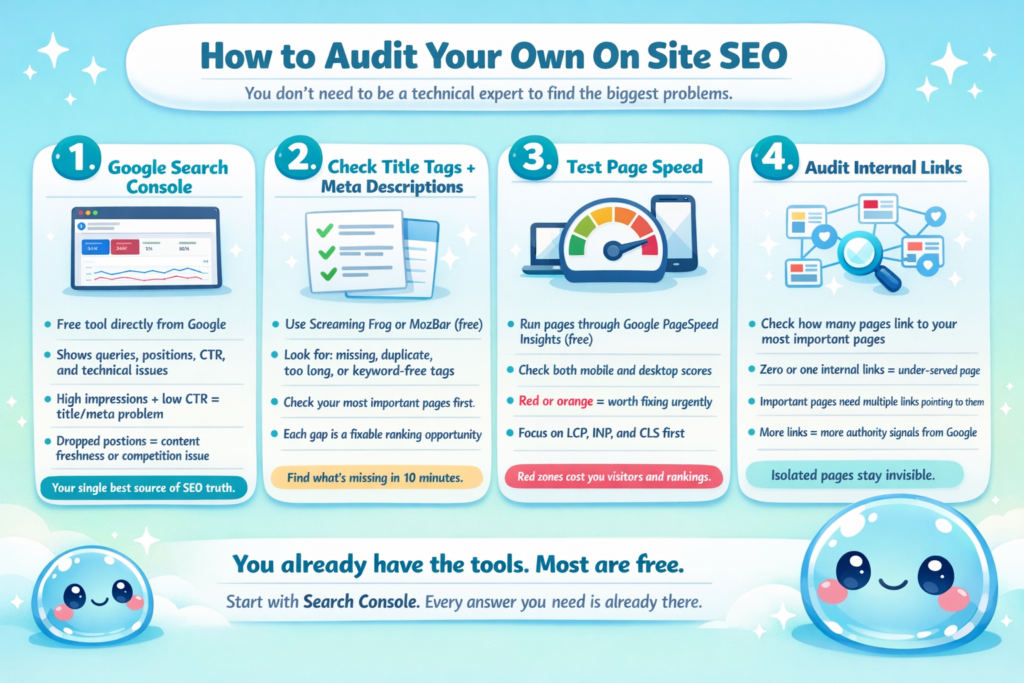
1) Start with Google Search Console. This free tool from Google is your single best source of truth for how your site is performing in search. It shows you which queries you’re appearing for, your average position, your CTR for each page, and any technical issues Google has flagged — from mobile usability errors to indexing problems.
I check Google Search Console data for my clients every week without fail. The performance report alone can tell you which pages are generating impressions but not clicks (a title/meta description problem), which pages have dropped in position (a content freshness or competition problem), and which pages have untapped keyword potential you haven’t fully capitalized on.
2) Check your title tags and meta descriptions. Visit your most important pages and use a tool like Screaming Frog or the free browser extension MozBar to quickly see your existing title tags and meta descriptions. Look for: missing tags, duplicate tags used on multiple pages, tags that are too long or too short, and tags that don’t include your target keyword.
3) Test your page speed. Run your key pages through Google’s PageSpeed Insights tool (free) and look at your Core Web Vitals scores for both mobile and desktop. Any score in the red or orange zone is worth addressing.
4) Audit your internal links. Review your most important pages and ask: how many internal links point to this page from other pages on my site? If the answer is zero or one, that page isn’t getting the internal authority signals it deserves.
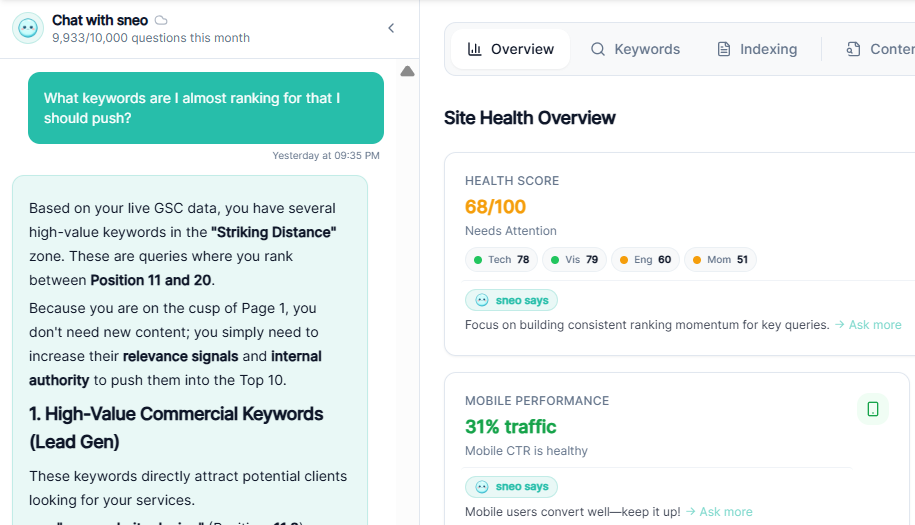
This is exactly the kind of audit work that sneo.ai makes dramatically faster. Instead of manually cross-referencing Google Search Console data, page-by-page CTR reports, and position tracking in separate tabs, you can connect your Search Console and simply ask me: “Which of my pages have the most impressions but lowest CTR?” or “What on site SEO issues are holding back my top pages?” I’ll pull the answers from your actual data and give you clear, prioritized next steps — no spreadsheets required.
Advanced On Site SEO: Going Deeper for Greater Gains
Once the fundamentals are solid, here’s where I focus attention for clients who want to push further.
Content freshness. Google rewards content that stays current and accurate. Content updated in the past three months averages significantly more citations in AI-generated answers than older, static content. I build quarterly content audits into every client workflow — reviewing top-performing pages, updating statistics, adding new insights, and refreshing examples. This alone has prevented ranking drops that would otherwise have occurred as competitors published newer material.
Topic clusters. Rather than treating every page as a standalone piece, I build topic clusters — a central “pillar” page covering a broad subject comprehensively, surrounded by supporting pages that go deep on specific subtopics and link back to the pillar. This structure signals topical authority to Google and helps you rank for both broad and specific queries simultaneously.
Featured snippet optimization. Over 40% of voice search answers come from featured snippets. To target them, I structure content with clear question-and-answer formats, concise definition paragraphs, and numbered step lists — exactly the formats Google’s algorithm pulls from most often for snippet selection.
Content gap analysis. Using Google Search Console data, I identify queries where my client’s site appears on page 2 or 3 — positions 11 through 30. These “almost ranking” keywords often need only moderate on site SEO improvements to cross over to page one. Updating the content, strengthening the title tag, adding internal links from related pages, and improving the structural organization frequently pushes these pages over the threshold.
Making On Site SEO a Sustainable Habit
The websites I’ve seen succeed long-term at SEO share one common trait: they treat on site optimization as a recurring practice, not a one-time project. Here’s the monthly rhythm I recommend for any site owner who wants to maintain and improve their search performance.
- Every month: Review your Google Search Console performance report. Identify your top 10 pages by impressions. Check their CTR — anything below 3% on a page ranking in positions 1–10 probably needs a title or meta description update. Identify any pages that have slipped in ranking since last month and flag them for a content refresh.
- Every quarter: Run a full on site SEO audit of your top 20 pages. Update outdated statistics, examples, and content. Check for broken internal links. Review your structured data to ensure it’s accurate and complete.
- Every time you publish: Spend 10 minutes optimizing the title tag, meta description, URL, header structure, and image alt text before hitting publish. Add internal links from 3–5 existing pages to the new content. These 10 minutes per post will compound into meaningful ranking advantages over months and years.
Conclusion
After years of helping website owners improve their search performance, I can tell you this with complete confidence: understanding what is on site SEO is the most empowering thing you can do for your website. It’s the part of SEO you control fully — no waiting for other sites to link to you, no dependency on external factors. Every improvement you make to a title tag, a piece of content, a page speed score, or an internal linking structure is an investment that sits on your site working for you permanently.
The frustrating reality I see most often is that website owners have Google Search Console data that would tell them exactly where their on site SEO gaps are — but the data feels overwhelming and hard to interpret without knowing what questions to ask. That’s the gap sneo.ai was built to close. Connect your Google Search Console and ask me anything: “Why is my best page not getting clicks?” or “Which of my pages need on-site SEO work most urgently?” I’ll translate your data into clear, specific actions you can take this week. Let me show you what your data is already trying to tell you.
Frequently Asked Questions (FAQ)
Q1: What is on site SEO in simple terms?
On site SEO refers to all the optimizations you make directly on your website to improve its visibility in search engine results. This includes optimizing content, title tags, meta descriptions, internal links, URL structure, page speed, mobile usability, and structured data — essentially, everything within your own site that helps Google understand and rank your pages.
Q2: What is the difference between on site SEO and off-page SEO?
On site SEO covers everything you optimize on your own website — content, technical structure, metadata, and internal links. Off-page SEO refers to factors outside your site that influence your rankings — primarily backlinks from other websites, brand mentions, and social signals. Both matter, but on site SEO is where you have the most direct control, and it’s the foundation that makes off-page efforts more effective.
Q3: Is on site SEO the same as on-page SEO?
Most SEO professionals use the terms interchangeably and mean essentially the same thing. Some people use “on-page SEO” to refer specifically to content and HTML elements (title tags, meta descriptions, headers), while using “on-site SEO” more broadly to include technical SEO factors like page speed and site architecture. In practice, both terms refer to the same category of optimizations.
Q4: How long does it take to see results from on site SEO?
It typically takes 3 to 6 months to see meaningful ranking improvements from on site SEO changes, though some updates — like improving a poorly written title tag — can produce faster CTR gains. On site SEO is a long-term investment. The improvements you make today compound over time, and the sites that perform best in organic search are the ones that optimize consistently, not just once.
Q5: Which on site SEO elements matter most in 2025?
Based on what I see in actual ranking data, the highest-impact on site SEO elements in 2025 are: content quality and E-E-A-T signals, title tag and header optimization, Core Web Vitals and page speed (especially on mobile), internal linking structure, and structured data. These five areas, when done well together, create a strong on-site foundation that search engines can easily evaluate and reward.
Q6: Can I do on-site SEO myself, or do I need a developer?
Most on site SEO — optimizing title tags, meta descriptions, headers, content, and internal links — can be done without any coding knowledge, especially if your site runs on a CMS like WordPress, Squarespace, or Shopify. Some technical elements, like implementing structured data or improving server response time, may require developer assistance. But you can make enormous improvements to your rankings through content and metadata alone.
Q7: How does Google Search Console help with on site SEO?
Google Search Console is invaluable for on site SEO because it shows you real data about how your pages are performing in search: which queries trigger your pages, your average position, your CTR, and any technical issues Google has flagged. I use it to identify which pages have high impressions but low CTR (suggesting title/meta description problems), which pages are falling in rank (suggesting content updates are needed), and which queries represent untapped optimization opportunities.
Q8: How does sneo.ai help with on site SEO?
sneo.ai connects directly to your Google Search Console and lets you ask plain-English questions about your site’s on site SEO performance. Instead of manually analyzing reports, you can ask things like: “Which of my pages have the most impressions but lowest click-through rates?” or “What pages should I update for better on-site optimization?” and get instant, site-specific answers drawn from your actual data — not generic advice that might not apply to your situation.