

I’ve analyzed hundreds of websites over the last few years, and I see the same pattern over and over: thousands of impressions in Google search results, but click-through rates stuck at 2%. The answer to why is always buried somewhere in the data—but I know from experience it feels like searching for a needle in a haystack.
We’ve all stared at Google Search Console wondering why traffic dropped. I know that feeling—I’ve been there. Your data holds the answers, but only if you know which questions to ask.
Just last week, a small business owner asked me, “Rahul, I have all these charts, but I have no idea if I’m actually making money from SEO.” It’s a valid frustration. Most people view reports as proof of work—a receipt that says, “Yes, we did SEO this month.” But that is the wrong approach.
A report shouldn’t just be a status update; it should be a plan of action.
If you are a beginner or a non-technical founder, let me set your expectations right now: you don’t need to be a data scientist to understand this. You just need to know what to look for. By the end of this guide, you will know exactly what an SEO report should include to turn raw numbers into business decisions.
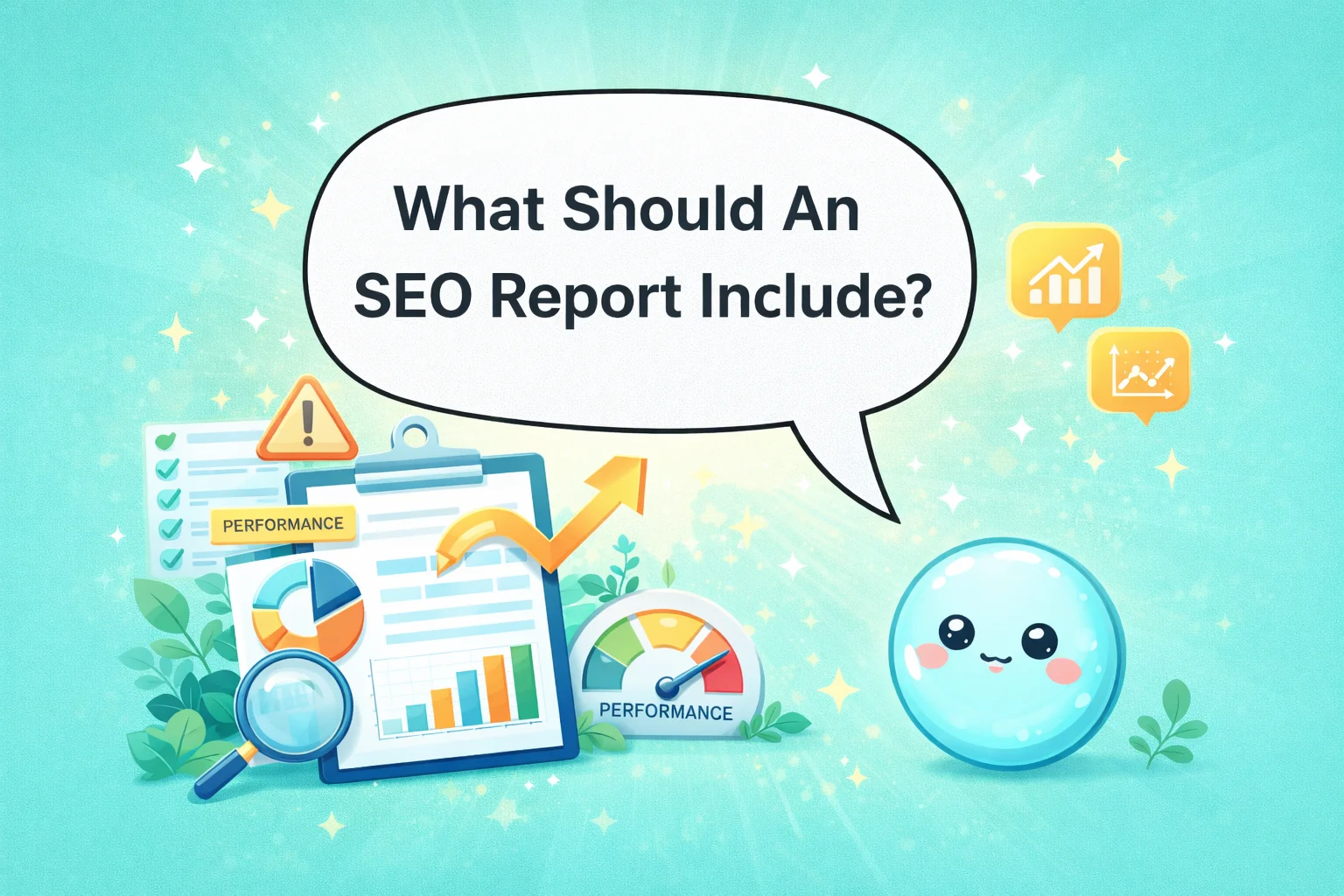
What Should An SEO Report Include: TL;DR
An effective SEO report must track organic traffic growth, keyword ranking trends, conversion rates, backlink quality, and site health. Focus on data that proves ROI and guides future content decisions rather than vanity metrics.
What Is an SEO Report and Why It Matters
In simple terms, an SEO report is a health check for how your website connects with search engines. But for me, it is more than that. It is the bridge between technical changes (like fixing broken links) and business outcomes (like selling more products).
Who Actually Uses These Reports?
I see three main groups relying on these documents:
- Website Owners: You want to know if your investment is paying off.
- Marketers: You need to see which content brings in leads.
- Small Business Teams: You need to know what to fix next week without getting overwhelmed.
The biggest mistake I see people make is focusing on vanity metrics. Seeing a graph go up is nice, but if that traffic doesn’t turn into customers, does it matter? I help website owners connect the dots. When I look at a report, I’m not just looking for “more traffic.” I’m looking for the right traffic.
What Should an SEO Report Include (Core Sections)
This is the question that brings most people here: what should an SEO report include to be actually useful?

After years of stripping away the noise from complicated dashboards, I’ve found that every effective report needs specific building blocks. It isn’t about dumping every metric from Google Analytics into a PDF. It is about selecting the data points that tell a story.
In the sections below, I will walk you through the essential components. These are the exact same metrics I check when I audit a site or when I use sneo.ai to get a quick snapshot of performance.
1) Keyword Analysis
Keyword analysis is where we start understanding intent. It’s not enough to know you rank for “best running shoes.” You need to know why people search for it and if your content meets that need. According to Google’s SEO Starter Guide, anticipating these needs is fundamental to ranking.
Types of Keywords to Watch
When I build a report, I separate keywords into two buckets:
- Primary Keywords: These are the big money terms. If you sell coffee, this is “buy coffee beans online.”
- Supporting & Long-Tail Terms: These are questions like “how to grind coffee beans.” They build authority.
Data That Actually Matters
I always look for specific data points here:
- Search Intent: Are people looking to buy or just learn?
- Estimated Demand: Is the search volume actually there?
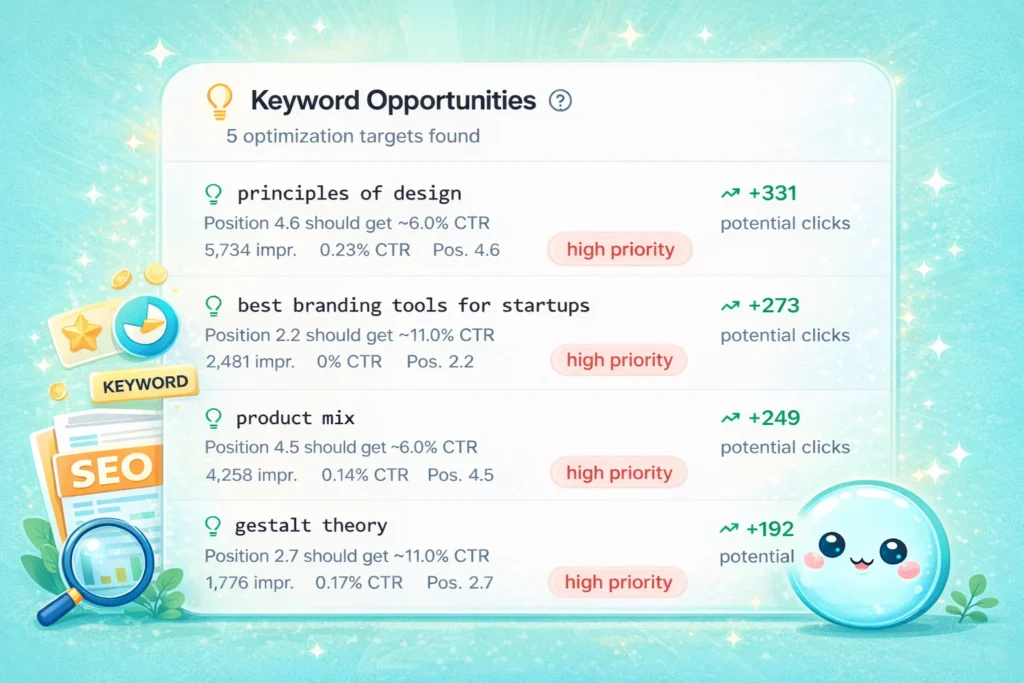
- Opportunity Gaps: This is my favorite. I look for keywords where a site ranks on page 2 (positions 11-20). These are your low-hanging fruit.
I often ask sneo.ai, “Which keywords are close to ranking on page 1?” It instantly filters through the noise and gives me a list. This allows me to guide future pages. Instead of guessing what to write, I use data to fill the gaps.
2) Keyword Rankings
Rankings are the most requested metric, but they are also the most misunderstood. Rankings change daily. I tell my clients: do not obsess over daily fluctuations. Look at the trend.
What to Include
When answering what should an SEO report include regarding rankings, I focus on:
- Current Positions: Where do you stand today?
- Position Changes: Did you move up or down significantly?
- New Keywords Gained: This is huge. It shows your content is expanding its reach.
- Keywords Lost: This alerts us to relevance issues.
Branded vs. Non-Branded
I always separate these.
- Branded: (e.g., “sneo.ai pricing”) – You should rank #1 here. If not, we have a problem.
- Non-Branded: (e.g., “AI SEO tool”) – This is where real growth happens.
A common panic moment happens when a client sees a drop in average position. I usually have to explain, “You didn’t get worse. You just started ranking for 50 new keywords at position 90, which dragged your average down.” That is actually good news—it means Google is testing you for new terms.
3) Traffic Metrics
Traffic is the lifeblood of your site, but “total sessions” is a lazy metric. It hides too much.

The Metrics I Trust
Here is what provides clarity:
- Organic Sessions: Visits specifically from search engines.
- Users: How many individual people visited?
- Landing Page Traffic: Which specific pages are the front doors to your business?
I prefer to show trends over 3 to 6 months. A single month’s data can be skewed by a holiday or a viral post. I want to see if the baseline is rising. By connecting traffic metrics to specific pages, I can tell a client, “Your blog post on ‘SEO basics’ is driving 40% of your traffic, but your product page is invisible.” That is actionable.
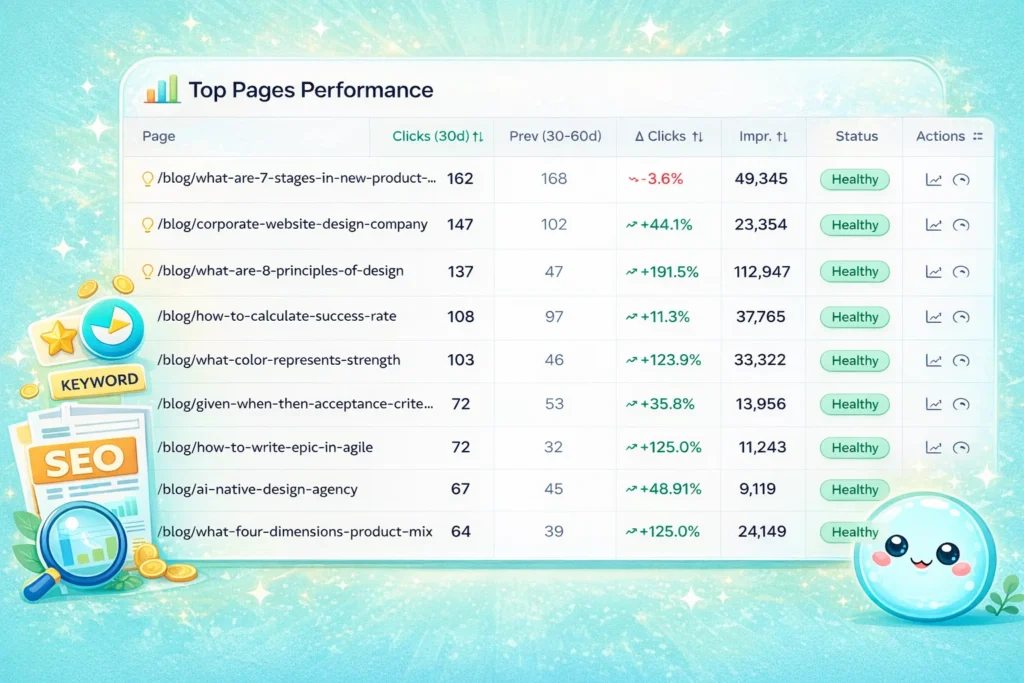
4) Content Performance
Content is what you rank with. If you don’t measure how your pages perform, you are flying blind.
Measuring the Wins
I look at:
- Organic Traffic by Page: The Pareto Principle (80/20 rule) usually applies here—20% of your pages bring 80% of the traffic.
- Growth Over Time: Which pages are gaining traction?
- Declining Pages: Which articles used to be popular but are now stale?
This section helps me plan content refreshes. I recently helped a client who had 500 blog posts but only 50 were getting traffic. We used this data to prune the dead weight and update the winners. Their overall traffic grew because the site became cleaner and more authoritative.
5) User Engagement Metrics
Traffic gets people to the door; engagement invites them in. If 1,000 people visit your site and leave in 10 seconds, Google notices. They will push your rankings down.
What Reveals Quality?
To understand if content is working, I analyze:
- Engagement Rate: Are users interacting or bouncing?
- Time on Page: Are they actually reading?
- Scroll Depth: Did they make it to the bottom?
Low time on page usually signals a hook problem—your intro isn’t grabbing them. Or, the page doesn’t answer the search query. When I see this, I know we need to rewrite the opening or improve the page layout.
6) Conversion Tracking
This is the most critical section. If someone asks me what an SEO report should include for a business owner, this is my first answer. Rankings are vanity; sales are sanity.
What Counts as a Conversion?
It depends on your business, but I track:
- Leads: Email signups or free trials.
- Purchases: Direct revenue.
- Form Submissions: “Contact Us” requests.
- Calls: Click-to-call actions on mobile.
I need to connect organic traffic to these actions. It helps me justify the SEO spend. If I can show that “SEO traffic generated 50 leads this month,” the conversation changes from “SEO is a cost” to “SEO is an investment.”

7) Backlink Profile
Backlinks are votes of confidence from other websites. In 2025 and 2026, quality matters far more than quantity. Google’s spam policies are strict about unnatural links, so monitoring this is vital.
Assessing Authority
I include:
- Total Referring Domains: How many unique sites link to you?
- New Links: Who linked to you this month?
- Lost Links: Did you lose a high-value mention?
- Link Quality: Are these links from real businesses or spam sites?
I use backlink trends to plan outreach. If I see a competitor gaining links from news sites, I investigate how they did it. Did they release a study? Did they break the news? We can then replicate that strategy.
8) On-Page SEO Factors
On-page factors are things fully within your control. This section is often a checklist of optimization opportunities.
What We Review
- Headings: Are H1s and H2s structured correctly?
- Internal Links: Are you linking to your most important pages?
- Content Depth: Is the article long enough to cover the topic?
For large sites, reporting on every page is impossible. I prioritize. I look at the top 20 pages by traffic and revenue. Optimizing these yields the fastest results.
9) Metadata Analysis
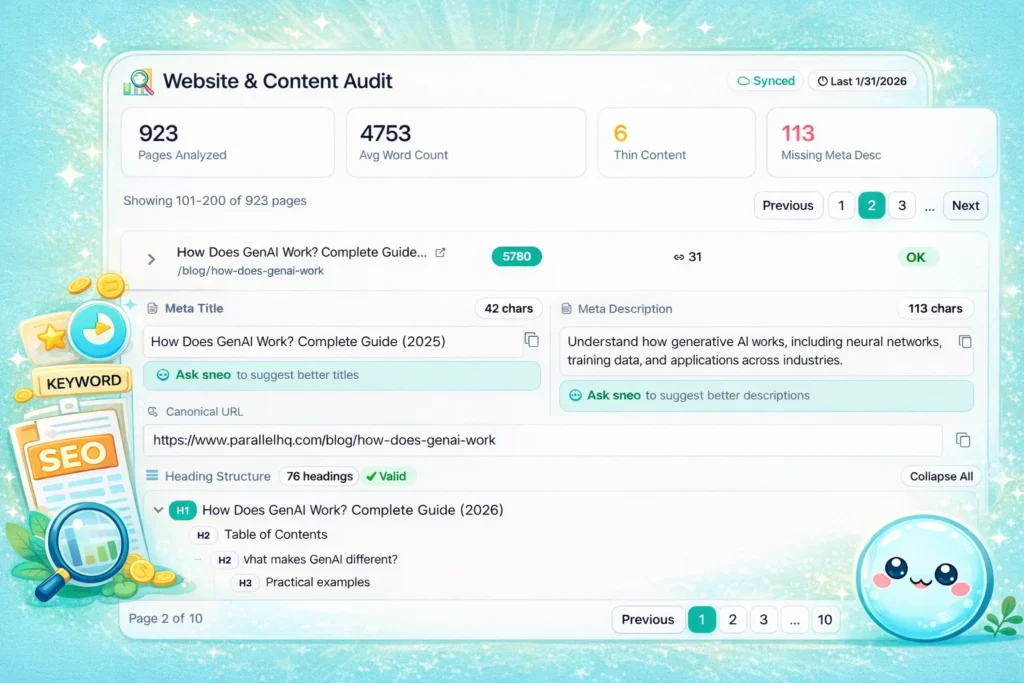
Metadata (titles and descriptions) is your billboard in the search results. If your billboard is blank or boring, no one clicks.
The Audit
I check for:
- Title Tags: Are they too long? Too short? Missing keywords?
- Meta Descriptions: Do they encourage a click?
- Duplicates: Do five pages have the exact same title?
I often find that fixing metadata is the quickest win. Studies on click-through rates consistently show that compelling titles drive significantly more traffic, even without a ranking boost.
10) Technical SEO Issues
Technical SEO scares many people, but think of it as the foundation of a house. If the foundation is cracked, it doesn’t matter how nice the paint is.
Health Checks
When considering what should an SEO report include for technical health, I list:
- Indexability: Can Google even read your pages?
- Redirects: Are you sending users to the right place?
- Broken Links: Are users hitting dead ends?
- Canonical Tags: Are we confusing Google with duplicate versions of pages?
I turn these into action items. Instead of saying “404 errors found,” I say, “Fix these 5 broken links to improve user experience.”

11) Crawl Errors
Crawl errors mean Google tried to visit your site and failed. This is serious.
The Red Flags
- 404 Errors: Page not found.
- Server Errors (5xx): Your hosting might be failing.
- Blocked URLs: Did you accidentally tell Google not to look at a page?
I prioritize these immediately. If Google can’t crawl, you can’t rank. It is that simple.
12) Indexation Status
Just because you published a page doesn’t mean Google filed it away. Indexation is the filing system.
The Filing Cabinet
I report on:
- Total Indexed Pages: Is this number growing?
- Excluded Pages: Why did Google ignore these?
- Noindex Usage: Did we intentionally hide pages?
I look for “index bloat”—when a site has 1,000 indexed pages but only 50 good ones. This dilutes your authority. Sometimes, deleting pages is the best way to grow.
13) Site Speed Insights
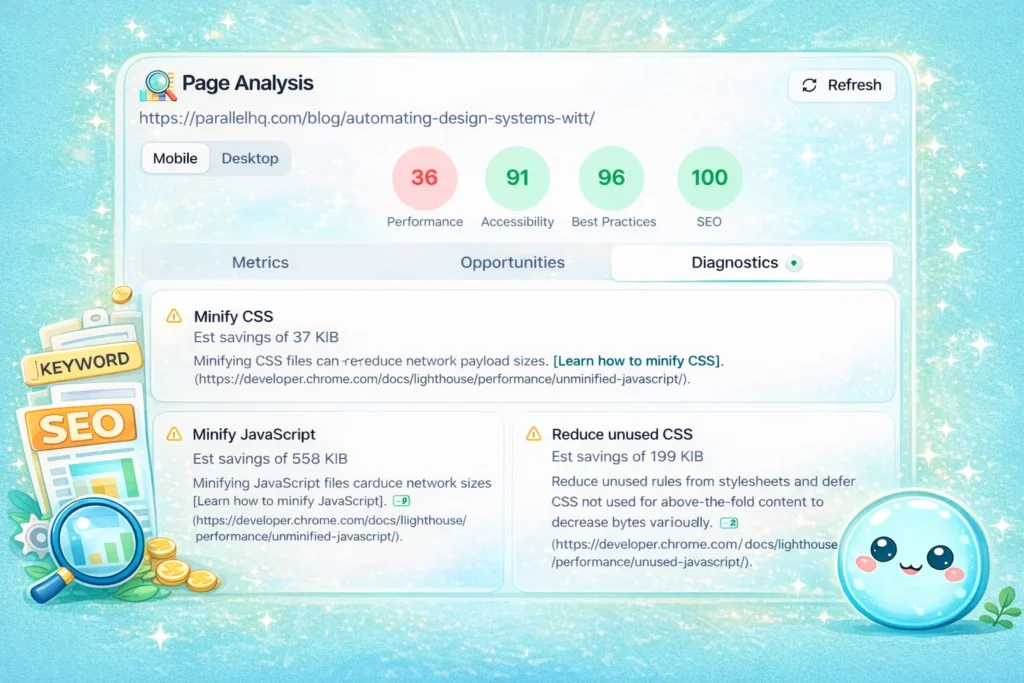
In 2025, speed is a ranking factor and a user expectation. Google’s Page Experience documentation explicitly states that slow sites are penalized.
Speed Metrics
- Core Web Vitals: These are Google’s official speed metrics (LCP, FID, CLS).
- Slow Landing Pages: Which specific pages are lagging?
I don’t just say “make it faster.” I look for the culprit. Is it a huge image? Slow hosting? Too much code? Speed directly affects conversion rates.
14) Mobile Optimization
Most of the web is mobile now. Google uses mobile-first indexing, meaning it looks at your phone version first.
The Mobile Check
- Usability Issues: Are buttons too small to tap?
- Mobile Speed: Does it load fast on 4G?
- Layout Problems: Does text run off the screen?
I test this personally on my phone. If I can’t easily buy your product on a mobile screen, neither can your customers.
15) Competitor Analysis
You don’t operate in a vacuum. Your competitors are trying to take your spot.
The Comparison
- Keyword Coverage: What do they rank for that you don’t?
- Content Gaps: What topics have they covered better?
- Backlink Strength: Who is linking to them?
I use this to find gaps, not to copy blindly. If they wrote a 1,000-word guide, we write a 2,000-word guide with better data.
How to Turn Your SEO Report into Real Actions
Data without action is just trivia. The final part of answering what an SEO report should include is the “Next Steps” section.
I prioritize findings into:
- Quick Wins: Fix a broken title, redirect a 404, update an old post. These take minutes but help immediately.
- Long-Term Projects: “Write 10 new articles about coffee beans.” This takes planning.
I present these clearly. I don’t use jargon with stakeholders. I say, “We need to fix these links so Google can read our product pages,” not “We need to resolve 404 status codes to preserve link equity.”
Tools That Help Simplify SEO Reporting
You might be thinking, “Rahul, this sounds like a lot of work.” It is, if you do it manually. But automation saves us.
There are many great tools out there, but I built sneo.ai because I wanted something different. I wanted to talk to my data. Instead of setting up complex filters, I wanted to just ask, “Why did traffic drop last week?” and get an answer.
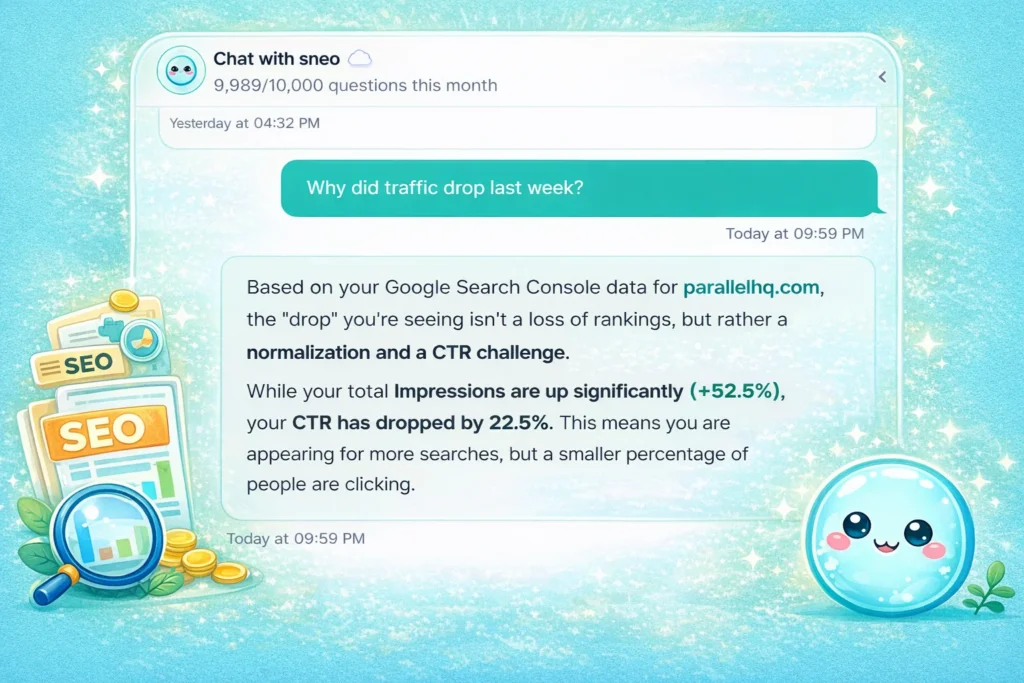
Platforms like sneo.ai can help automate reporting, surface insights faster, and turn raw data into clearer action steps without heavy technical setup. It acts as a translation layer. It takes the raw, confusing data from Google Search Console and turns it into plain English answers.
Common Mistakes in SEO Reports
I’ve seen reports that would make you cry. Here are the traps to avoid:
- Focusing Only on Rankings: As I said, traffic and sales matter more.
- Ignoring Conversions: If you aren’t tracking business value, you are just guessing.
- Data Dumping: Sending a 50-page PDF that no one reads.
- No Explanations: Charts need context. Tell the reader what the line going up means.
- No Action Items: Always end with “Here is what we do next.”
Conclusion
So, what should an SEO report include? It needs to include the truth about your business performance.
It must cover traffic, rankings, and technical health, but more importantly, it must connect those numbers to your goals. It should be a planning tool, not just a backward-looking document.
I’ve spent years helping website owners understand their SEO performance, and I can tell you this: you don’t need to become a data scientist. You just need to ask the right questions and get answers you can actually use. Start by connecting your Google Search Console to sneo.ai and ask me one question about your site—whether that’s about a traffic drop or a ranking opportunity. Let me show you what your data is trying to tell you.
Your data has the answers. You just need the right way to read them.
FAQ
1) What should an SEO report include for a small business website?
For a small business, keep it practical. Focus on traffic metrics (who is visiting), keyword rankings (are you visible), content performance (what are they reading), conversion tracking (are they calling or buying), and basic technical SEO issues (is the site working). You don’t need enterprise-level data; you need to know if the phone is ringing.
2) How often should an SEO report be created?
Monthly reporting is the general standard. It gives enough time for data to stabilize. However, I check my clients’ Google Search Console weekly for any sudden technical errors. Quarterly reviews are better for big-picture strategy planning.
3) Do beginners need advanced technical SEO sections in their reports?
Not really. You need to know the essentials: are there crawl errors (404s), and is the site indexed? You can review deep technical issues like schema markup or log file analysis less frequently, perhaps once every six months, unless you have a massive site.
4) How detailed should keyword analysis be in an SEO report? I
t shouldn’t be a list of 1,000 words. Focus on your top 20-50 money keywords and the new opportunities where you rank on page 2. Avoid bloated lists that distract from the main goals.
5) Should competitor analysis be included in every SEO report?
I don’t think you need a deep dive every month. Competitor analysis adds value when you are planning new content or noticing a drop in rankings. A full competitor review works best as a quarterly inclusion.
6) Can automated tools replace manual SEO reporting?
Automation is great for gathering data—counting visits, tracking ranks. But manual review matters for strategy. A tool can tell you traffic dropped; a human (or an advanced AI like sneo.ai) helps you understand why and what to do about it.
7) How tools like sneo.ai fit into a modern reporting workflow?
Tools like sneo.ai sit between you and the raw data. Instead of spending hours in spreadsheets, you use them to get instant answers and automated insights. They speed up the “what happened” part so you can focus on the “what next” part.
8) What is the most important part of an SEO report?
Conversion tracking. Rankings and traffic are vanity metrics if they don’t lead to business impact. The most critical part is showing how organic search contributes to leads, sales, or revenue.