

I have sat in countless meetings with business owners who stare at their WordPress dashboard, completely paralyzed by a simple notification: “Please configure your SEO settings.” It is 2026, and while search engines have become smarter with AI integration, the fundamental need to talk clearly to Google hasn’t changed. In fact, it is more critical now than ever.
If you are reading this, you are likely standing at a crossroads that every WordPress user faces eventually. You want to know which is better All In One SEO or Yoast for your specific situation. I have spent years analyzing website data, fixing broken site structures, and helping clients decipher their traffic drops. I can tell you right now: there is no magic button that fixes everything. However, choosing the right tool to build your foundation makes a massive difference.
This guide isn’t just a list of features copied from a sales page. I am going to compare these two giants based on real-world usability. I want to look at how they handle the daily grind of publishing content, how they impact your site speed, and—most importantly—how they help you rank.
When I built sneo.ai to help site owners understand their Google Search Console data, I realized that many “SEO problems” were actually “plugin configuration problems.” People were optimizing for green lights instead of actual users. By the end of this article, you will know exactly which plugin fits your workflow, whether you run a local bakery, a high-traffic news site, or a growing eCommerce store.
All In One SEO or Yoast: Direct Answer
Yoast SEO is superior for writers and content-heavy sites needing strict editorial guidance. All in One SEO (AIOSEO) is the better choice for local businesses and eCommerce stores requiring modular control and built-in local schema support.
What Are All in One SEO and Yoast? (Quick Background)
Before we start fighting over features, let’s establish who the fighters are.

Yoast SEO has been the household name for over a decade. If you have ever written a blog post and obsessively tried to turn a red dot green, you know Yoast. It built its reputation on content analysis—forcing writers to use their keywords and keep their sentences short. For a long time, it was the default choice.
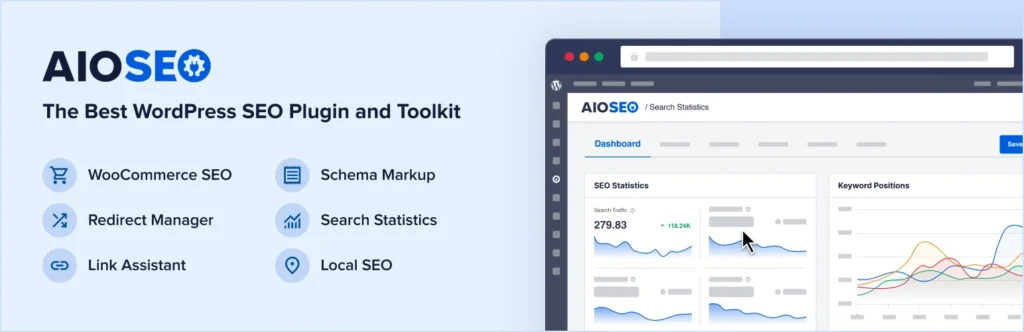
All in One SEO (AIOSEO) is the original contender that has reinvented itself aggressively over the last few years. While Yoast focused on content scoring, AIOSEO doubled down on being a modular toolkit. It positions itself as the “do-it-all” solution, offering features like local SEO and schema markup right out of the box without needing as many extensions.
They are the two most used WordPress SEO tools for a reason: they work. They handle the technical communication between your site and search engines. But they do it in philosophically different ways.
How We Compare Them in This Guide
I don’t believe in “best” in a vacuum. I believe in “best for you.” When I analyze a client’s site performance, I don’t care how many features their plugin has; I care if they actually use them.
Here is my criteria for this comparison:
- Real Site Management: Does the plugin make daily tasks easier or add friction?
- Beginner Friendliness: Can a non-technical user set it up without breaking the site?
- Performance: Does it bloat the code and slow down load times?
- Scalability: What happens when you have 5,000 posts instead of 50?
I will cover everything from the basic optimization features to the advanced customization options. My goal is to help you answer the question of which is better All In One SEO or Yoast based on how you actually work.
All in One SEO Features (2026)
AIOSEO has spent the last few years trying to prove it is the modern alternative. From my experience using it on client sites, it feels less like a “teacher” and more like a “manager.”
1) Core SEO Setup Tools
The onboarding process in AIOSEO is impressive. When you install it, a setup wizard asks you specific questions about your business type—whether you are a blog, an eCommerce store, or a news channel. Based on your answers, it configures the technical settings automatically.
It handles metadata (titles and descriptions) and XML sitemaps quietly in the background. One thing I appreciate is that it doesn’t just generate a sitemap; it gives you granular control over what goes in it without needing to touch code.
2) Keyword Optimization Tools
AIOSEO includes a “TruSEO” score. It analyzes your content for keyword density and length, similar to other tools. However, it feels slightly less intrusive. It gives you a checklist on the side of your editor. It focuses heavily on semantically related keywords, which is crucial in 2026 as search engines move away from exact-match phrases.
3) Meta Description Management
For sites with hundreds of posts, AIOSEO shines with its dynamic tags. You can set global templates (e.g., “Post Title – Current Year – Brand Name”) that update automatically. The bulk editor is a lifesaver. I once helped a client update meta descriptions for 300 products without opening a single product page, thanks to their spreadsheet-style view.
4) Site Analysis Tools
AIOSEO includes a built-in SEO audit checklist. It scans your entire site and gives you a score. It checks for common errors like missing alt text or slow response times. It’s a good “health check,” though for deep traffic insights, I always recommend connecting your Google Search Console to a dedicated analysis tool like sneo.ai to see actual performance data rather than just static checks.
5) Local SEO Capabilities
This is where AIOSEO plays its strong card. It has a dedicated “Local SEO” module included in many of its plans. You can input your opening hours, multiple locations, and contact info, and it generates the correct Schema markup automatically. For small businesses serving a specific city, this setup is incredibly fast.
6) eCommerce SEO Support
If you run WooCommerce, AIOSEO integrates deeply. It auto-populates product metadata and handles the tricky parts of product schema (like price and availability) so Google can display rich snippets in search results.
Yoast SEO Features (2026)
Yoast is still the giant, and for good reason. Its focus has always been on the writer.
1) Core SEO and Content Analysis Tools
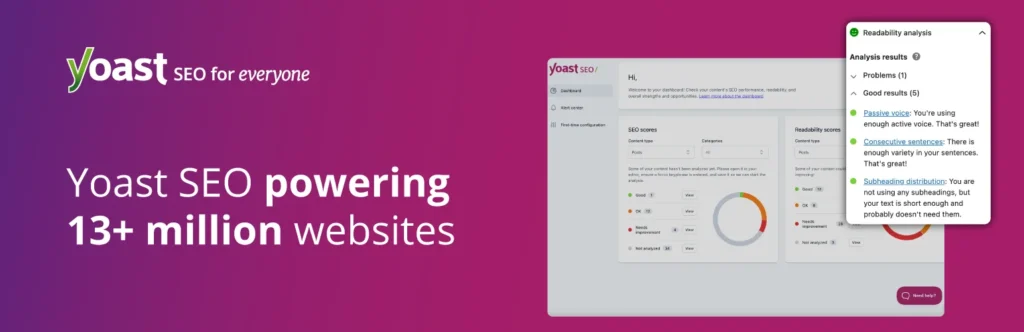
Yoast is famous for its “traffic light” system. Red means stop and fix it; green means go. It analyzes your focus keyword and checks if you have used it in the title, the first paragraph, and the headers. It also supports multiple keyphrases in its premium versions, allowing you to target synonyms.
2) Keyword Optimization Workflow
Yoast trains you to write better. Its readability analysis checks sentence length, passive voice, and transition words. I have noticed that writers who learn with Yoast tend to produce cleaner copy over time. The feedback is immediate and visual, located right below the editor or in the sidebar.
3) Meta Description Management
Yoast provides a clear snippet preview. You can see exactly how your result might look on mobile and desktop. It offers bulk editing tools as well, though the interface feels a bit more traditional compared to AIOSEO’s modern dashboard.
4) Site Analysis Tools
Yoast runs background checks for SEO health. It alerts you if you are blocking search engines or if your permalink structure is messy. It also places a heavy emphasis on internal linking. The premium version suggests other posts on your site to link to as you write, which is a great way to build site authority.
5) Local SEO Capabilities
Yoast handles local SEO through a separate add-on plugin (Local SEO for WordPress). It is powerful—it generates KML files, handles schema, and integrates with Google Maps—but it is treated as a separate entity from the core plugin.
6) eCommerce SEO Support
Similar to local SEO, Yoast has a dedicated WooCommerce SEO plugin. It cleans up the XML sitemap for products and adds extra tools for managing product identifiers. It is effective, but it adds another plugin to your list.
All in One SEO vs Yoast: Feature Comparison
Now, let’s look at them side-by-side. When clients ask me which is better All In One SEO or Yoast, I usually start by comparing these core areas.
Core Comparison Table
| Feature | All in One SEO (AIOSEO) | Yoast SEO |
| Core On-Page Tools | Flexible & Modular. Uses TruSEO score. Allows disabling unused features for a cleaner interface. | Educational. Unmatched readability analysis. Acts as a strict editor with traffic light feedback. |
| Technical Management | Modern Control. Intuitive sitemap and redirect managers. Gives you “knobs and dials” to tweak settings. | Automated Safety. Handles technical tasks automatically. Hides settings to prevent errors, making decisions for you. |
| Site Analysis | Visual Overview. Scans the entire site for a full letter-grade audit. Good for a high-level health check. | Post-Focused. Detailed analysis concentrated on the specific page you are currently editing. |
My take: Relying solely on a plugin’s audit tool is a mistake. They check code presence, not performance. This is why I always tell clients: let the plugin handle the setup, but use GSC data (via tools like sneo.ai) to see if that setup is actually bringing in traffic. A plugin can say your SEO is “A+,” but if your impressions are flatlining, the score doesn’t matter.
Plugin Usability and Learning Curve
A tool is only good if you can use it without pulling your hair out.
Usability Comparison Table
| Feature | All in One SEO (AIOSEO) | Yoast SEO |
| Setup Experience | Modern & Fast. Slick, SaaS-style wizard. Fast setup (<10 mins). | Thorough. Text-heavy wizard that explains the “why.” Slower, but educational. |
| Daily Workflow | Subtle. Integrates quietly; distinct dashboard. Best for site managers. | Prominent. “In your face” metabox and dots. Best for pure writers. |
| Team & Client Use | Safe. Granular access controls to hide settings from junior editors. | Simple. Traffic lights provide an easy “make it green” visual instruction. |
Winner: For pure writing workflow, Yoast. For site management workflow, AIOSEO.
User Interface Design and Editing Experience
Interface Comparison Table
| Feature | All in One SEO (AIOSEO) | Yoast SEO |
| Dashboard Style | Modern App-Like. Clean, uses white space and toggle switches. Feels distinct from standard WP. | Native WordPress. Uses standard tabs and checkboxes. Familiar but can feel cluttered. |
| Organization | Logical Grouping. Clear menus for Search Appearance, Sitemaps, etc. | Tabbed Settings. Functional, but options often buried in long lists. |
| Visual Indicators | TruSEO Score (0-100). Gamified numeric score. Good for tracking overall progress. | Traffic Lights. Iconic red/orange/green bullets. Instant, intuitive feedback. |
SEO Plugin Performance and Site Speed Impact
In 2026, Core Web Vitals are a massive ranking factor. You cannot afford a plugin that slows down your site.
Performance Comparison Table
| Feature | All in One SEO (AIOSEO) | Yoast SEO |
| Code Footprint | Modular. Allows deactivating unused modules (e.g., Local SEO) to theoretically reduce load. | Standard. Has become heavier over years; features are generally always active. |
| Background Processes | Efficient. Generally lighter on admin resources. | Resource Heavy. Internal linking indexing can cause slight admin drag on very large sites. |
| Compatibility | Universal. Works flawlessly with WP Rocket, W3 Total Cache, etc. | Universal. The industry standard; rarely encounters conflict issues. |
My advice: Don’t choose based on speed alone. The difference in frontend load time between the two is usually negligible compared to the impact of your images or hosting.
Customization Options and Advanced Control
Customization Comparison Table
| Feature | All in One SEO (AIOSEO) | Yoast SEO |
| Templates & Automation | Advanced. Powerful smart tags and custom rules for custom post types. | Standard. Supports standard variables (e.g., %%title%%) but fewer advanced custom rules. |
| Schema Support | Visual Generator. Point-and-click UI for many schema types (FAQ, Recipe, etc.) out of the box. | Automated Graph. Weaves schema automatically but customization often requires code or add-ons. |
| Developer Control | Open. Strong API and hooks. Philosophy: “Here is the setting, use it wisely.” | Opinionated. Extensive docs but restricts settings that could harm SEO to protect users. |
Local SEO Capabilities Compared
If you have a physical store, this section answers which is better All In One SEO or Yoast for you.
Local SEO Comparison Table
| Feature | All in One SEO (AIOSEO) | Yoast SEO |
| Local Business Data | Core Feature. Dedicated menu for address, phone, and hours in pro plans. Supports multiple locations natively. | Extension Required. Excellent features, but requires purchasing and installing a separate “Local SEO” plugin. |
| Map & Location Support | Integrated. Generates KML sitemaps and integrates with Google Maps easily. Includes hours widget. | Separate. Offers deep settings for complex hours via the extension, but separation from core plugin adds management friction. |
Verdict: AIOSEO wins on value and integration for Local SEO.
eCommerce SEO Support Compared
eCommerce Comparison Table
| Feature | All in One SEO (AIOSEO) | Yoast SEO |
| Product Page Optimization | Standard. Pulls short description and name for metadata automatically. | Standard. Pulls short description and name for metadata automatically. |
| Schema Support | Built-in. Setup wizard handles price, SKU, and availability natively. | Addon Dependent. Basic support included; “WooCommerce SEO” addon needed for rich pins and cleaner XML. |
| Category & Shop Pages | Efficient. Bulk editor makes managing hundreds of category titles significantly faster. | Standard. Allows adding rich text and titles, but bulk management is less streamlined. |
Which Plugin Is Better for Different Types of Users?
So, who wins? It depends on who you are.
User Recommendation Table
| User Type | Recommended Plugin | Why? |
| Website Owners & Bloggers | Yoast SEO | Writing analysis acts as a teaching tool to improve copy. |
| Marketers & Content Teams | Yoast SEO | The traffic light system provides a clear quality standard for teams. |
| SEO Beginners | AIOSEO | Setup wizard is safer and holds your hand through configuration. |
| Small Business Owners | AIOSEO | Built-in Local SEO features in pro plans save buying separate addons. |
| Growing & Complex Websites | AIOSEO | Modular design allows turning off unused features for better control. |
Pricing, Plans, and Value in 2026
Both offer generous free versions. The free versions are enough for 90% of basic blogs.
Pricing Comparison Table
| Cost Factor | Yoast SEO | All in One SEO (AIOSEO) |
| Free Version | Strong. Includes full content analysis, basic schema, and technical SEO defaults. | Limited. Good for sitemaps and basic settings, but advanced modules are locked. |
| Premium Cost (1 Site) | $99/year. Flat fee for the core premium plugin. | $49 – $124/year. Tiered pricing. “Basic” is cheaper, but “Pro” is needed for full features. |
| Local SEO | Extra $79/year. Sold as a separate plugin or part of a $229 bundle. | Included in Plus/Pro. “Local SEO” module is part of the mid-tier plans ($99+). |
| WooCommerce SEO | Extra $79/year. Sold as a separate plugin. | Included in Pro/Elite. Deep integration is part of the higher-tier plans. |
| News / Video SEO | Extra $79/year each. Separate plugins. | Included in Pro/Elite. Modules included in higher tiers. |
| Bundle / Full Suite | ~$229/year. “Plugin Subscription” includes all 5 plugins and training. | ~$199 – $299/year. “Elite” plans often cover unlimited features for multiple sites. |
| Renewal Price | Generally consistent. | Often jumps after the first-year introductory discount. |
Value Check: If you need Local SEO, AIOSEO is generally better value because it bundles features. If you just need core text optimization for a blog, Yoast Free is unbeatable.
Strengths and Limitations at a Glance
All in One SEO
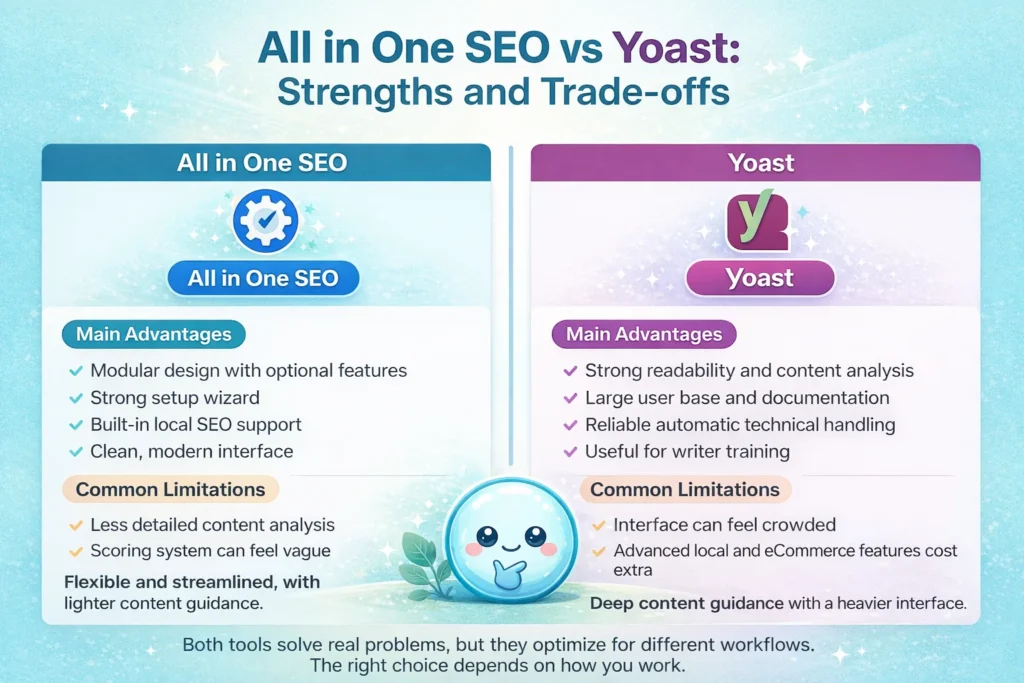
Main Advantages:
- Modular design (turn off what you don’t use).
- Excellent Setup Wizard.
- Strong Local SEO features included in plans.
- Modern, clean interface.
Common Limitations:
- Content analysis is less detailed than Yoast.
- The scoring system (0-100) can be vague compared to specific checks.
Yoast
Main Advantages:
- The industry standard for content readability analysis.
- Massive community and documentation.
- Automatic technical fixes (like handling canonicals) are top-tier.
- Great for training writers.
Common Limitations:
- Interfaces can feel cluttered with upsells.
- Local and eCommerce features often require separate, paid plugins.
Final Verdict: Which Is Better All In One SEO Or Yoast in 2026?
After comparing them feature for feature, the answer to which is better All In One SEO or Yoast comes down to your primary goal.
Choose Yoast SEO if:
- Content is your main product (blogs, news, educational sites).
- You want direct feedback on your writing style and keyword usage.
- You prefer a tool that handles technical decisions for you automatically.
Choose All in One SEO (AIOSEO) if:
- You are a local business or an eCommerce store.
- You want a modular tool where you can control exactly which features are active.
- You prefer a dashboard that gives you a checklist and a score rather than a traffic light.
In my experience, both tools are excellent at generating the metadata and sitemaps Google needs. The “better” one is simply the one that fits your daily workflow.
However, remember this: A plugin only sets the stage. It configures your site to be found. It does not tell you if you are being found or why traffic dropped last Tuesday.
I built sneo.ai because I saw clients spending hours perfecting their Yoast green lights, only to ignore the critical data in Google Search Console. Once you have picked your plugin and set it up, your next step should be connecting your data to an analysis tool. You need to be able to ask, “Which of my blog posts are losing traffic?” or “What keywords am I ranking for that I didn’t target?” That is where the real growth happens—not just in the plugin settings, but in understanding the results.
FAQ – All In One SEO vs Yoast
1) Is All in One SEO better than Yoast for beginners in 2026?
I generally find AIOSEO slightly better for absolute beginners regarding technical setup because of its wizard. However, Yoast is better for beginners learning how to write for SEO.
2) Which plugin offers better keyword optimization tools?
Yoast wins here. Its ability to analyze readability and keyword usage within the text is superior and more granular than AIOSEO’s TruSEO score.
3) Can both plugins manage meta descriptions and titles at scale?
Yes. Both offer bulk editors and variable templates. AIOSEO’s interface for this is slightly more modern and spreadsheet-like, which I prefer for large batches.
4) Do All in One SEO and Yoast slow down a WordPress site?
Both add code to your site, but neither should noticeably slow down a well-hosted site. AIOSEO’s modular design allows you to disable unused features, which can theoretically reduce bloat.
5) Which plugin is better for local SEO businesses?
I firmly believe AIOSEO is better here. It includes robust Local SEO features in its main pro tiers, whereas Yoast requires a separate extension.
6) Is Yoast or All in One SEO better for WooCommerce stores?
Both are good, but AIOSEO integrates product schema very smoothly in its main setup. Yoast requires the WooCommerce SEO add-on for the best experience.
7) Can I switch from Yoast to All in One SEO without losing SEO data?
Yes. AIOSEO has an import tool that automatically pulls over your titles, descriptions, and settings from Yoast when you install it.
8) Do I still need other WordPress SEO tools if I use one of these plugins?
Yes. These plugins handle on-site optimization. You still need an analytics tool like sneo.ai (connected to Google Search Console) to track your performance, rankings, and traffic issues. The plugin does the work; the analytics tool measures the success.