

If you’ve ever published a page by mistake, exposed sensitive content, or watched a thin duplicate drag down your crawl budget, knowing how to remove a URL from Google Search Console is a non-negotiable skill. I’ve walked dozens of site owners through this exact process, and the same confusion comes up every time: people confuse a temporary suppression with a true deindex. This guide clears that up and gives you every method, ranked by speed and permanence, so you pick the right tool for the job.
TL;DR
- The URL Removal Tool in Google Search Console suppresses a page for roughly six months, it does not permanently delete it from the index.
- For permanent removal, pair the tool with a noindex meta tag, a 410 response, or a robots.txt block.
- Permanent removal via noindex or 410 is processed when Googlebot next crawls the URL, typically within days to a few weeks.
- Always verify removal in the Coverage report and Index Status after actioning.
What’s the Fastest Way to Remove a URL From Google Search Console?
When speed matters, the URL Removal Tool inside Google Search Console is your quickest lever. I’ve used it to suppress embarrassing staging pages within hours of a mistaken publish.
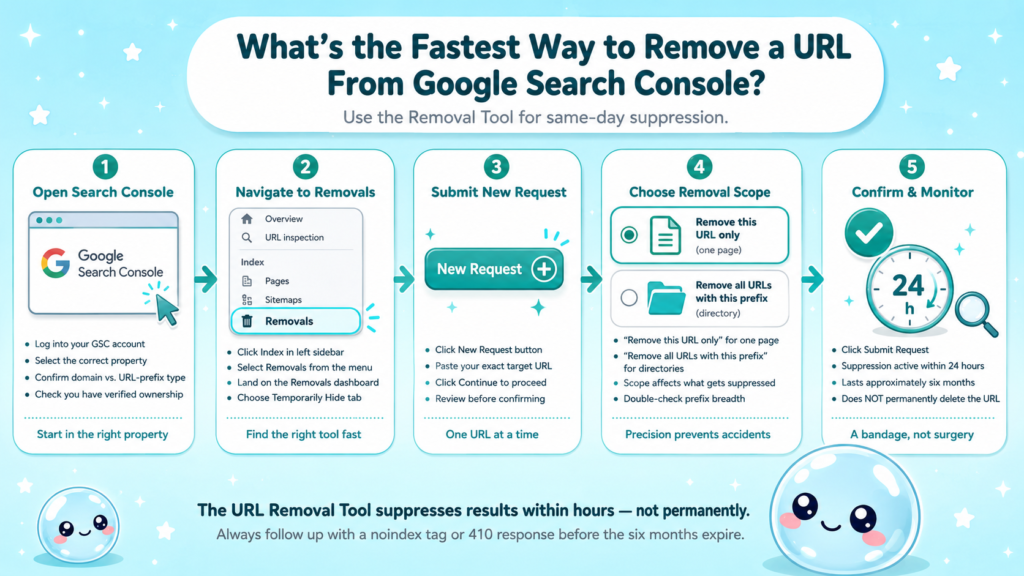
Here’s how to get there:
- Open Google Search Console and select your property.
- In the left sidebar, click Removals under the Index section.
- Click the Temporarily hide tab, then click New Request.
- Paste the exact URL you want to remove and click Continue.
- Choose either “Remove this URL only” or “Remove all URLs with this prefix”, depending on scope.
- Click Submit Request.
Google typically processes the request and suppresses the URL from search results within a few hours to 24 hours. The suppression lasts approximately six months.
What this tool actually does:
- Removes the cached snippet and the URL from appearing in Google Search results
- Does NOT delete the page from Google’s index database permanently
- Does NOT prevent Google from re-crawling or re-indexing the URL once the suppression expires
This is why I always tell clients: the URL Removal Tool is a bandage, not surgery. It buys you time while you implement a permanent fix. Use it when you need results today, but follow up with a noindex directive or a proper HTTP status code change before those six months are up.
For a broader understanding of how indexing and crawling interact, this overview of crawling in SEO covers the fundamentals well.
What’s the Difference Between Temporary Removal and Permanent Removal?
This is the question I get most often, and the distinction matters enormously for your ongoing SEO health.
| Feature | Temporary Removal (GSC Tool) | Permanent Removal |
| How long it lasts | ~6 months | Indefinite |
| Removes from index database | No | Yes (once re-crawled) |
| Requires site-level change | No | Yes |
| Speed | Hours | Days to weeks |
| Risk of re-indexing | High (after expiry) | Low (if signal persists) |
| Best for | Emergency suppression | Retired/deleted pages |
Permanent removal methods in order of reliability:
- 410 Gone HTTP response: Return a 410 status code on the URL’s server. Google treats this as a definitive signal that the page is gone and removes it from the index faster than a 404.
- Noindex meta tag: Add <meta name=”robots” content=”noindex”> to the page’s head element. Google will drop the page from its index the next time it crawls it.
- Robots.txt block: Blocks crawling but does NOT guarantee removal from the index. Avoid this as your sole removal method.
- Canonical tag: Redirects PageRank signal to a preferred URL but does not remove the original from the index.
The 410 Gone response is my preferred method for pages that no longer exist. It signals finality to Googlebot in a way a 404 technically does and practically achieves the same result, but the explicit “Gone” status communicates intent more clearly.
How to Use the URL Removal Tool in Google Search Console (Step by Step)
Knowing how to remove a URL from Google Search Console means understanding every option inside the Removals interface. Here’s the complete walkthrough:
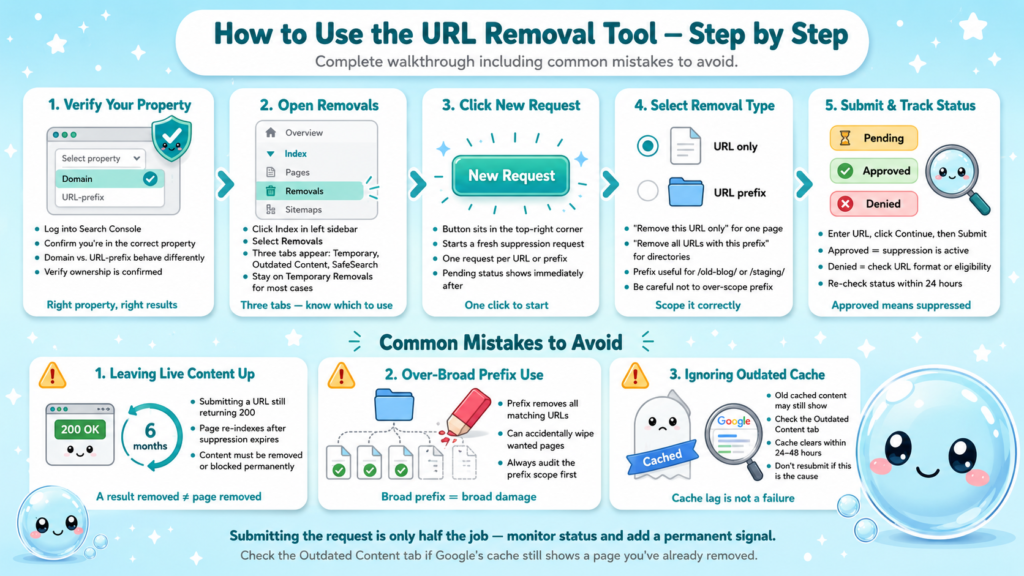
- Log into Search Console and verify you’re in the correct property (check domain vs. URL-prefix properties, they behave differently).
- Click Index in the left sidebar, then click Removals.
- You’ll see three tabs: Temporary Removals, Outdated Content, and SafeSearch Filtering. For most use cases, stay on Temporary Removals.
- Click New Request (the button in the top-right corner).
- Select your removal type:
– Remove this URL only: Targets one specific page.
– Remove all URLs with this prefix: Useful for removing an entire directory, like /old-blog/ or /staging/.
- Enter your URL, click Continue, then confirm by clicking Submit Request.
- After submission, the request will show a Pending, Approved, or Denied status. Approved means suppression is active.
Common mistakes I see people make:
- Submitting a URL that returns a 200 status with live content, then wondering why Google re-indexes it after six months. The answer: you never removed the content, just the result.
- Using the prefix option too broadly and accidentally removing URLs you want in the index.
- Forgetting to check the Outdated Content tab when you’ve removed a page but Google’s cache still shows old content.
For a deeper look at what Search Console actually measures and reports, this guide on average position in Google Search Console is worth bookmarking.
Does Removing a URL in Search Console Permanently Delete It From Google?
No. This is the single most important thing to understand about how to remove a URL from Google Search Console: the tool creates a temporary suppression, not a permanent deletion.
Here’s what actually happens under the hood:
- Google adds the URL to a suppression list that prevents it from appearing in Search results.
- The page’s entry in Google’s index database remains intact.
- After approximately six months, suppression expires. If the page still returns a 200 status with indexable content, it will reappear in search results.
The URL Removal Tool is a result-blocker, not an index eraser. Without a corresponding server-side or on-page signal, every removed URL is a ticking clock.
For a true permanent removal, you need at least one of the following signals to be present when Googlebot next crawls the URL:
- A noindex meta robots tag in the head element of the page
- An X-Robots-Tag: noindex HTTP response header
- A 410 Gone or 404 Not Found HTTP status code
- A permanent 301 redirect to a canonical version (this consolidates, rather than removes)
I recommend the noindex + 410 combo for any page you’re retiring permanently. The noindex ensures immediate deindexing on next crawl; the 410 prevents Googlebot from wasting crawl budget on the URL in the future, which matters more than people think if you’re running a large site.
Part of why SEO audits matter is catching exactly these zombie URLs that were “removed” years ago but quietly crept back into the index.
How Long Does URL Removal Take in Google Search Console?
Timelines vary by method, and conflating them leads to frustration.
| Removal Method | Typical Timeline |
| URL Removal Tool (suppression) | Hours to 24 hours |
| Noindex tag (after next crawl) | Days to 2 weeks |
| 410/404 HTTP response | Days to 4 weeks |
| Robots.txt block | Variable (crawl-dependent) |
| Sitemap removal + noindex combined | Usually the fastest permanent path |
The URL Removal Tool suppression appears fastest because Google doesn’t need to re-crawl your page. It simply stops serving the result. Every permanent method depends on Googlebot’s crawl schedule, which ties directly to your crawl budget.
Sites that update frequently, have strong authority, or submit updated sitemaps tend to get crawled faster. For smaller sites or those with thin link profiles, a noindex change can take two to four weeks to reflect in Coverage reports.
How to accelerate permanent removal:
- Implement your noindex tag or 410 response.
- Submit the URL via the Removal Tool simultaneously for immediate suppression.
- Use the URL Inspection Tool in Search Console to request re-indexing (this signals to Google that the URL has changed and should be re-evaluated).
- Remove the URL from your XML sitemap and resubmit the sitemap.
- Monitor the Coverage report under Index until the URL disappears from indexed pages.
Step 3 is counterintuitive, you’re requesting a re-crawl so Google can discover the noindex signal faster. Think of it as asking Google to come check the page and see that it should no longer be indexed.
What to Do When the URL Removal Tool Isn’t Working
I’ve seen this panic-post pattern on forums more times than I can count: someone submits a removal request, it shows “Approved”, but the URL still appears in Google Search. Here’s what’s actually happening and how to fix it.
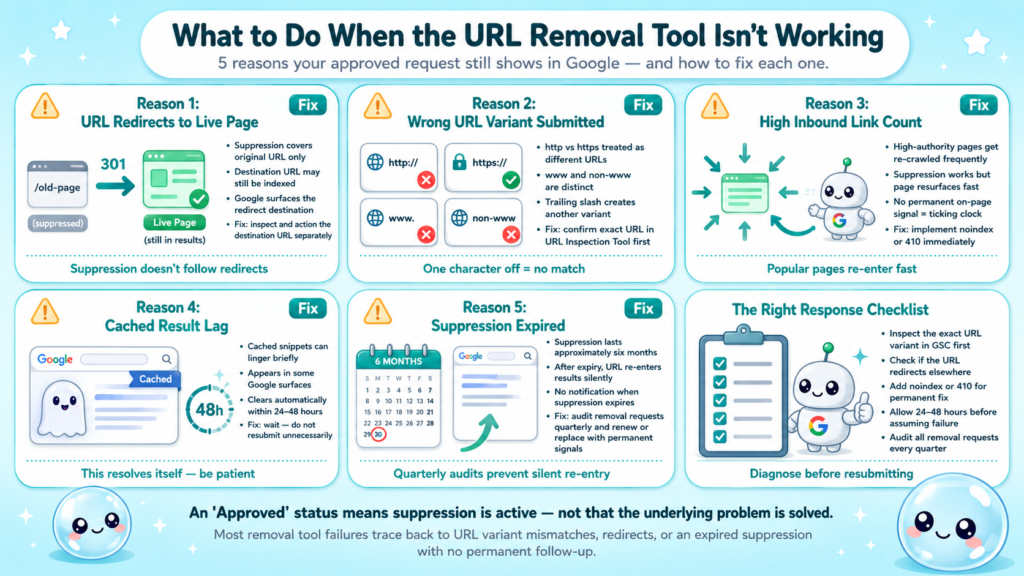
Reason 1: The URL redirects to another indexable page. If your URL 301s to a live, indexable page, Google may continue surfacing that destination URL even after suppressing the original. Fix: check whether the destination URL is also indexed and action it separately.
Reason 2: The request was submitted for the wrong URL variant. Google treats http:// and https://, www and non-www, and trailing slashes as distinct URLs. If your property is set up as https://example.com and you submitted http://example.com/page, the suppression may not match. Fix: confirm the exact URL variant in the URL Inspection Tool first.
Reason 3: The page has too many inbound links. High-authority pages with many inbound links get crawled and re-evaluated more frequently. The suppression works, but the page re-surfaces quickly if no permanent signal is in place. Fix: implement noindex or 410 immediately.
Reason 4: Cached results lag behind. Even after suppression, some users may see cached snippets in certain Google surfaces. This clears on its own, typically within 24 to 48 hours.
Reason 5: The request expired without renewal. Suppression lasts six months. After that, if no permanent fix is in place, the URL re-enters results. Fix: audit your Removal requests quarterly and renew or replace with permanent signals.
If you’re managing removals across a large property and finding Search Console’s native tooling limited, sneo.ai’s Google Search Console alternative provides AI-assisted analysis that flags exactly these re-indexing patterns before they become ranking problems.
Conclusion
- The URL Removal Tool suppresses results fast but lasts only six months without a permanent follow-up signal.
- True permanent removal requires a noindex tag, 410 response, or both.
- Combine the Removal Tool with the URL Inspection Tool and sitemap resubmission for the fastest complete removal.
- Audit your removal requests quarterly so expired suppression doesn’t let pages silently re-enter the index.
- Knowing how to remove a URL from Google Search Console correctly protects your crawl budget and keeps your index clean.
Frequently Asked Questions
Q1: How do I remove multiple URLs from Google Search Console at once?
The Removal Tool processes one URL or one URL prefix per request. For bulk removal, use the prefix option to target entire directories, or implement noindex at the template level (e.g., all tag pages) so every URL matching the template is deindexed in a single change.
Q2: Should I use the URL removal tool or noindex to deindex a page?
Use both together for the best result. The Removal Tool suppresses the page in hours while the noindex tag delivers permanent deindexing after the next crawl. Relying on the Removal Tool alone leaves you exposed when the six-month suppression expires.
Q3: Will removing a URL from Google Search Console hurt my SEO?
Only if the page has ranking value you want to keep. Removing low-quality, thin, or duplicate pages typically improves overall crawl efficiency and can lift the quality signal across the site. Removing high-traffic, high-authority pages will reduce organic traffic directly.
Q4: Can I remove a URL from Google that I don’t own?
The Removal Tool in Search Console only works for verified properties. For URLs on third-party sites, Google offers a separate outdated content removal request for content that has already been deleted from the source site but still shows in search.
Q5: How do I know if a URL has been successfully removed from Google’s index?
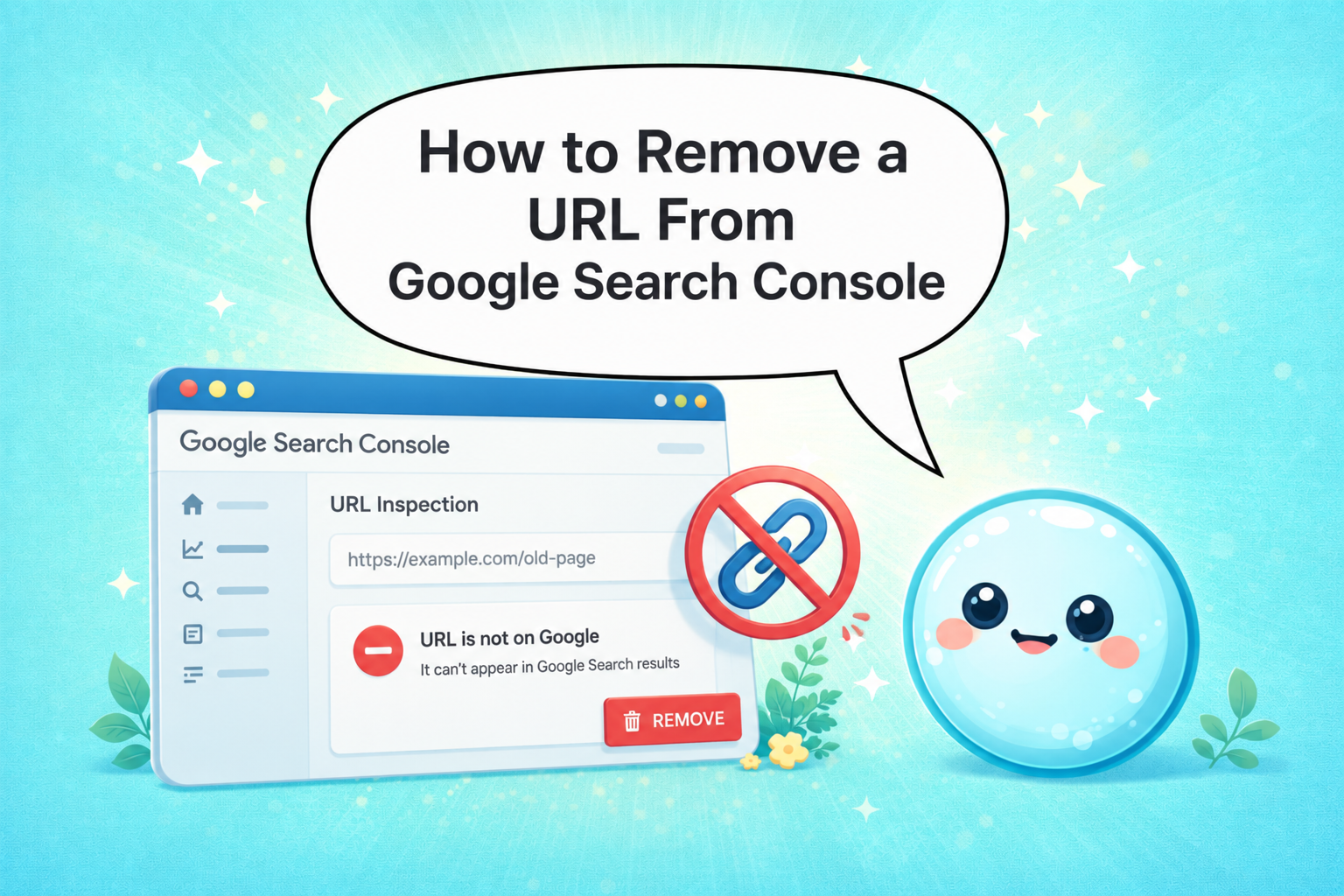
Use the URL Inspection Tool in Search Console. After removal, the tool should return “URL is not on Google.” You can also run a site:yourdomain.com/specific-url search in Google to confirm the URL no longer appears.
Q6: Does removing a URL from Search Console remove it from other search engines?
No. Search Console only communicates with Google. For Bing and other search engines, you’ll need to use their respective webmaster tools, such as Bing Webmaster Tools’ URL removal feature, alongside your on-page signals like noindex.