
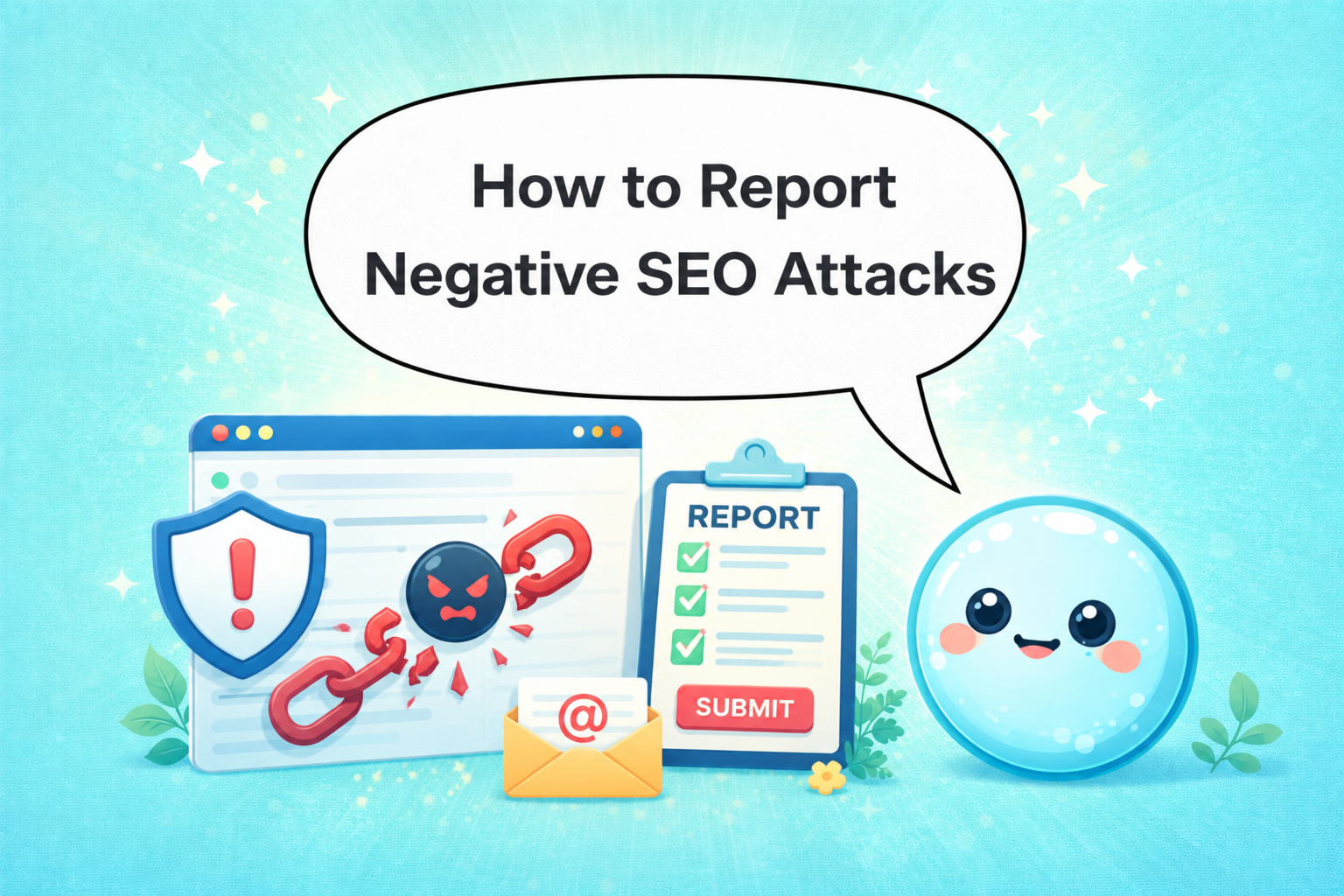

Someone is tanking your rankings on purpose. Spam backlinks pointing at your site, scraped content spinning across the web, crawlers hammering your server, these are the fingerprints of a negative SEO attack. I’ve seen this happen to solid, well-optimised sites, and the damage is real. Knowing how to report negative SEO before a manual penalty lands is the difference between a bad week and a bad quarter. Here’s exactly what to do.
TL;DR
- Negative SEO is real: toxic backlinks, content scraping, and crawl floods are the most common attack vectors.
- Google Search Console is your first detection tool; Ahrefs, Semrush, or Majestic SEO back up the evidence.
- Disavow toxic backlinks, file a spam report with Google, and submit a DMCA complaint for scraped content.
- Document everything before acting, Google needs a paper trail.
What Is Negative SEO and How Do I Detect It?
Negative SEO refers to deliberate, malicious actions taken against your site to suppress its rankings. It’s competitor sabotage dressed in technical clothing, and while Google’s algorithms have grown more resilient, high-velocity, coordinated attacks still cause measurable damage.
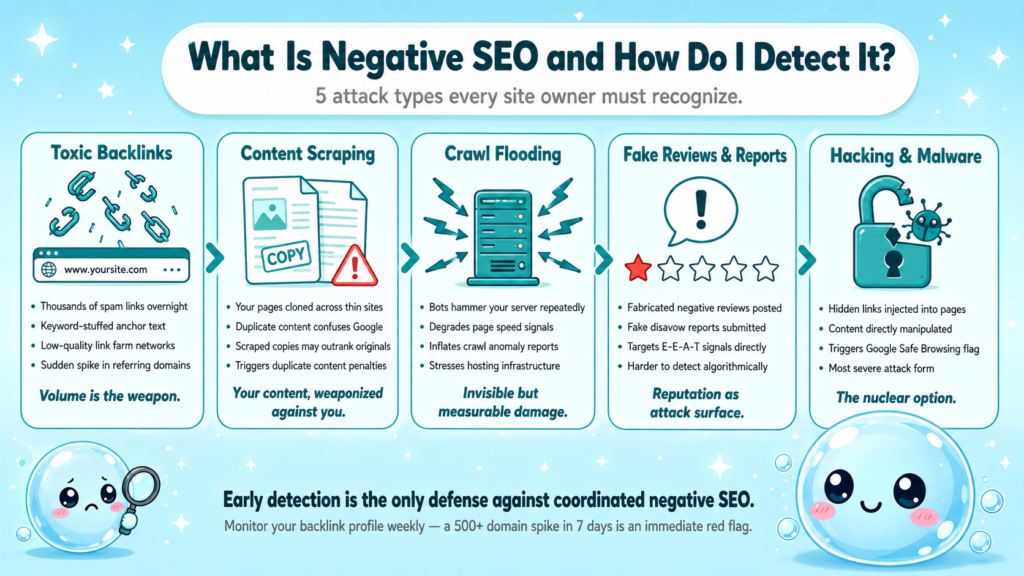
The main attack types:
- Toxic backlink campaigns: Spam link networks pointing thousands of low-quality, keyword-stuffed anchor text links at your domain overnight.
- Content scraping and duplication: Your pages reproduced across hundreds of thin sites, triggering a duplicate content attack that confuses Google about the original source.
- Crawl flooding: Bots hammering your server to inflate crawl anomalies and degrade page speed signals.
- Fake negative reviews and fake disavow reports: Less technical, but damaging to E-E-A-T.
- Hacking and malware injection: The most severe form, directly manipulating your site’s content or adding hidden links, which can trigger a Google Safe Browsing warning.
How to detect an attack early:
- Monitor your backlink profile weekly in Ahrefs, Semrush, or Majestic SEO for sudden link spikes.
- Set up Google Search Console email alerts for manual penalties and security issues.
- Watch for unexplained traffic drops in GSC’s Performance report, cross-reference with your backlink acquisition timeline.
- Use Google Safe Browsing’s transparency report to check whether your domain has been flagged.
- Run a comprehensive SEO audit at the first sign of unexplained ranking movement.
I recommend treating a sudden spike of 500+ new referring domains in under a week as an immediate red flag warranting a full backlink audit.
How to Know If Someone Is Doing Negative SEO to Your Site
Detection comes before reporting. These are the concrete signs I look for when a client suspects competitor sabotage.
| Signal | What to Check | Tool |
| Backlink spike | Referring domain count vs. 30-day baseline | Ahrefs / Semrush |
| Anchor text manipulation | % of exact-match or spammy anchor text | Majestic SEO |
| Manual penalty notice | Manual Actions tab | Google Search Console |
| Algorithmic penalty | Traffic drop aligned to core update | GSC Performance |
| Scraped content | Duplicate pages indexed elsewhere | Copyscape / GSC |
| Crawl anomalies | Server error spikes, crawl rate surge | GSC Coverage report |
| Security warning | Malware or phishing flag | Google Safe Browsing |
Steps to confirm an attack:
- Pull your backlink history in Ahrefs and sort by “First Seen” date, look for unnatural surges.
- Filter for low domain authority (DA under 10) and high spam score simultaneously.
- Export anchor text distribution and flag anything over 20% exact-match on money keywords.
- Cross-check your GSC Manual Actions tab, any algorithmic penalty leaves a footprint here.
- Search Google for site:yourdomain.com and check whether scraped copies outrank your originals.
If you see 1,000+ new links from link farms appear within 48–72 hours, treat it as a confirmed attack and begin documentation immediately.
How to Use Google Search Console to Detect Negative SEO
Google Search Console is the control room for how to report negative SEO effectively, and it’s free. I walk clients through this flow every time.
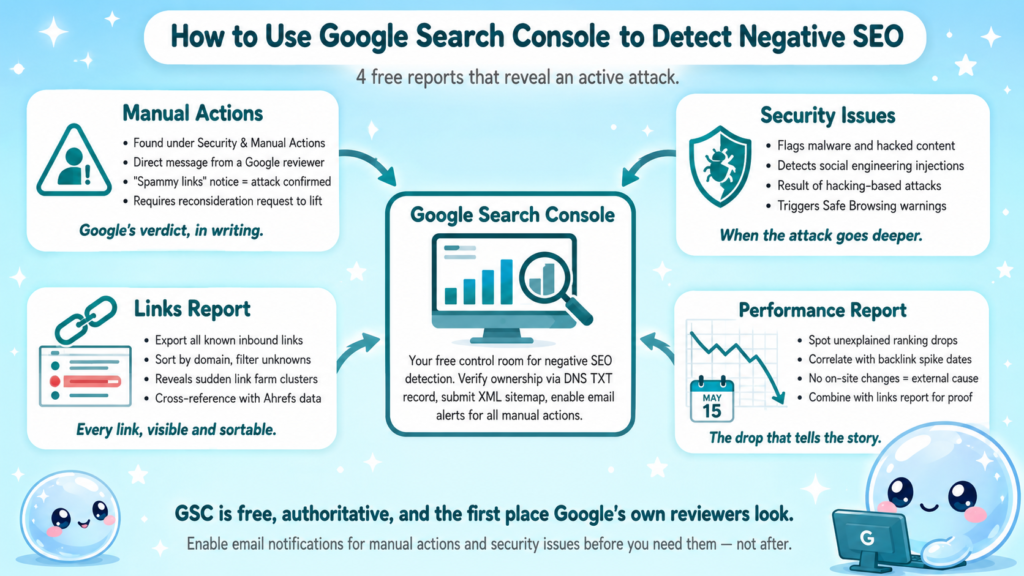
Connect and configure GSC first (if not already done):
- Verify ownership of your property via DNS TXT record or HTML file upload.
- Submit your XML sitemap under Indexing > Sitemaps.
- Enable email notifications for all manual actions and security issues.
The four GSC reports that reveal an attack:
- Manual Actions (Security & Manual Actions > Manual Actions): A direct message from Google that your site violates Google Webmaster Guidelines. A “spammy links” notice here confirms the attack has already been detected by Google.
- Security Issues: Flags malware, hacked content, or social engineering, the result of a hacking-based negative SEO attack.
- Links report (Links > Top linking sites): Lets you export all known inbound links, sortable by domain. Filter for domains you don’t recognise.
- Performance report: A sudden ranking drop with no on-site changes is a correlating signal, not standalone proof, but combined with a backlink spike, it builds your case.
Understanding what average position in Google Search Console means helps you track ranking shifts precisely before and after an attack window.
At sneo.ai, our GSC integration lets you ask directly: “Did my backlink profile change in the last 30 days?” and get an answer without manually exporting CSV files.
Steps to Report Negative SEO to Google
This is the core of how to report negative SEO, most people skip steps and wonder why nothing changes.
- Document the attack: Export your full backlink list from Ahrefs or Semrush. Screenshot the links report in GSC. Save the dates.
- Attempt manual outreach: Contact the linking webmasters and request removal. Keep records of every email sent and response (or non-response).
- Build your disavow file: Create a plain-text .txt file listing domains to disavow, one per line, using the format domain:spammydomain.com.
- Submit via the Disavow Tool: Go to Google’s Disavow Tool, select your property, and upload the file. Google processes it over several weeks.
- File a spam report: Use Google’s spam report form to flag the sites linking to you and describe the attack.
- Submit a reconsideration request (if manually penalised): Navigate to Manual Actions in GSC, click “Request Review,” and submit your documentation showing the disavow and outreach efforts.
- File a DMCA complaint for scraped content: If your content has been duplicated, use Google’s DMCA removal tool to request deindexing of the copied pages.
Each step needs evidence. Google’s reviewers respond to documented, methodical cases, not vague claims of sabotage.
How to Disavow Bad Backlinks from a Negative SEO Attack
The disavow process is precise. Done wrong, you can disavow links you actually want. Here’s the method I use.
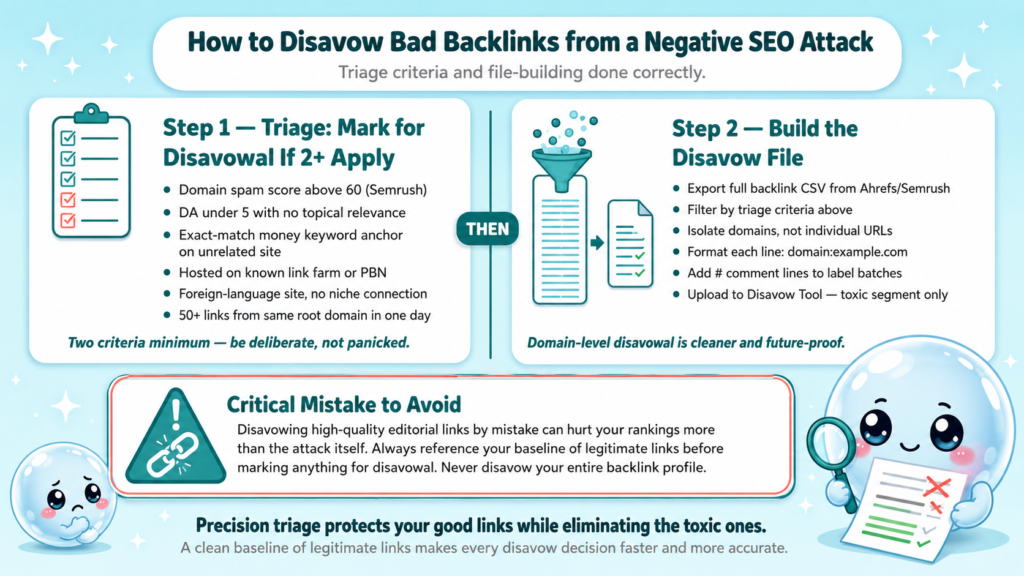
Backlink triage criteria, mark a link for disavowal if it meets two or more:
- Domain spam score above 60 (Semrush metric)
- DA under 5 with no topical relevance
- Anchor text is exact-match money keyword from a clearly unrelated site
- Hosted on a known link farm or private blog network (PBN)
- Foreign-language site with no logical connection to your niche
- Links appeared in bulk (50+ from same root domain in one day)
Building the disavow file correctly:
- Export your full backlink list from Ahrefs or Semrush as CSV.
- Filter by the criteria above and isolate domains (not individual URLs where possible, disavowing at domain level is cleaner).
- Format each line as domain:example.com, with comment lines starting with # to explain batches.
- Upload to the Disavow Tool. Do not disavow your entire backlink profile, only the toxic segment.
Disavowing high-quality editorial links by mistake can hurt your rankings more than the attack itself. Triage carefully.
A thorough understanding of ongoing SEO monitoring makes disavow decisions faster because you have a baseline of legitimate links to reference.
Best Tools to Monitor and Detect Negative SEO in 2026
Knowing how to report negative SEO means nothing if you detect it three months late. These tools form a complete monitoring stack.
| Tool | Primary Use | Strength |
| Google Search Console | Manual actions, links, security | Free, authoritative |
| Ahrefs | Backlink spike detection | Best historical link data |
| Semrush | Spam score, toxic link audit | Backlink audit workflow |
| Majestic SEO | Trust Flow vs. Citation Flow ratio | Deep link quality signals |
| Copyscape | Duplicate content detection | Catches content scraping |
| Google Safe Browsing | Malware/phishing check | Direct Google data |
| sneo.ai | AI-driven GSC analysis | Conversational anomaly detection |
What I recommend as a minimum monitoring cadence:
- Daily: GSC email alerts for manual actions and security issues.
- Weekly: Backlink profile review in Ahrefs, new referring domains report.
- Monthly: Full toxic backlink audit in Semrush, anchor text distribution check, Copyscape scan of top 10 pages.
For teams managing multiple clients, sneo.ai’s approach of connecting Search Console and answering direct diagnostic questions cuts the time to identify crawl anomalies and backlink anomalies from hours to minutes.
Conclusion
- Negative SEO is detectable early with the right monitoring stack, GSC, Ahrefs, and Semrush cover the core signals.
- Knowing how to report negative SEO means building evidence first: export, document, outreach, then disavow.
- Always file a spam report with Google and a DMCA complaint for scraped content, don’t stop at the disavow file.
- Ongoing monitoring is protection: a site you watch closely is much harder to tank quietly.
Frequently Asked Questions
Q1: Does negative SEO actually work against modern Google algorithms?
It’s less effective than it was, but coordinated attacks at high velocity, particularly mass spam link campaigns, still trigger algorithmic penalties on sites that aren’t monitoring their backlink profiles. Google’s defenses are better, not perfect.
Q2: How long does it take Google to process a disavow file?
Google typically processes disavow files within a few weeks, but ranking recovery after a manual penalty can take one to three months following a successful reconsideration request. Algorithmic recovery varies by core update cycle.
Q3: Can I report negative SEO without a manual penalty?
Yes. File a spam report through Google’s webmaster spam report form even without a manual action. It contributes to Google’s spam intelligence and can accelerate algorithmic devaluation of the attacking domains.
Q4: What’s the difference between a manual penalty and an algorithmic penalty from negative SEO?
A manual penalty appears explicitly in GSC’s Manual Actions tab, applied by a Google reviewer. An algorithmic penalty is an automatic ranking suppression with no notification, you detect it by correlating traffic drops with known algorithm update dates.
Q5: Should I disavow at the domain level or URL level?
Domain level is almost always better when dealing with spam link networks. It’s more comprehensive, future-proofs against new URLs from the same domain, and keeps your disavow file manageable. Only use URL-level disavows for isolated links from otherwise clean domains.
Q6: How is sneo.ai different from just using Google Search Console directly?
GSC shows you the data, sneo.ai tells you what it means. Connect your Search Console, ask “why did my traffic drop last month?” and get a diagnosis tied to your actual site data rather than interpreting raw reports manually.